

GoHighLevel V1 - CRM V1
GoHighLevel is a complete marketing platform with robust customer relationship management features. It was designed to handle a client's entire business operation: sales funnels, lead tracking, outbound communication, follow-up sequences, and scheduling.
NicoChat integration with GoHighLevel:
You can find this integration under Integrations. GoHighLevel has two API versions, 1.0 and 2.0, and we support both.
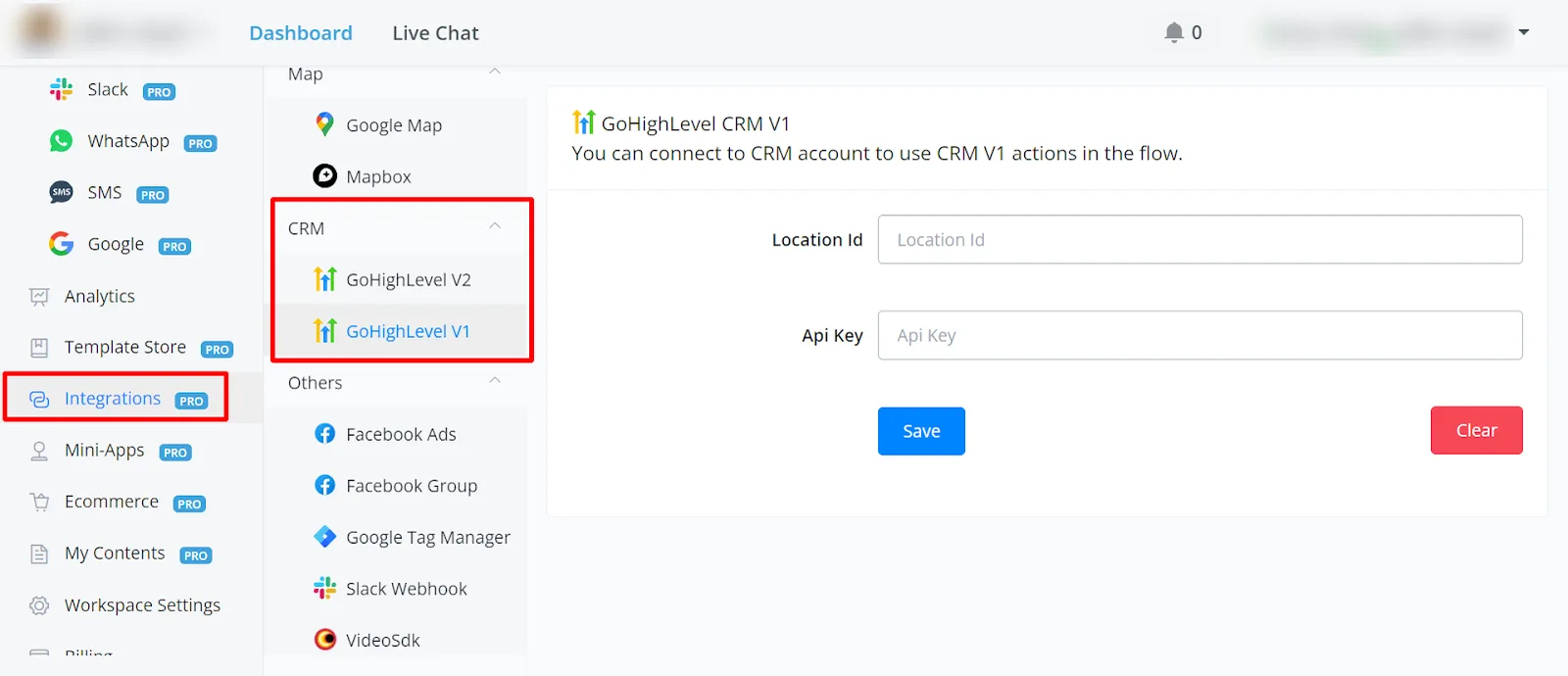
CRM V1 and CRM V2 integration
- V1: requires the location ID and the API key
Integration with GoHighLevel V1:
For CRM V1, you need to enter your GoHighLevel location ID and API keys to connect to the Version 1 API.
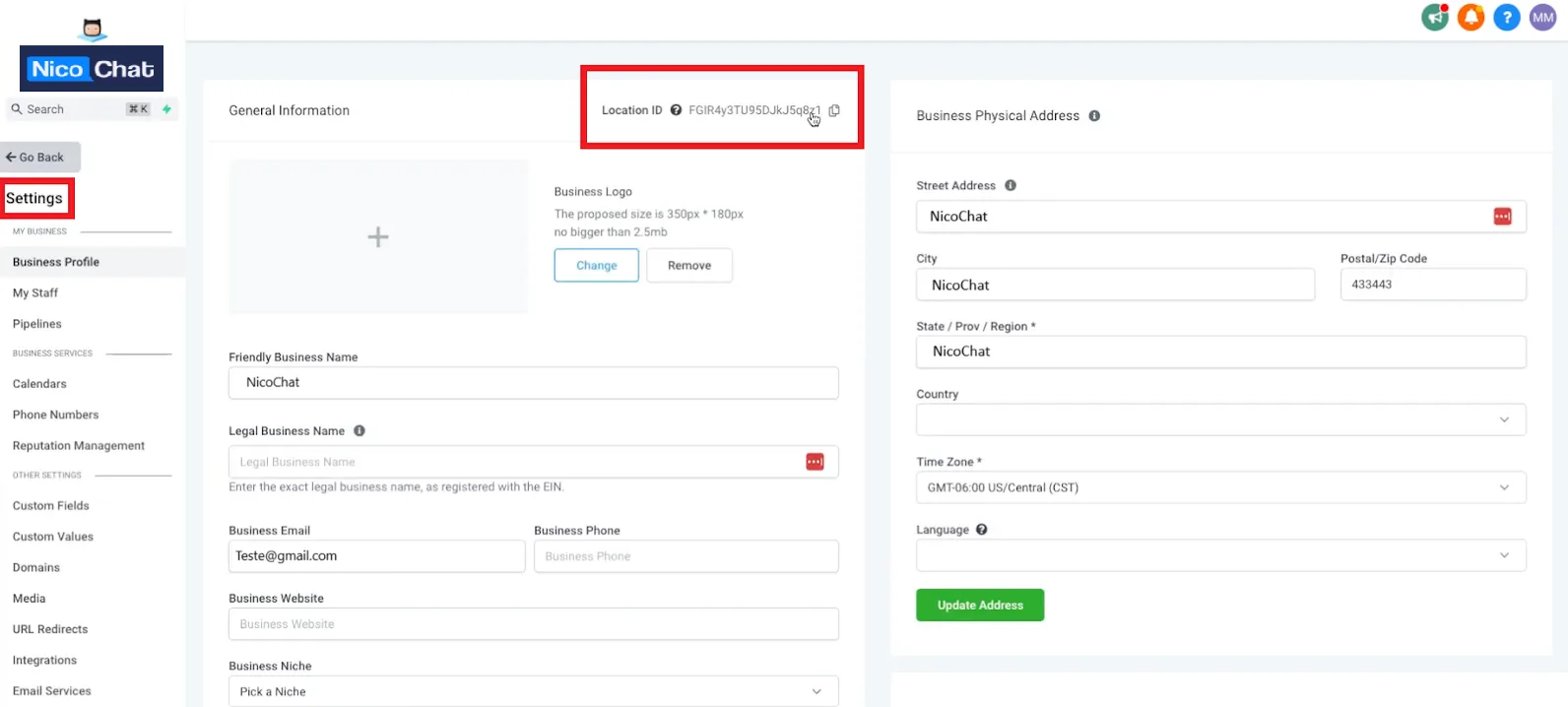
- Log in to your CRM account.
- Go to Settings.
- Find your location ID and API keys here.
- Click to copy them.
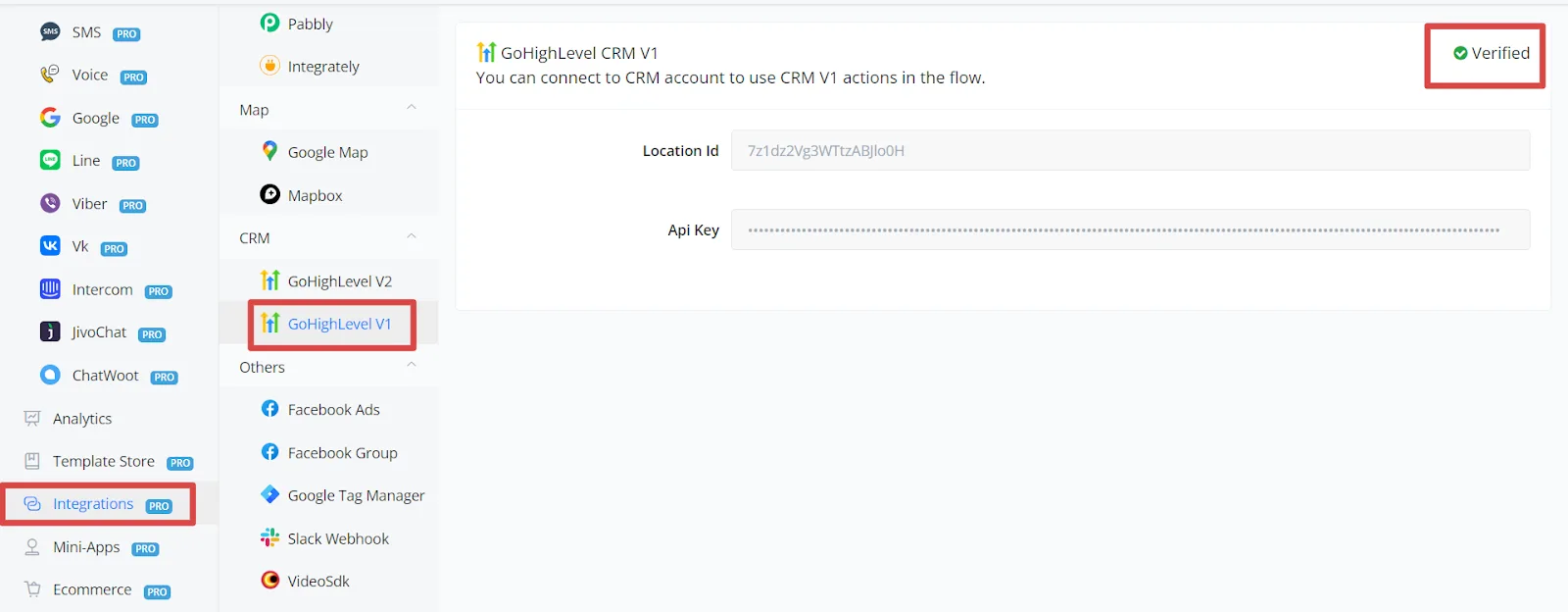
- Paste the location ID and the API key into NicoChat.
- Save. A green checkmark should appear, indicating that CRM Version 1 is ready to use in the Flow Builder.
Actions:
- Actions work in all the channels we support
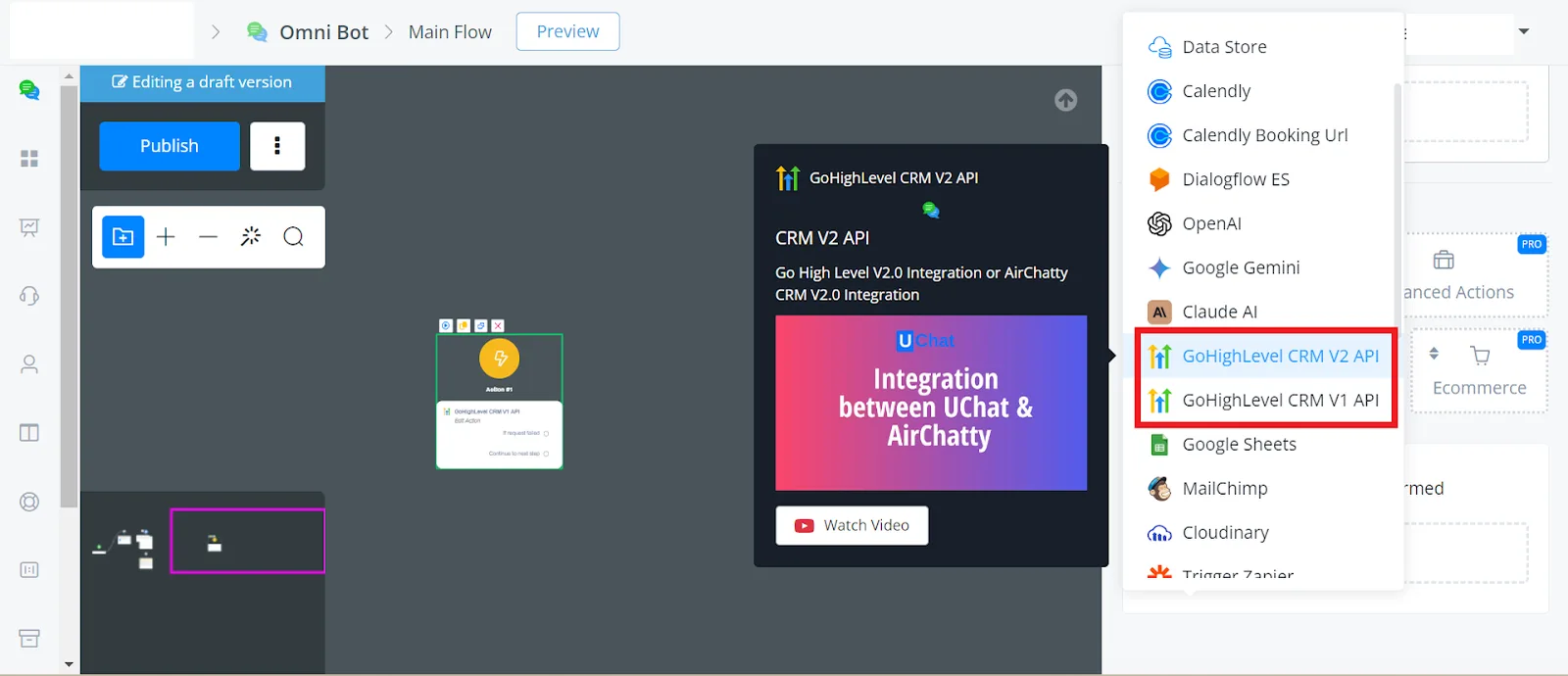
- In any channel, open the Flow Builder.
- Right-click and go to "Action" and "Integration".
- You will see "CRM Version 1 API" and "CRM Version 2 API".
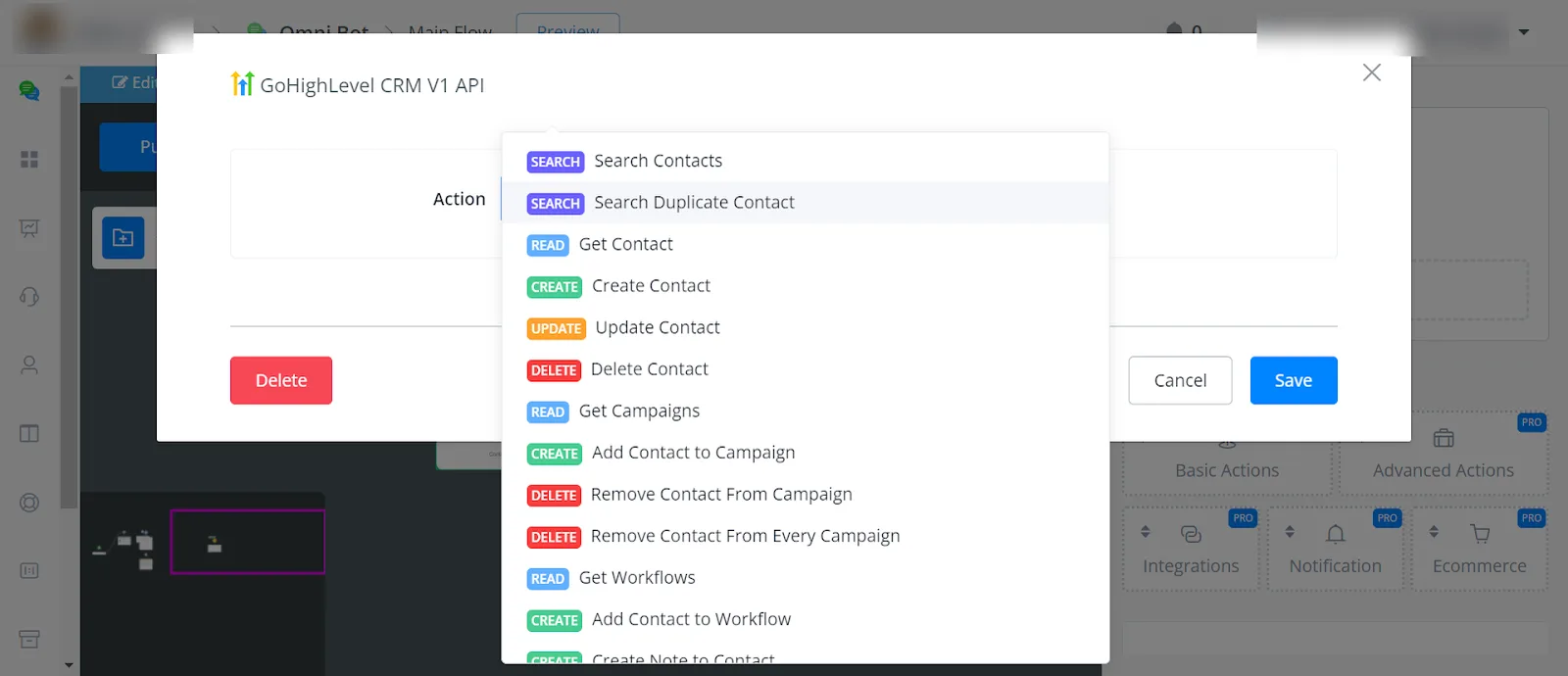
Here is the list of the actions we support, according to the API version:
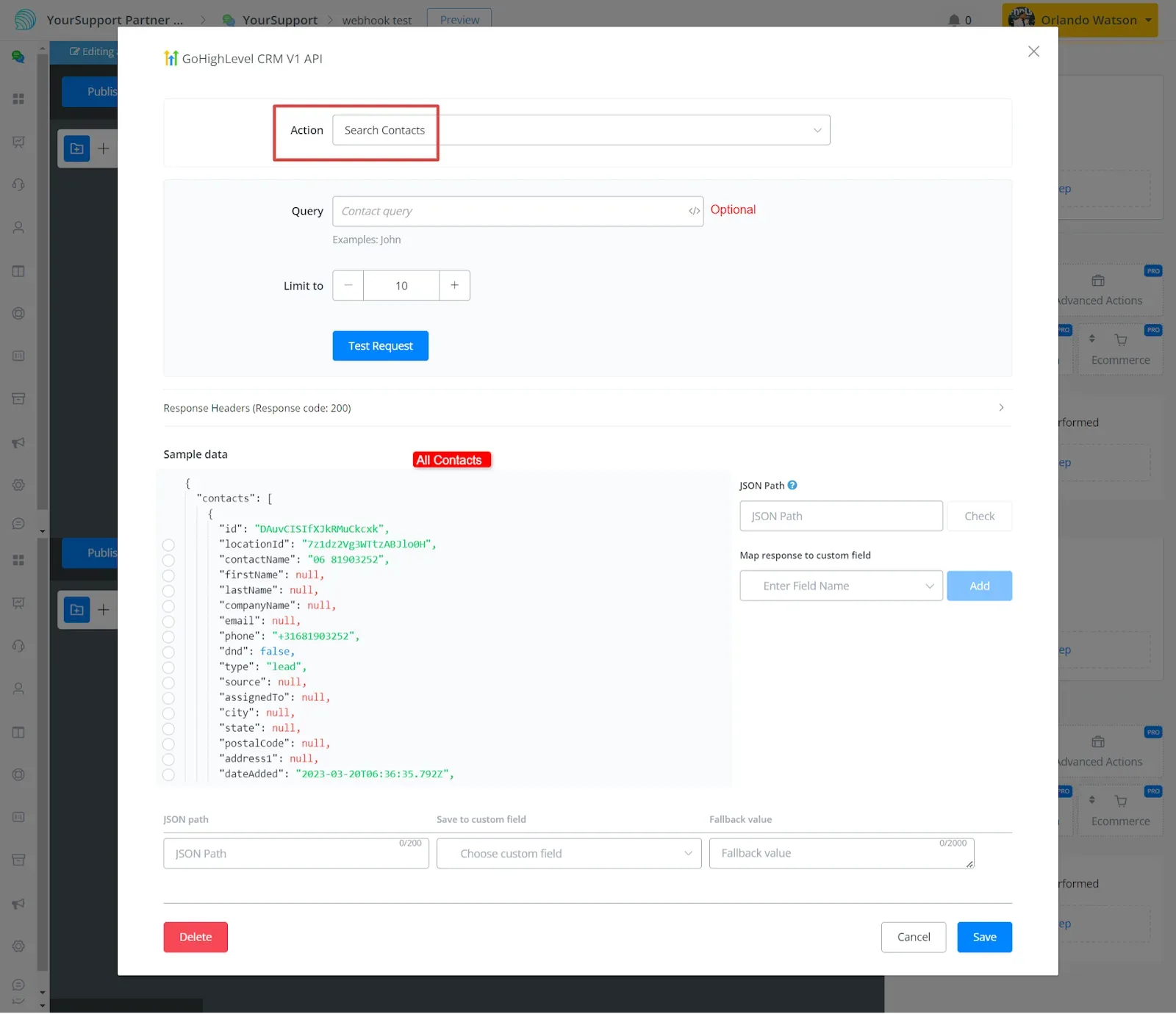
- Search Contacts
You can search either all contacts or an individual contact by entering the user name.
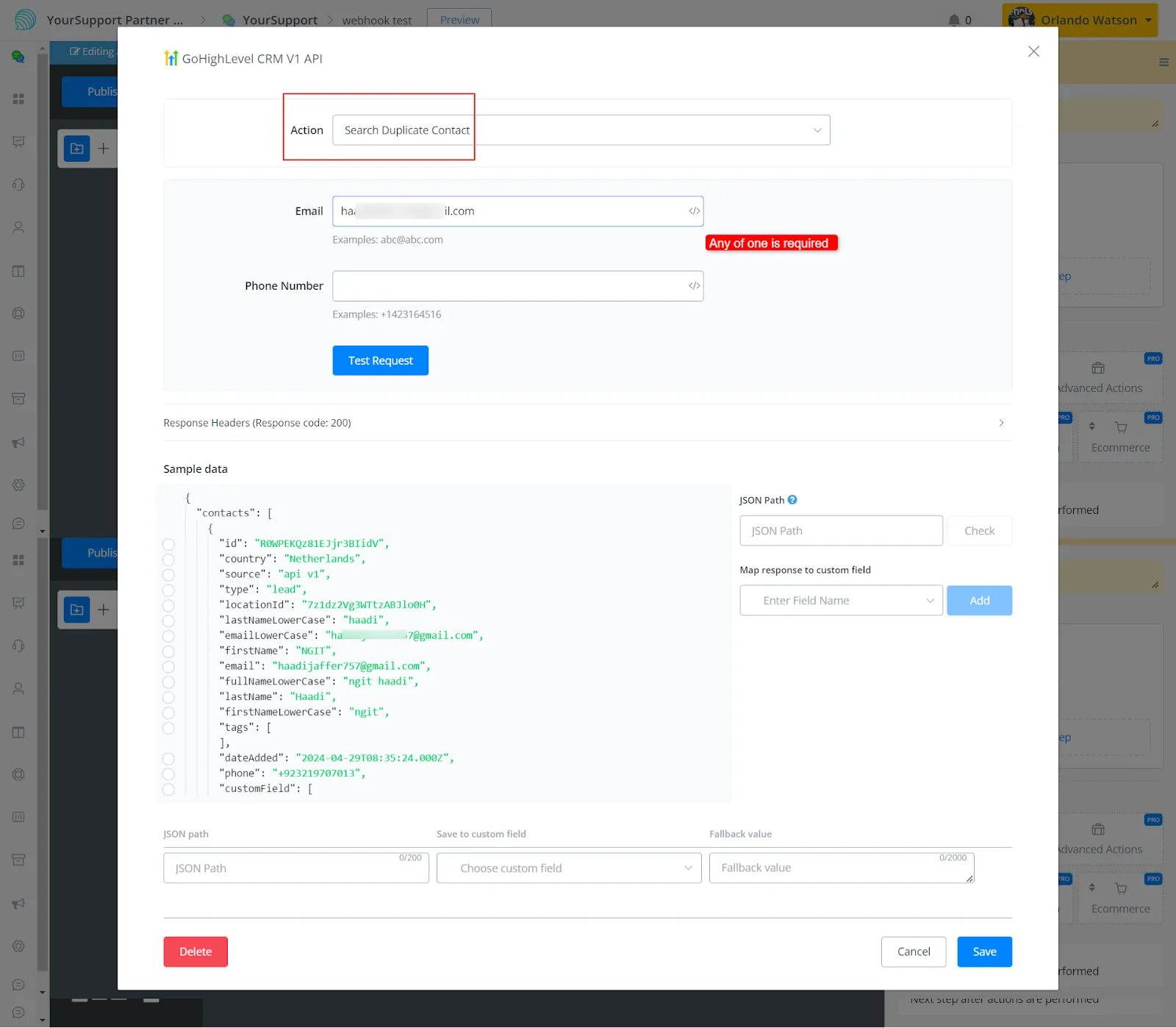
- Search Duplicate Contacts
Use this operation to check whether the user's email or phone has already been found.
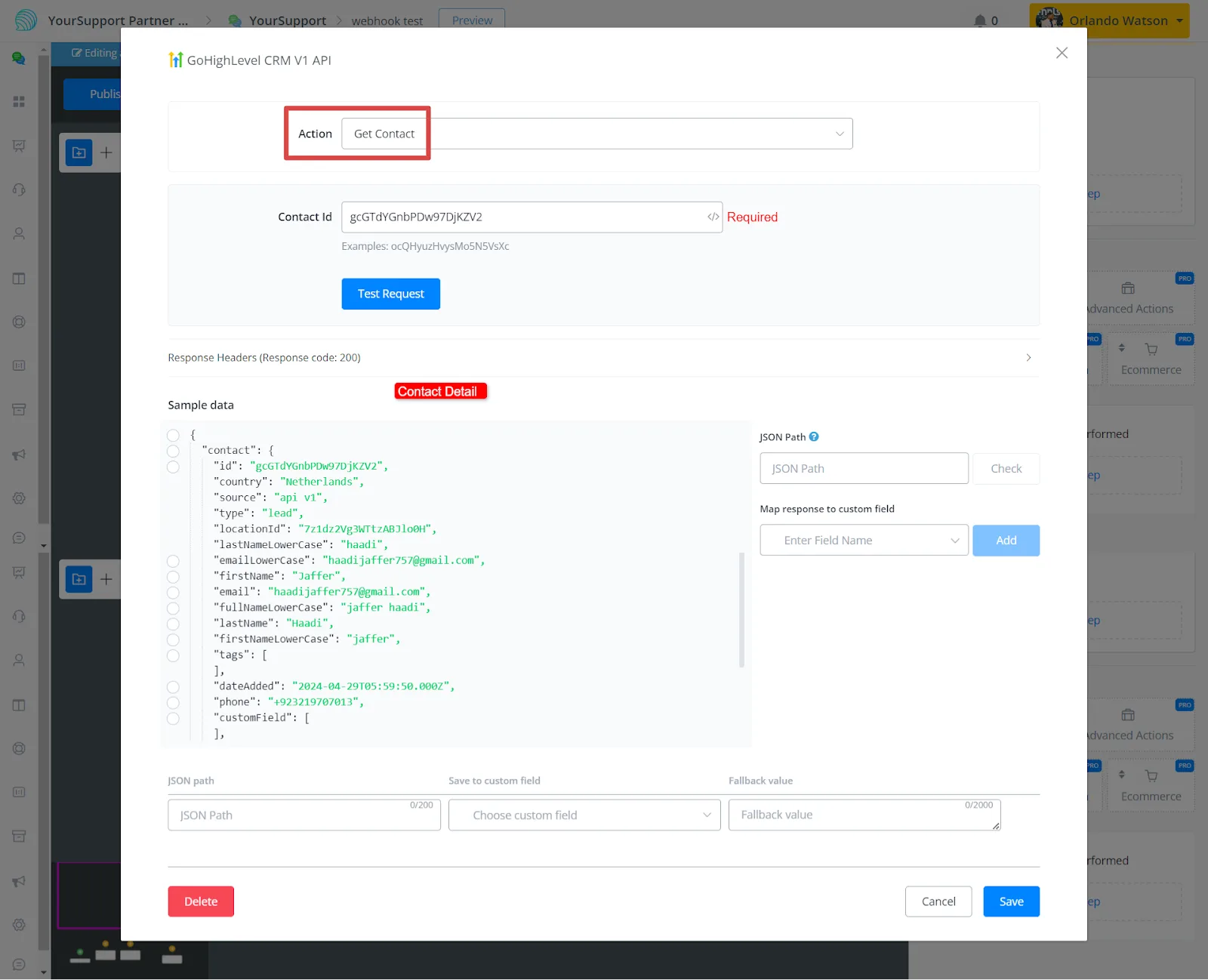
- Get Contact
You get the details of a contact by entering the user ID.
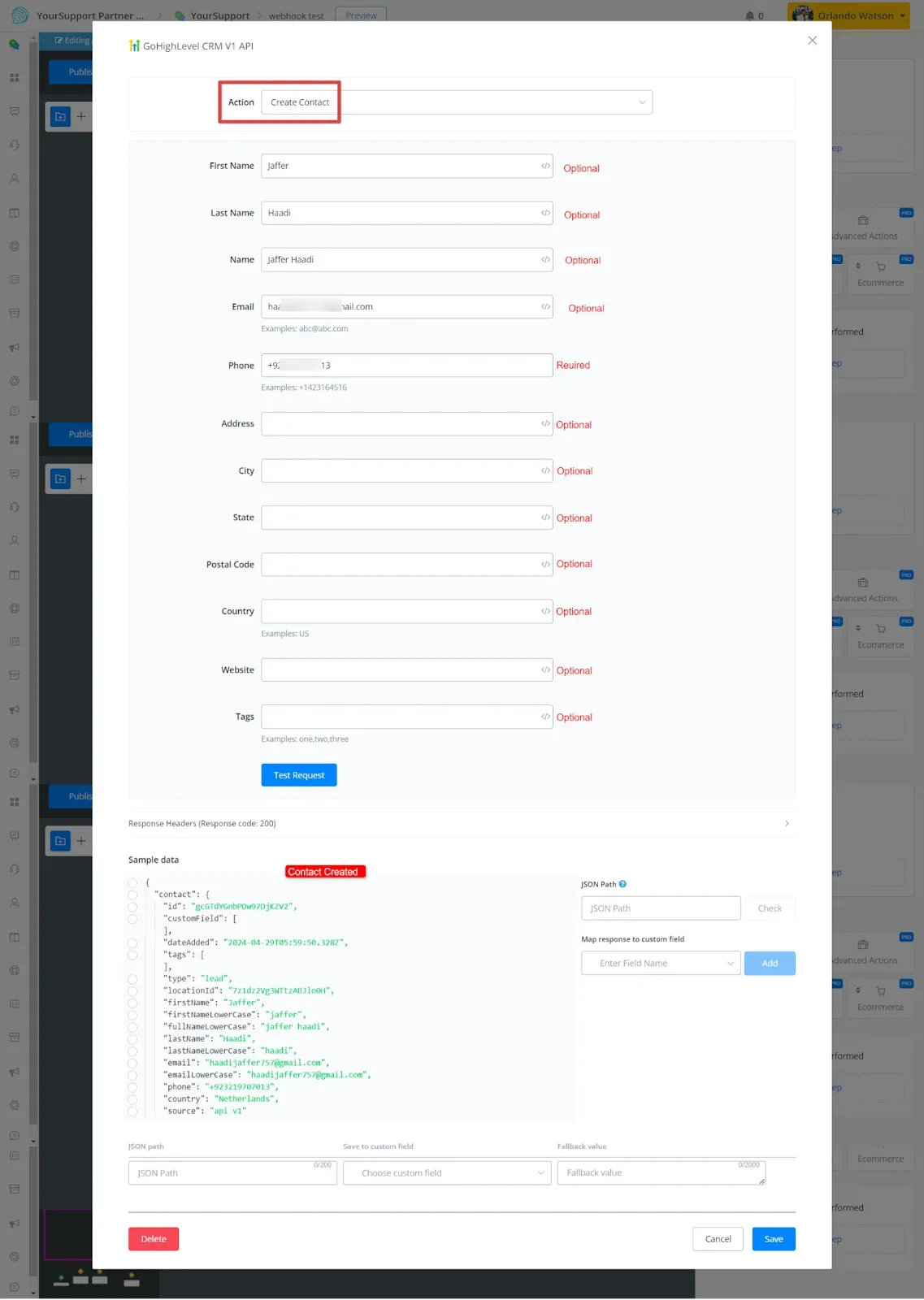
- Create Contact
Fill in the parameters with phone number, first and last name, email address, and any additional information.
- Update Contact
Similar to the Create Contact action: here you only need to enter the contact ID.
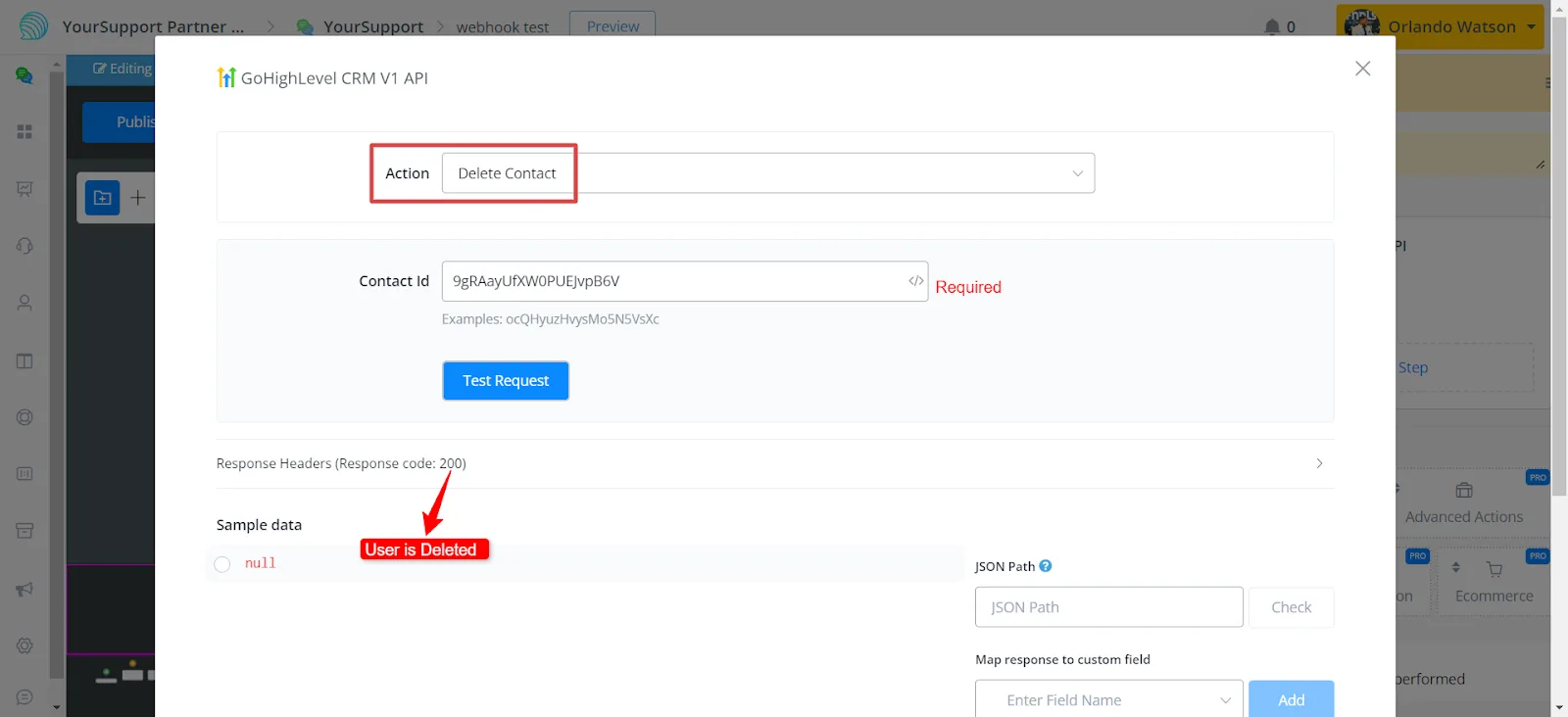
- Delete Contact
You delete the contact by entering the contact ID.
- Access campaigns, Add or remove contacts from campaigns
- Access workflows, Add contacts to workflows
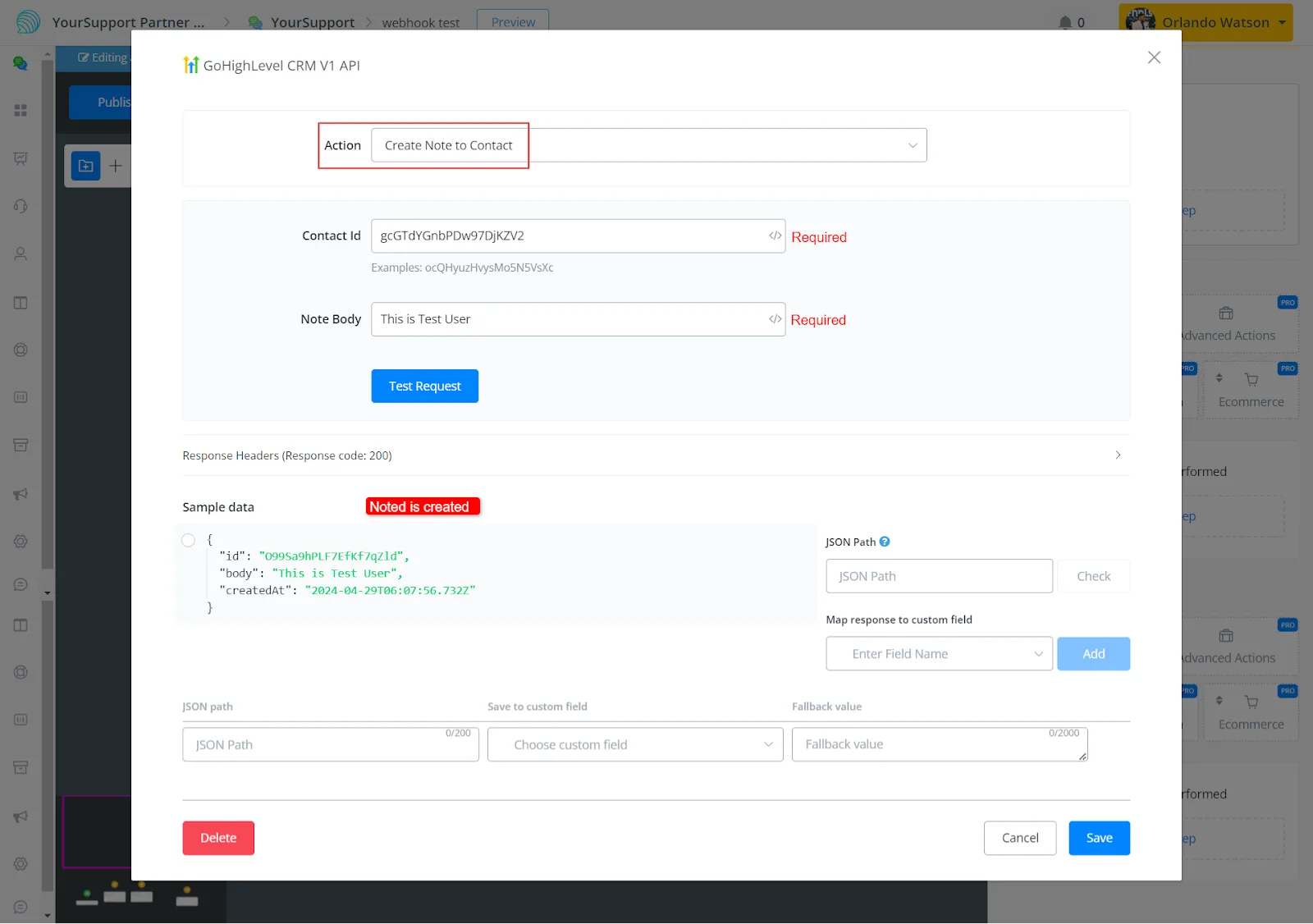
- Add note to contact
To add a note to a contact, enter the contact ID and the note body.
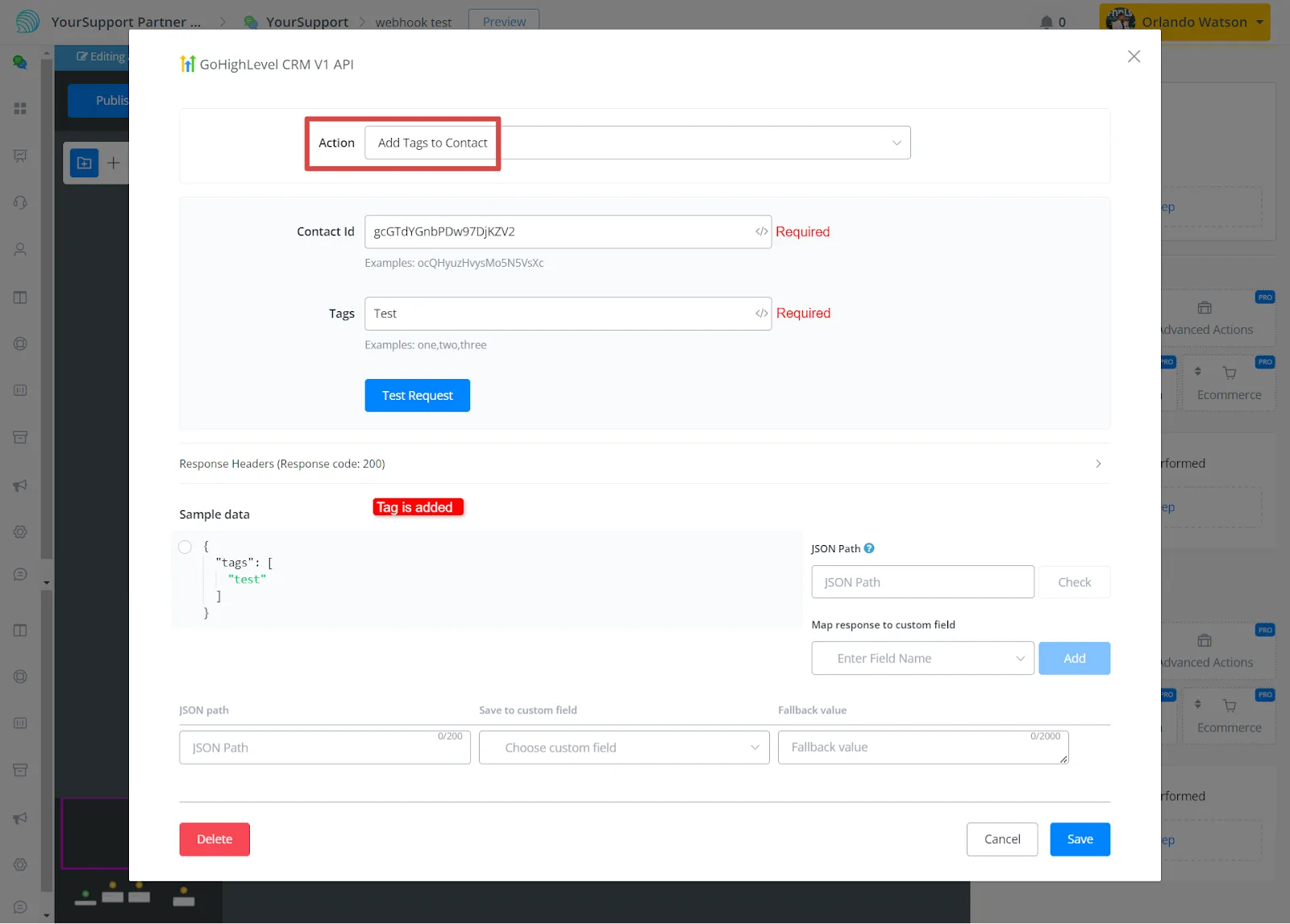
- Add or remove tags from contacts
The process is simple: provide the tag name and the contact ID to add or remove the tag.
Triggers
- V1 does not have triggers