Facebook Business - Business Management
The Facebook business management integration lets you easily sync your Facebook catalog products with NicoChat's built-in ecommerce.
The advantage of this sync is that you can easily match the Facebook products with our built-in ecommerce.
This feature is essential if you use the WhatsApp product catalog to build your native WhatsApp ecommerce.
When you click the “Connect Facebook Business” button, you will be asked to authorize access to NicoChat.
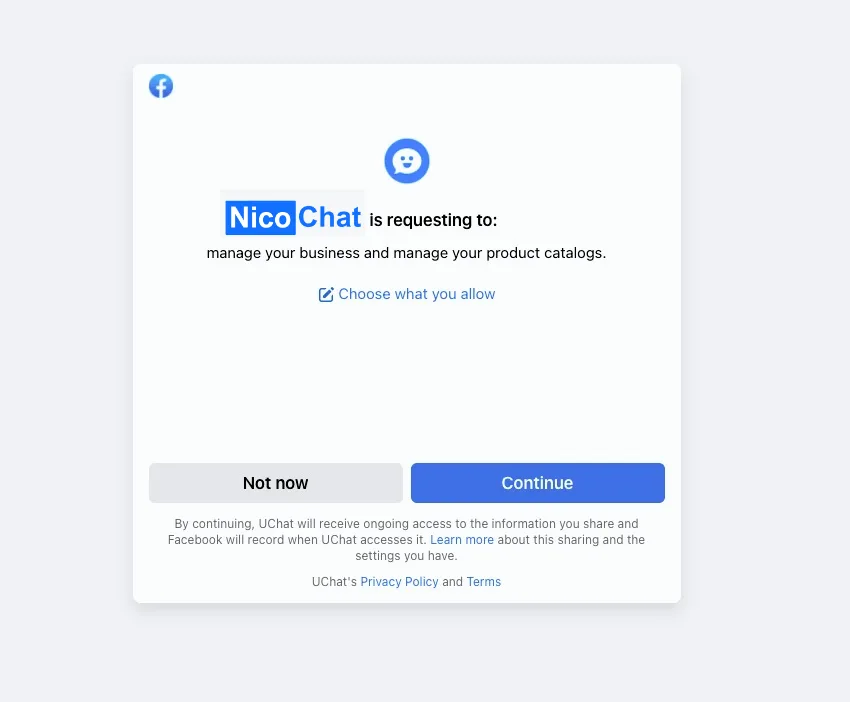
Click the “Continue” button: you are taken back to NicoChat, already connected to your Facebook business account.
You can disconnect your Facebook business account at any time by clicking the “Disconnect” button.

To sync the products, click the “list business catalogs” button: NicoChat will pull in all the product catalogs from your Facebook business account.
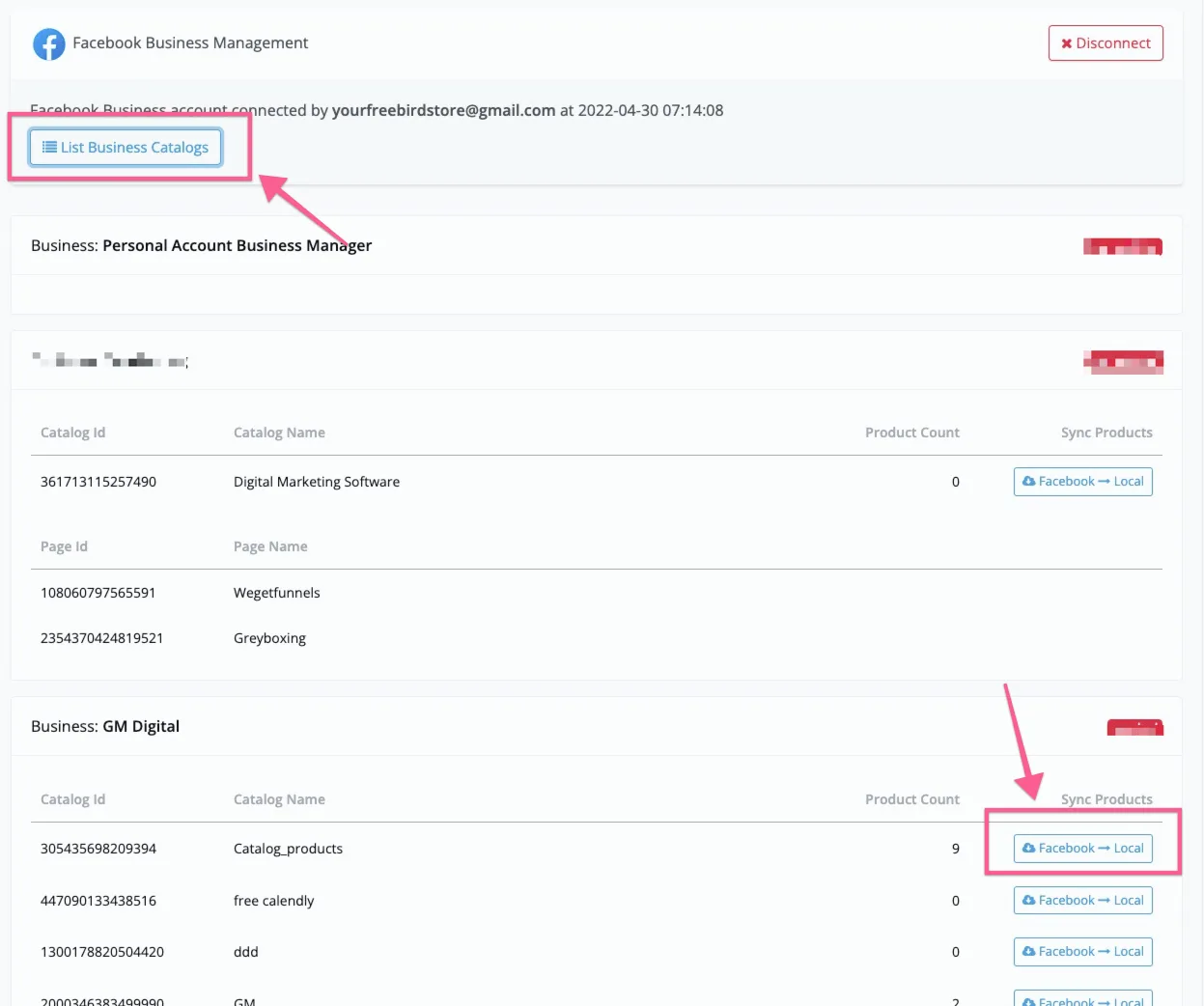
Then click “Facebook -> Local” to sync the products into our built-in ecommerce system.
The data below is synced back to NicoChat.
- Product name
- Product description
- Product image
- Pricing
- SKU
- Product type
- Product vendor
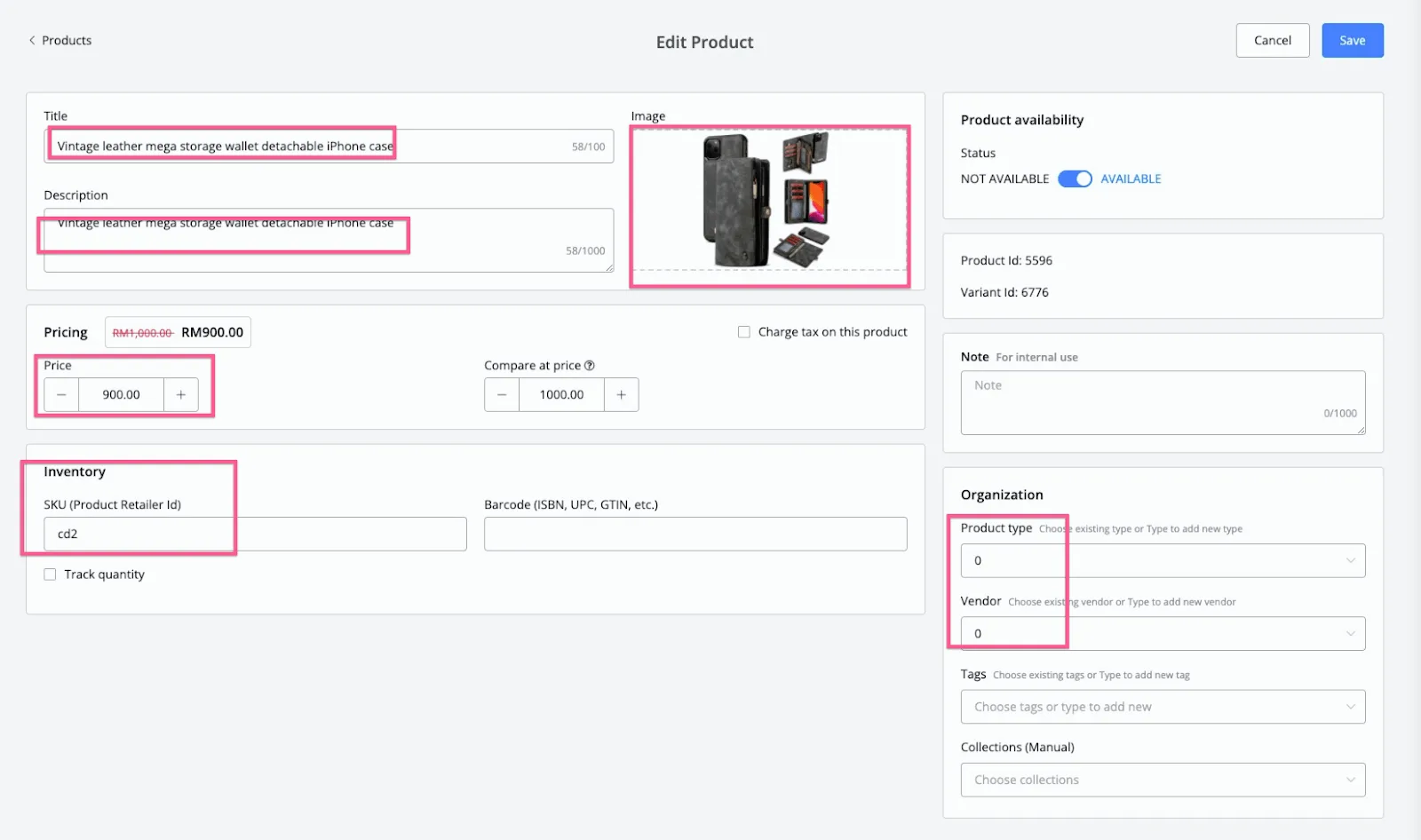
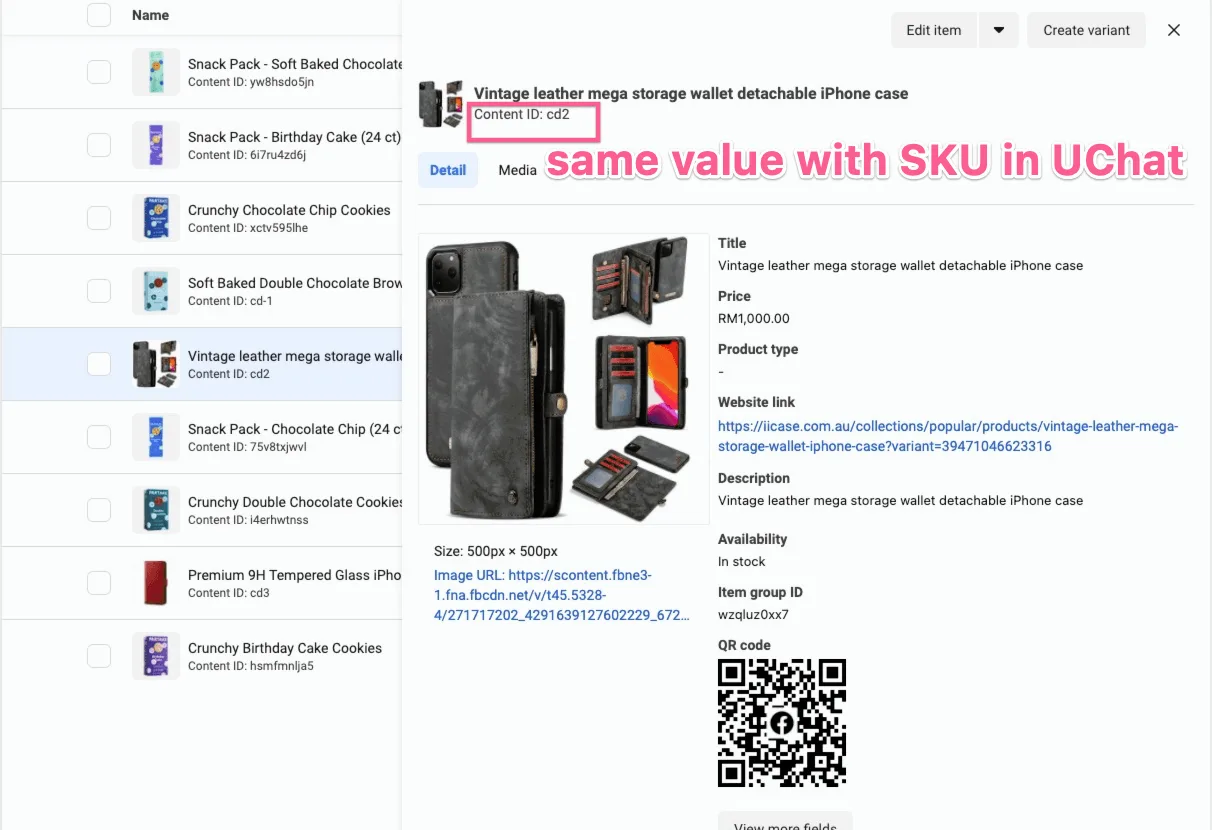
Note that the SKU has the same value as the content ID in your Facebook catalog. That is how NicoChat matches the product with our ecommerce.
Do not change the SKU value. If you want to use the WhatsApp product catalog or the native ecommerce, always keep the SKU at the same value as the content ID in your Facebook catalog.
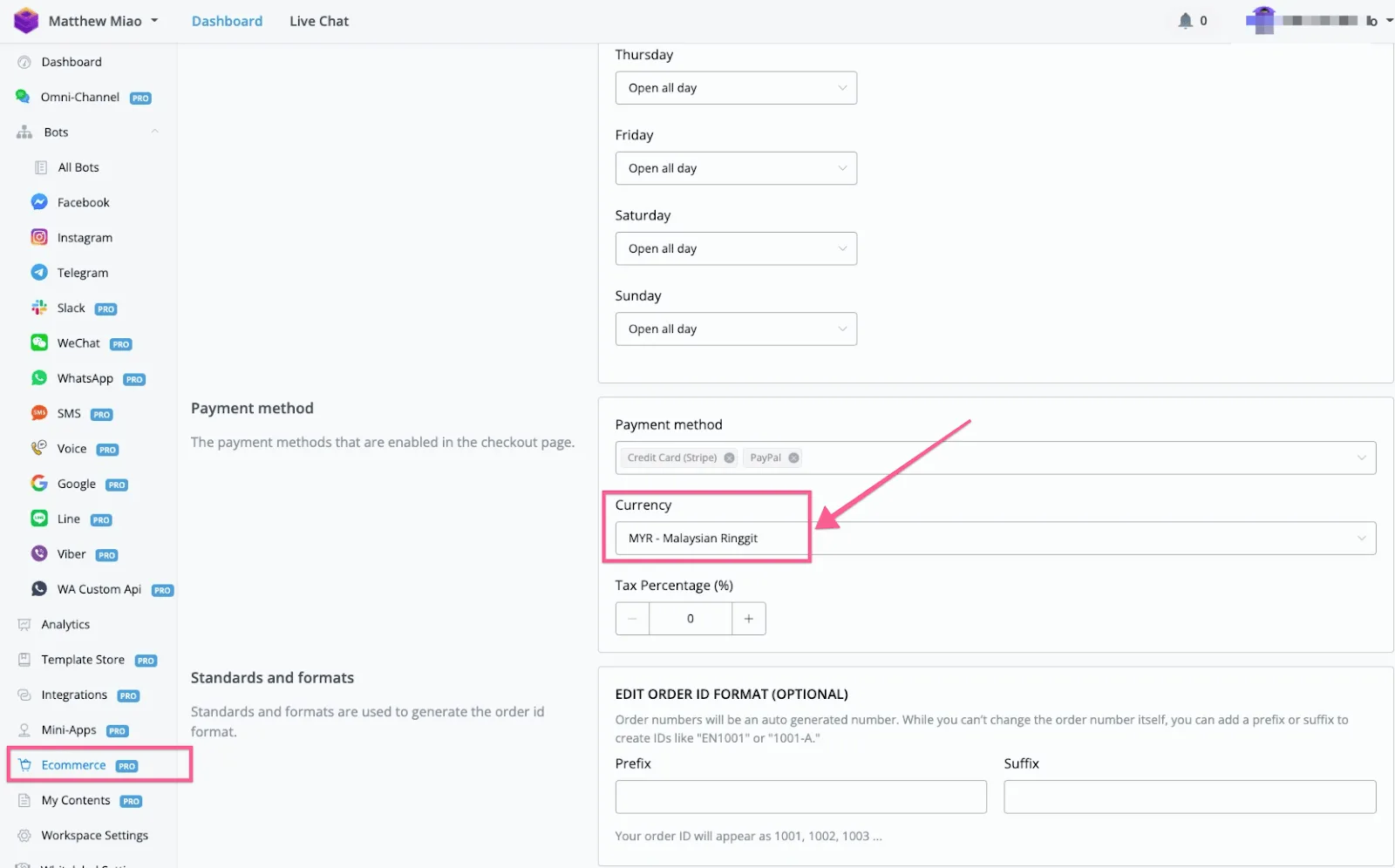
If you use a different currency in your Facebook product catalog, use the same currency in the NicoChat ecommerce settings.
Always make sure the currency settings are the same in NicoChat and in the Facebook product catalog.
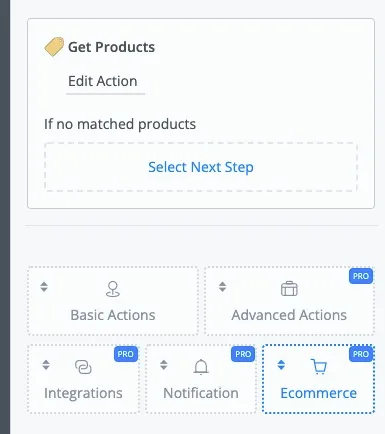
If you sync your Facebook catalog products with NicoChat, you will be able to easily use WhatsApp product catalog messages and the native ecommerce.
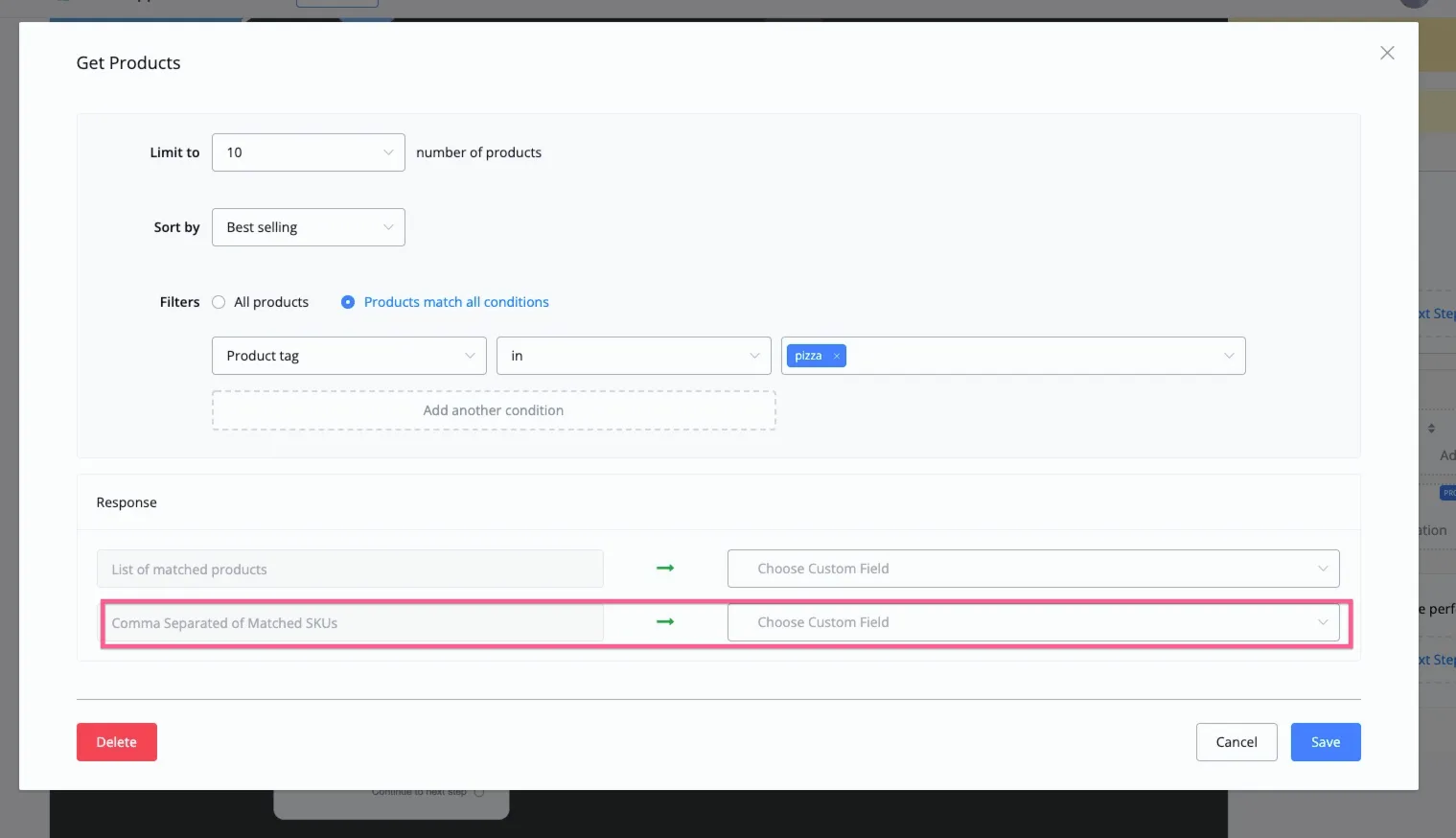
1- For example, when using Get Products in the ecommerce action, you can select the filter you want, as in the image below:
And, with the filter set up to populate the products dynamically, you can save them into a JSON variable.
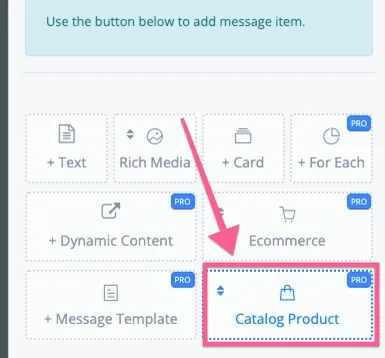
Then use send message and select “Product”. Note that this is only available on the WhatsApp channel with 360Dialog as the WABA provider.
And you can use the RetailsID directly in the “WhatsApp Multiple Products” message, as in the screenshot below:
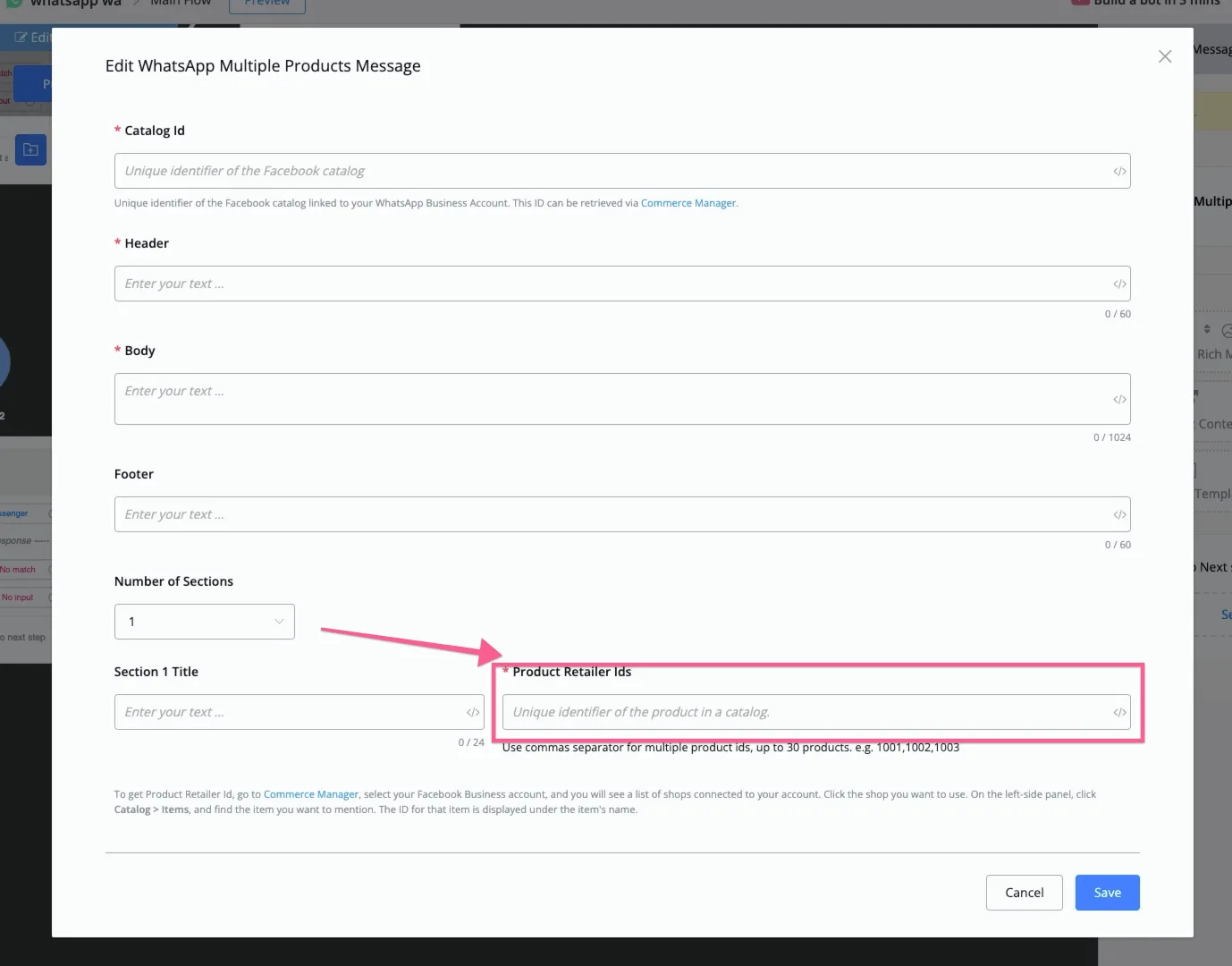
In this case, you will be able to use our built-in ecommerce and populate the products dynamically on the WhatsApp channel.
- Sync the Facebook product catalog with our built-in ecommerce system and set up the “WhatsApp product inquiry” trigger, which is under Automation, in New Triggers.
- Since the product retailer ID has the same value as the SKU in our ecommerce system, we can display directly which product the user is asking about.
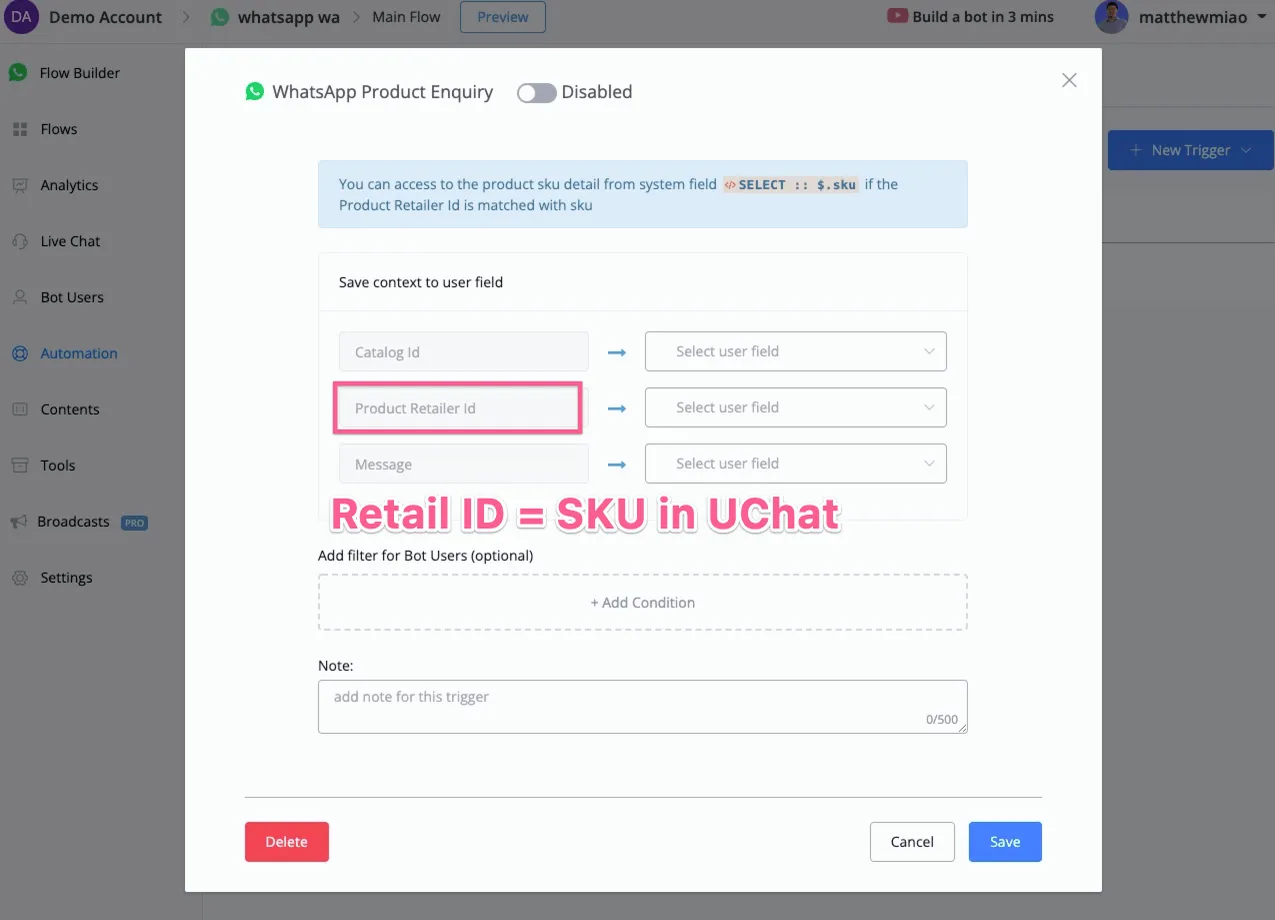
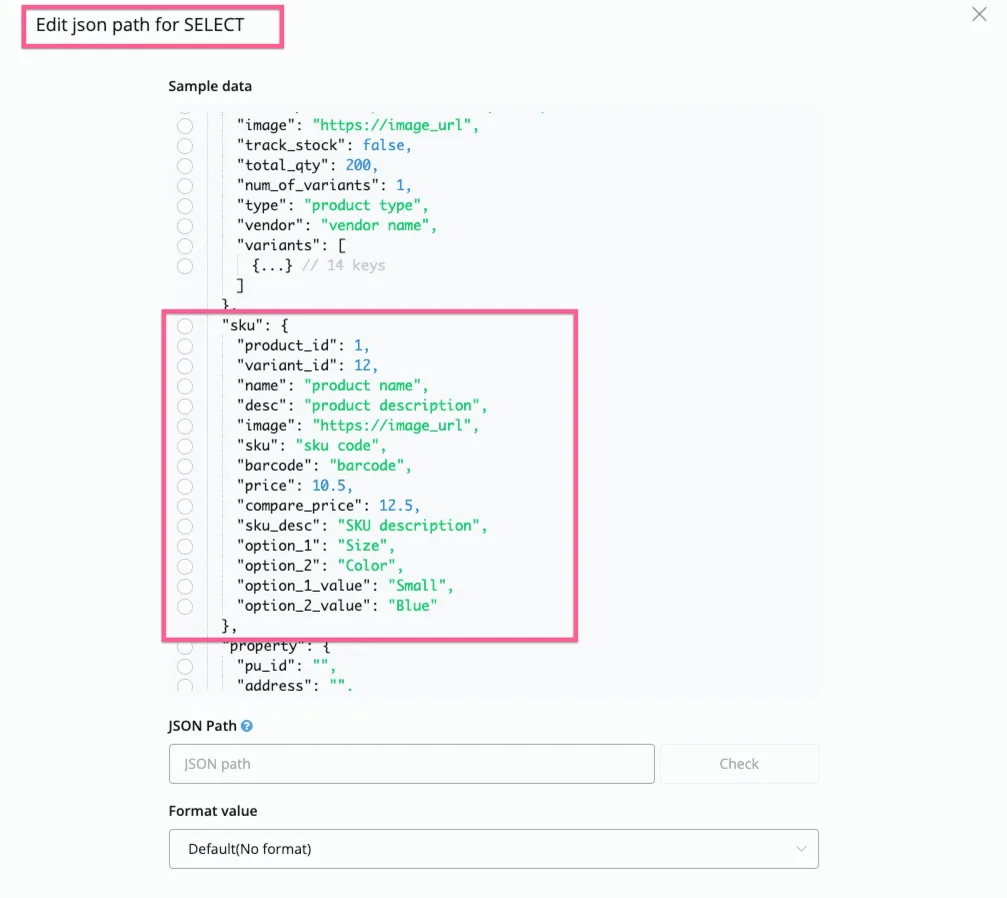
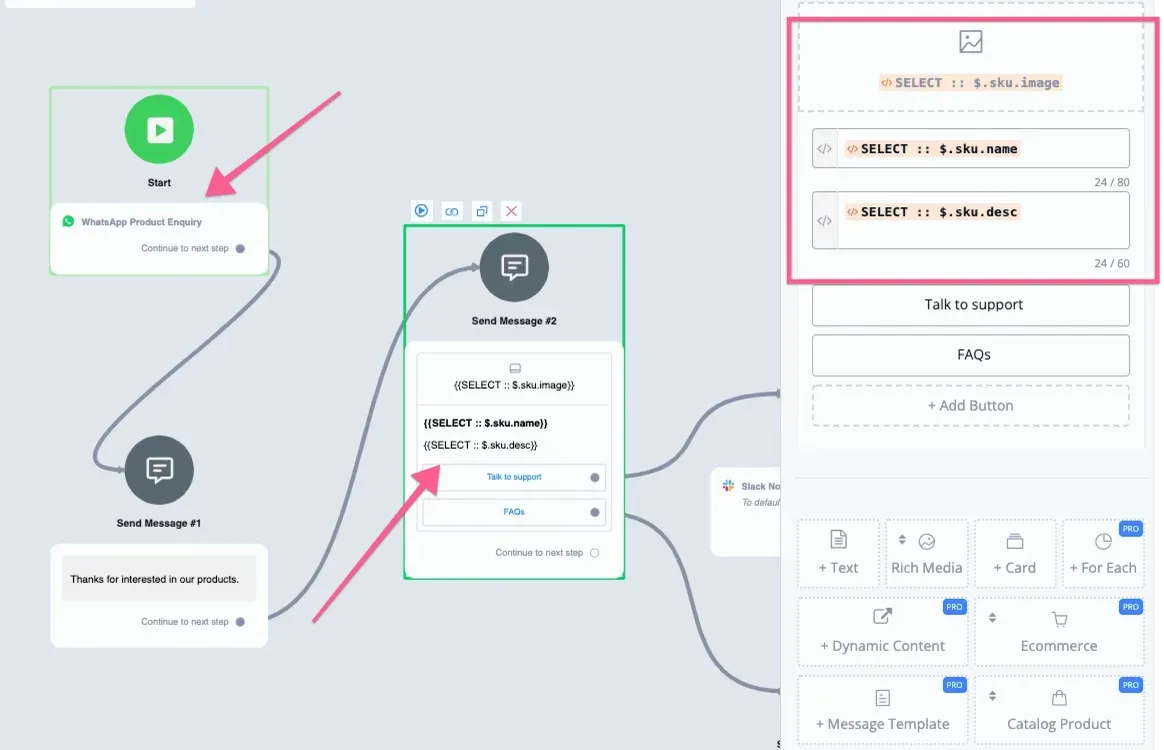
Then you can use our Select system variable to show the product directly in card format.
If the retail ID matches any SKU value in the NicoChat system, you will find the matching product information in our SELECT system field, as below:
The details set up for the “WhatsApp product inquiry” trigger are in the screenshot below:
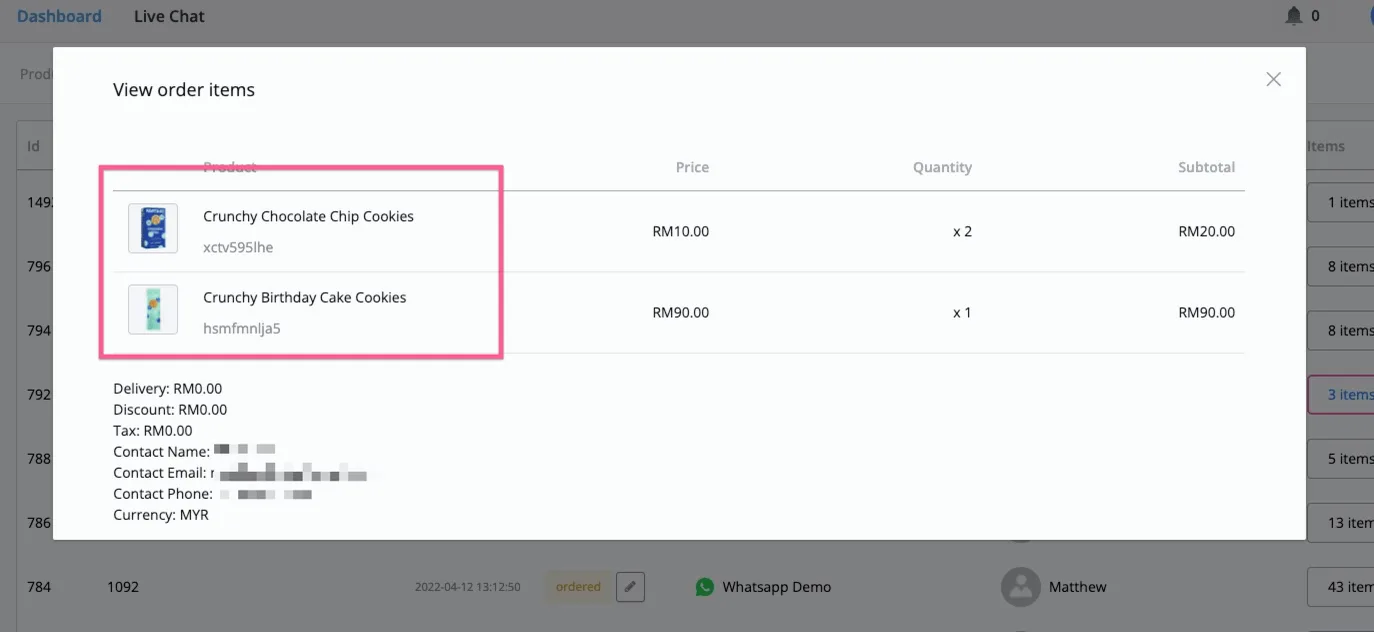
- WhatsApp product catalog messages rely mainly on the Facebook Catalog feature. If you sync it with the NicoChat built-in ecommerce system, you will be able to see the product name and photos in our ecommerce orders section.