

Facebook Ads - Ad posts with OpenAI and ChatGPT
A new feature lets you like and also reply to the comments that users leave on your posts or hidden ads, through the comment keyword trigger.
A new feature lets you like and also reply to the comments that users leave on your posts or hidden ads, through the comment keyword trigger.
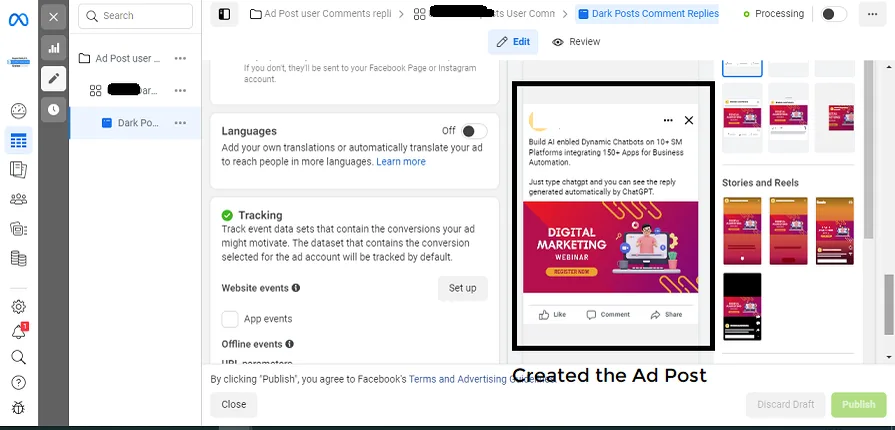
Let's create an ad post in Ads Manager.
Automation -> Comment keywords -> New Comment Keyword
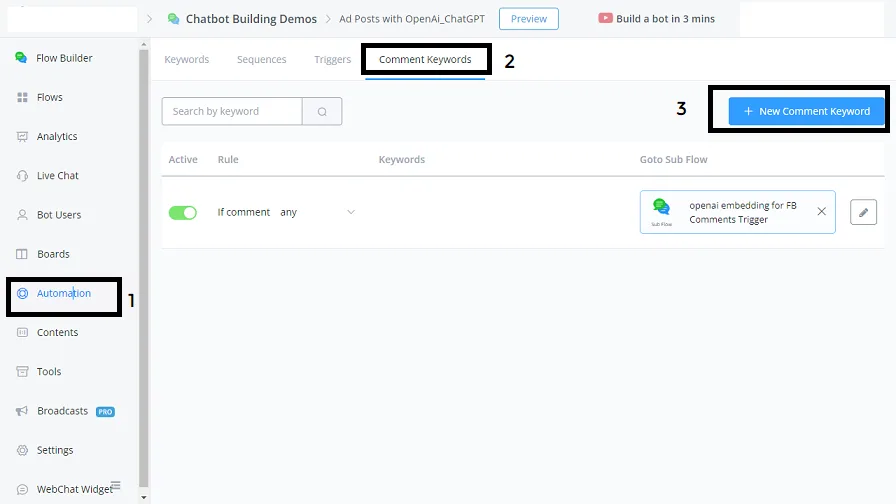
After clicking New Comment Keyword, we can set up this trigger so that it fires on user comments on FB ad posts.
Let's set the required parameters:
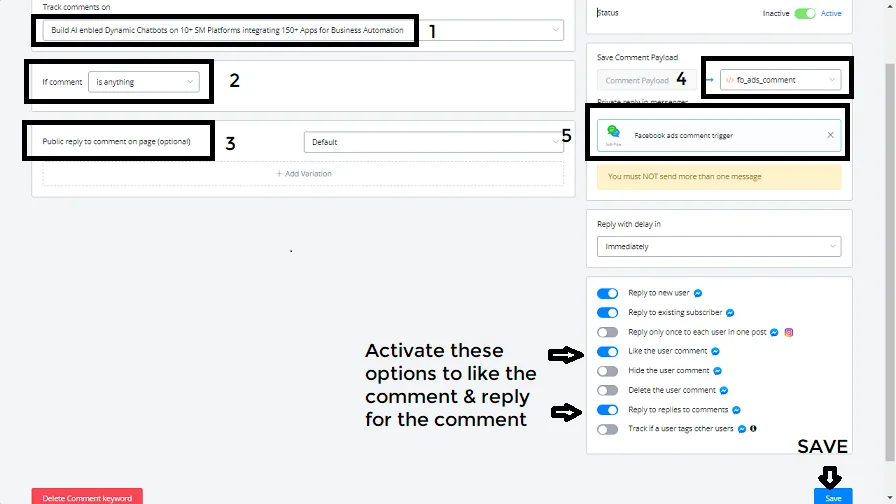
- Select the FB ad post whose user comments you need to reply to and like.
- Comment is anything (the trigger needs to apply to any kind of comment)
- Audience - Not used
Status set to Active
- Save Comment Data (the comment information, along with the user ID and other details, is stored in this JSON variable so you can retrieve that data later).
- Private reply in messenger - selecting the SubFlow that runs when the comment trigger happens.
The following options are active:
- Reply to new user
- Reply to existing subscriber
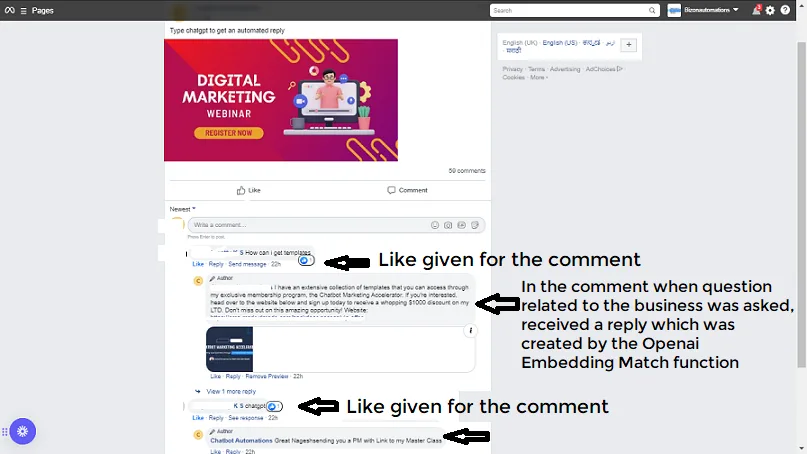
- Like user comments
- Reply to comment replies
Integration -> Others -> Facebook Ads
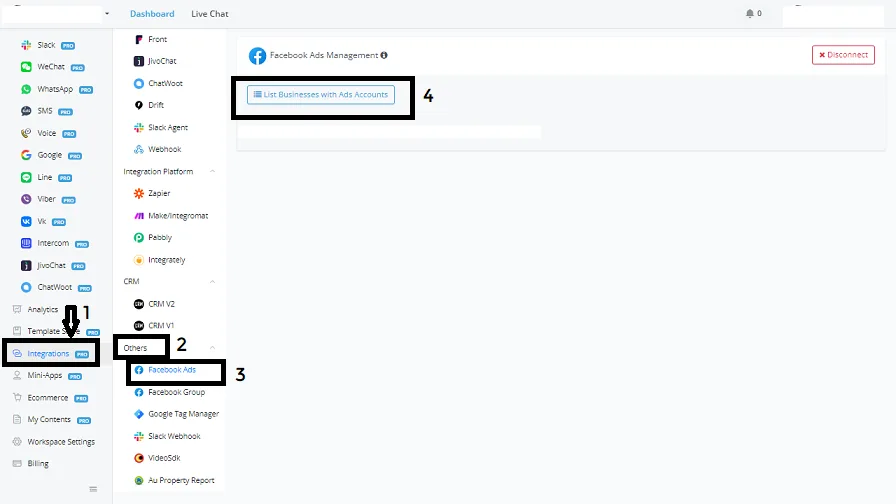
Here you link your ad accounts manager to your FB account page.
Let's go to the SubFlow we named facebook ads comment trigger.
Let's explain how this SubFlow was built:
- Create a condition block to distinguish the comment with the keyword chatgpt from general questions about your business/services
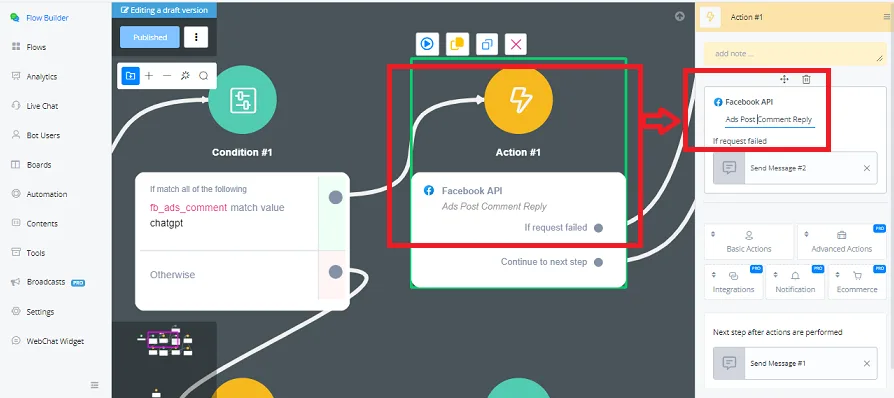
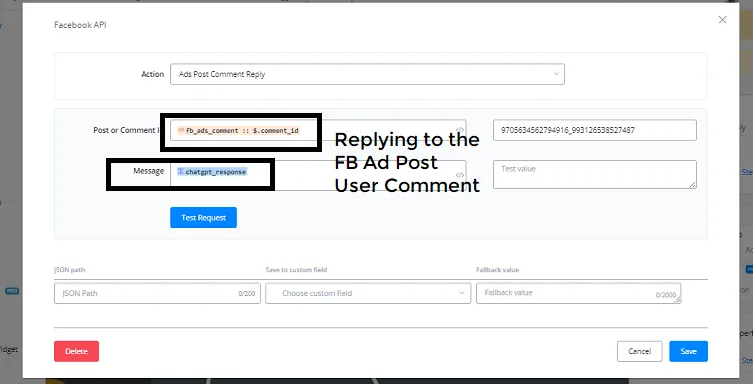
- When the comment is chatgpt, we trigger an action block that calls the Facebook API on the ads post comment reply action function.
- In this action function, we retrieve and map the post or comment ID from the JSON variable declared in the comment trigger automation.
- Then we send a private message to the user on the Messenger channel.
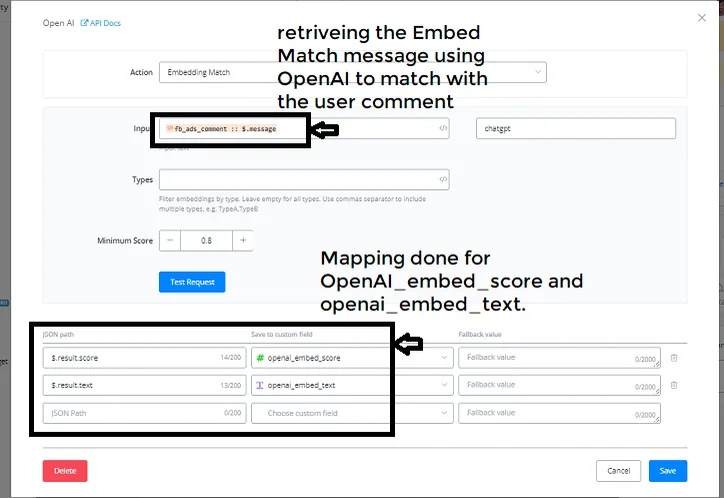
- If the comment is not chatgpt, we branch to another action block with the OpenAI integration, where we run an Embedding Matching with the user's comment to check whether it relates to our business/services and we retrieve the matching Openai_embed_text.
- If the embedding score is > 0.8, we trigger an action block with the OpenAI - Create Response with AI (Chat Completion) action integration.
- Here we create a new variation from the mapped output of Openai_embed_text and send OpenAI's reply from that variation to the user's comment on the FB ad post.
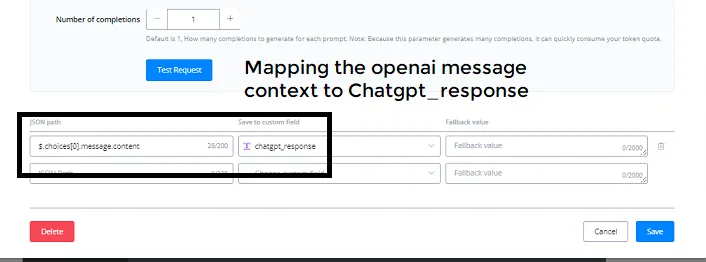
- If the embedding score is < 0.8, the FB ad post comment collected in the JSON variable is sent to the action block with OpenAI - Create Response with AI (Chat Completion), with a new system message so that OpenAI replies appropriately or simply greets back, in case the message is a greeting.
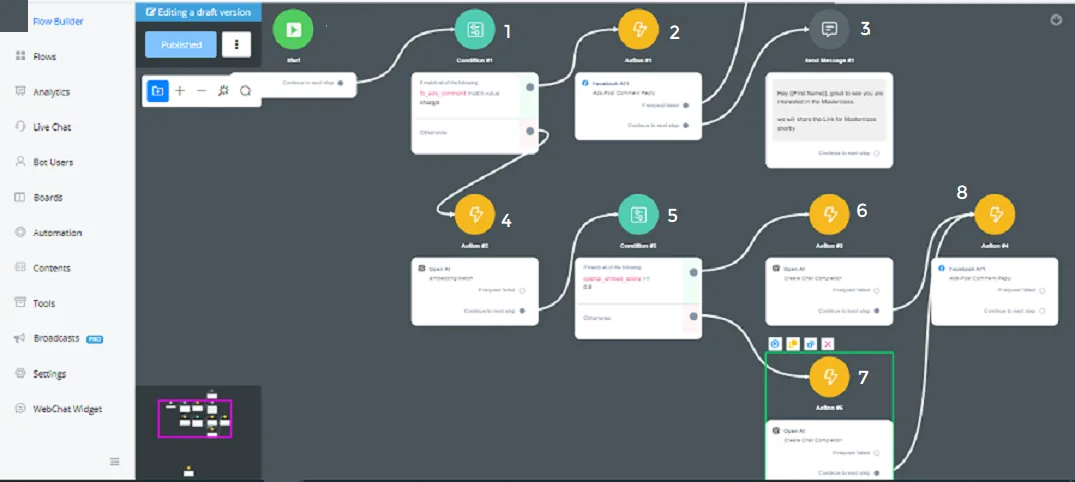
Condition block -> JSON variable - “fb_ads_comment” matches the value chatgpt
Action block -> Facebook API -> Ads post comment reply action
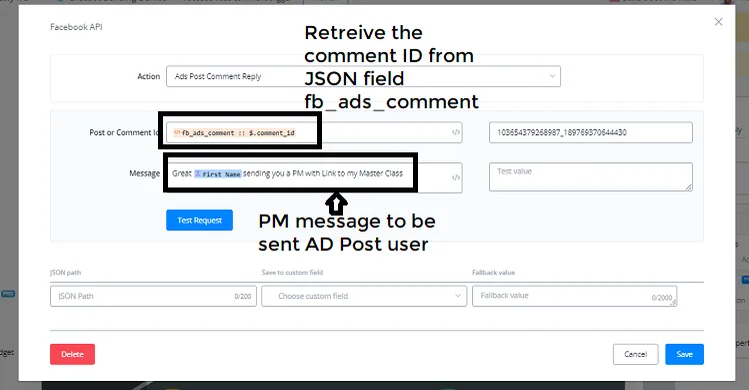
Message block -> Sending a private message on Messenger in reply to the user's comment on the ad post
Action block -> OpenAI integration - Embedding Matching
Condition block -> Check whether openai_embed_score is greater than or equal to 0.8
Action block -> OpenAI integration - Create Response with AI (Chat Completion) function
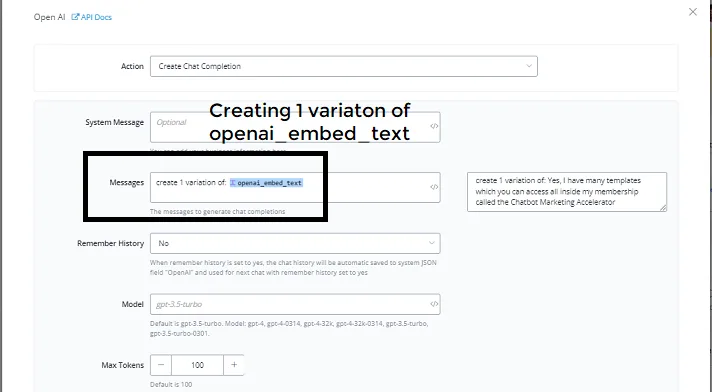
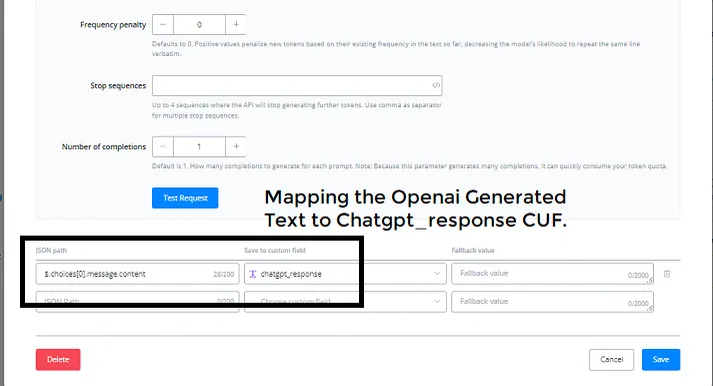
Action block -> OpenAI integration - Create Response with AI (Chat Completion) function
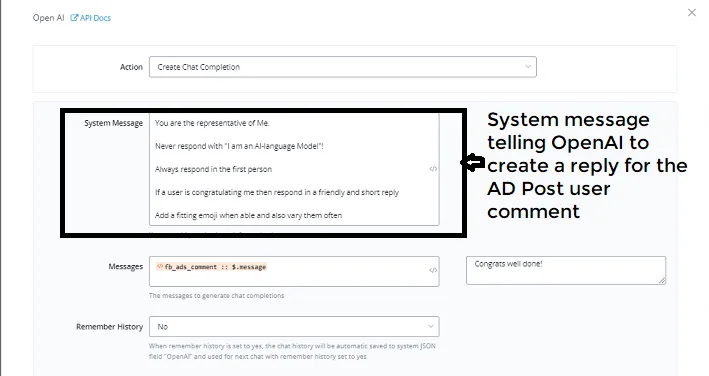
Note: since the page was large, it was split into two images: the top one and the bottom one make up a single page.
Action block -> Advanced actions -> Facebook API
In conclusion, managing comments on your ad posts with OpenAI and ChatGPT is a simple process. By following these steps, you automate comment replies and save time. Customize the replies and the settings to your preference and you will be on the right track to manage comments effectively.