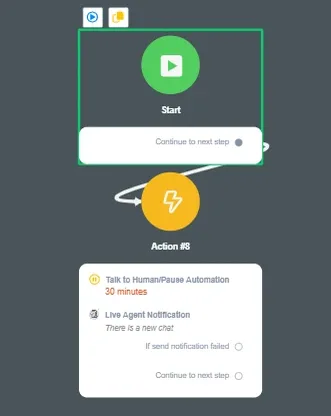
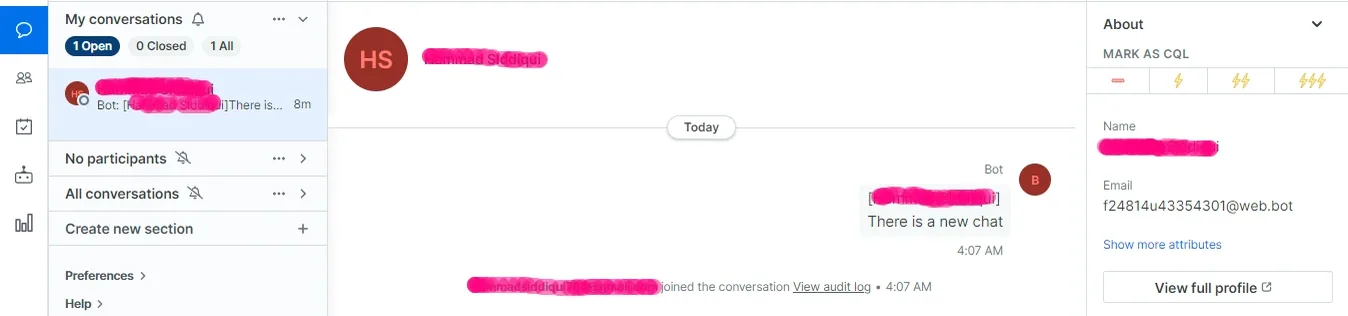
Drift Live Chat
NicoChat now lets you connect your Drift account and use Drift's live chat feature with the users who come to your NicoChat channels.
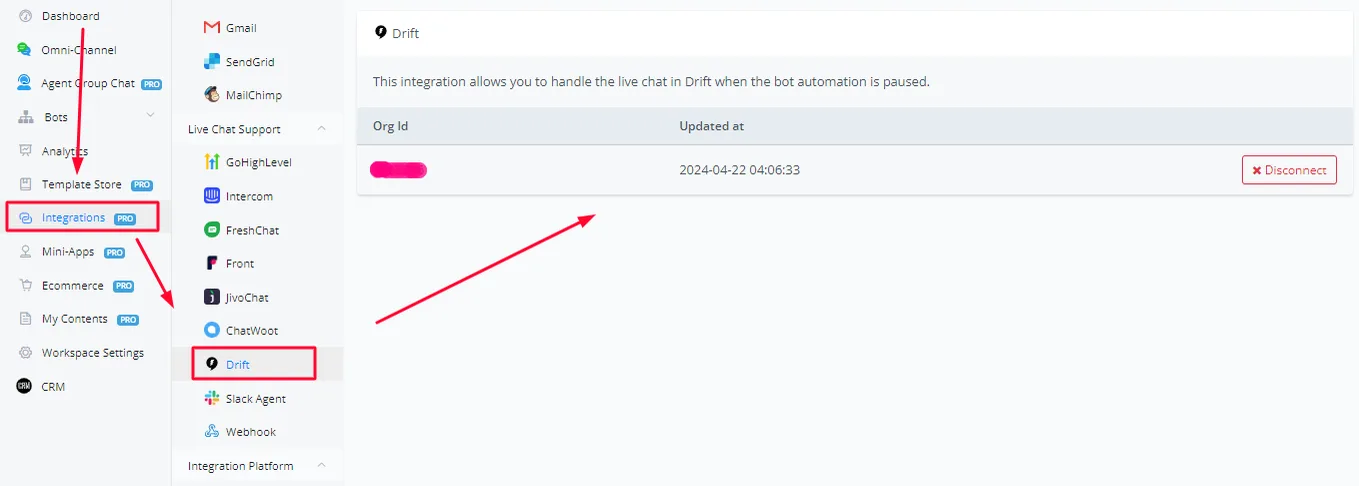
In your workspace dashboard, go to the Integrations section and scroll down until you see Drift under the Live Chat tab. Drift uses OAuth to connect your Drift account to NicoChat.
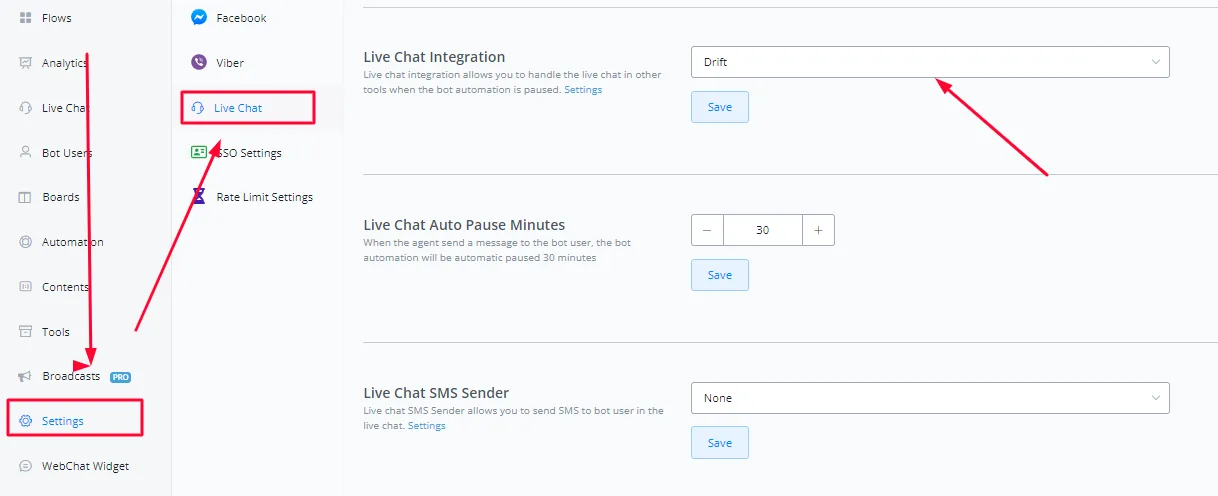
Inside the channel, go to the Settings tab and then to the Live Chat settings. Select Drift from the drop-down menu under Live Chat Integration. Click Save.
Once that is done, all conversations start being forwarded to Drift's live chat as soon as the channel automation is paused.