

Create a Shopify Private App
With Shopify, your flow can show and gather information during conversations, including customers, products, discounts and shop details.
But in order to integrate with your Shopify store, you need to create a private app, so that NicoChat can connect with your Shopify app.
It is a simple process and takes about 5 minutes. Here is the detailed step-by-step.
You can also watch our video tutorial to set up this private app.
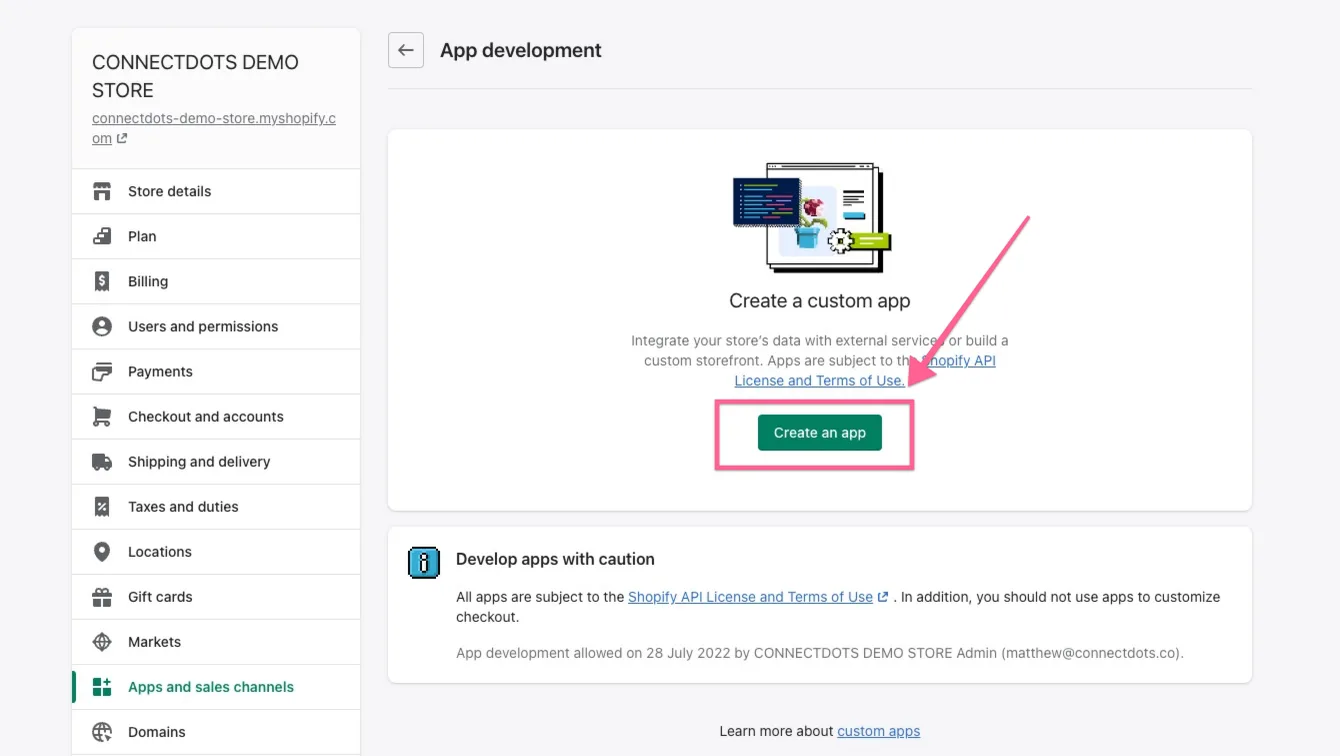
After you log in to your Shopify store, go to “Apps and sales channels”; there you can create an app.
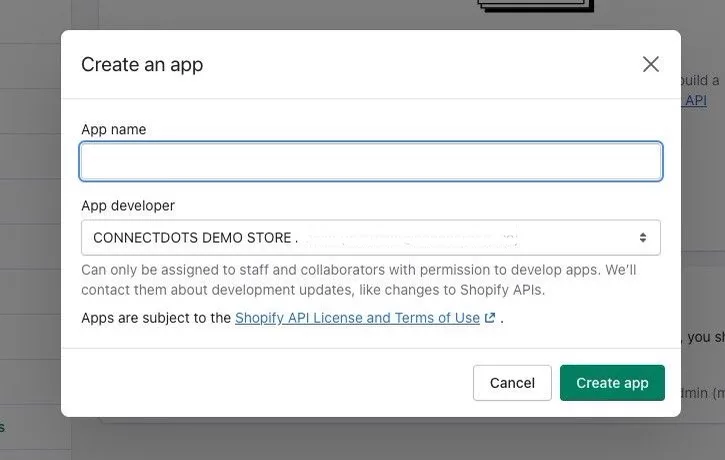
After you click the “create an app” button, you will see the screen below. Give it a name and the new app will be created.
Click “Configure Admin API scopes”,
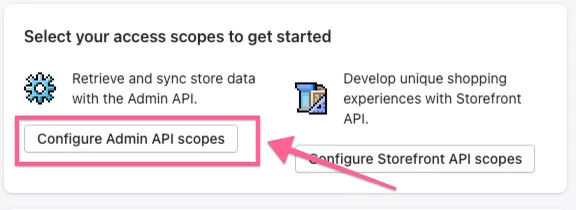
and then you need to give permission to use the scopes below:
- Write_customers
- Read_customers
- Write_discounts
- Read_discounts
- Read_files
- Read_fulfillments
- Write_orders
- Read_orders
- Write_product_listings
- Read_product_listings
- Write_products
- Read_products
- Write_script_tags
- Read_script_tags
After you select all the scopes, save them.
That is it. Your private app is created. Now it is time to install it.