

CoinGecko - MCP (Cryptocurrency Values)
Here is the complete documentation to integrate the CoinGecko MCP Server (which is public and requires no authentication) with NicoChat:
The CoinGecko MCP Server is a public server that lets NicoChat access real-time cryptocurrency market data (such as prices, market cap, volume, trends, NFTs, DeFi and historical data) without requiring authentication. It offers tools via MCP for full querying of CoinGecko data. (mcp.api.coingecko.com)
The public, fixed URL is:
https://mcp.api.coingecko.com/sse✅ There is no need to create an account or obtain a key — just use this URL.
- In the side menu, go to:
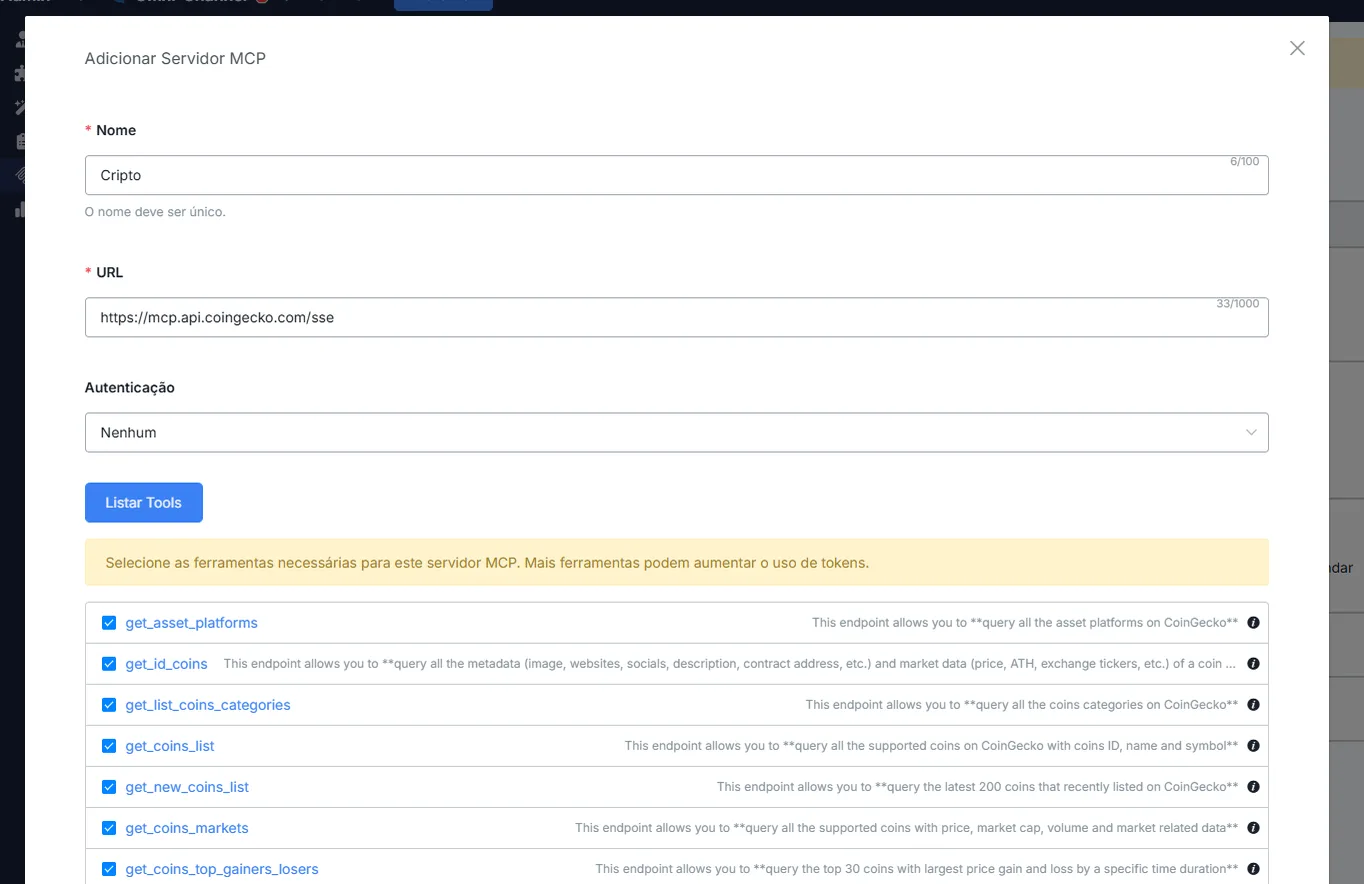
- Fill in the fields:
CoinGeckohttps://mcp.api.coingecko.com/sse- Click List Tools so that NicoChat loads the tools available on the CoinGecko MCP Server.
You can enable useful tools such as:
get_coinsget_historical_datasearch_trendingget_ohlc_dataget_market_chart
And several others that provide market data, NFTs, DeFi and historical statistics. (github.com, mcp.api.coingecko.com, github.com)
- Since it is a public server, it is subject to volume and performance limits.
- Even so, you do not need to set up authentication or consume tokens.
- Selecting only what you need helps with response speed and flow performance.
📌 Learn more about how to configure this in your flow at:
👉 MCP Servers
If you like, I can move on to another public MCP server (e.g. Notion, GitHub, etc.). Which one do you want now? 😊