

Cloudflare Browser Rendering - MCP
The Cloudflare Browser Rendering MCP Server lets NicoChat access Cloudflare's web browsing infrastructure. With this integration, NicoChat's AI can:
The Cloudflare Browser Rendering MCP Server lets NicoChat access Cloudflare's web browsing infrastructure.
With this integration, NicoChat's AI can:
- Fetch HTML content from web pages
- Convert pages to Markdown
- Take screenshots of websites
- Generate PDFs of pages
- Extract links from any URL
All of this securely, directly through MCP calls.
The URL is fixed and public for all users:
https://browser.mcp.cloudflare.com/sseSince this MCP requires authentication via Bearer Token, you will need to create a custom API Token in your Cloudflare account.
- Go to:
https://dash.cloudflare.com/profile/api-tokens - Click Create Token.
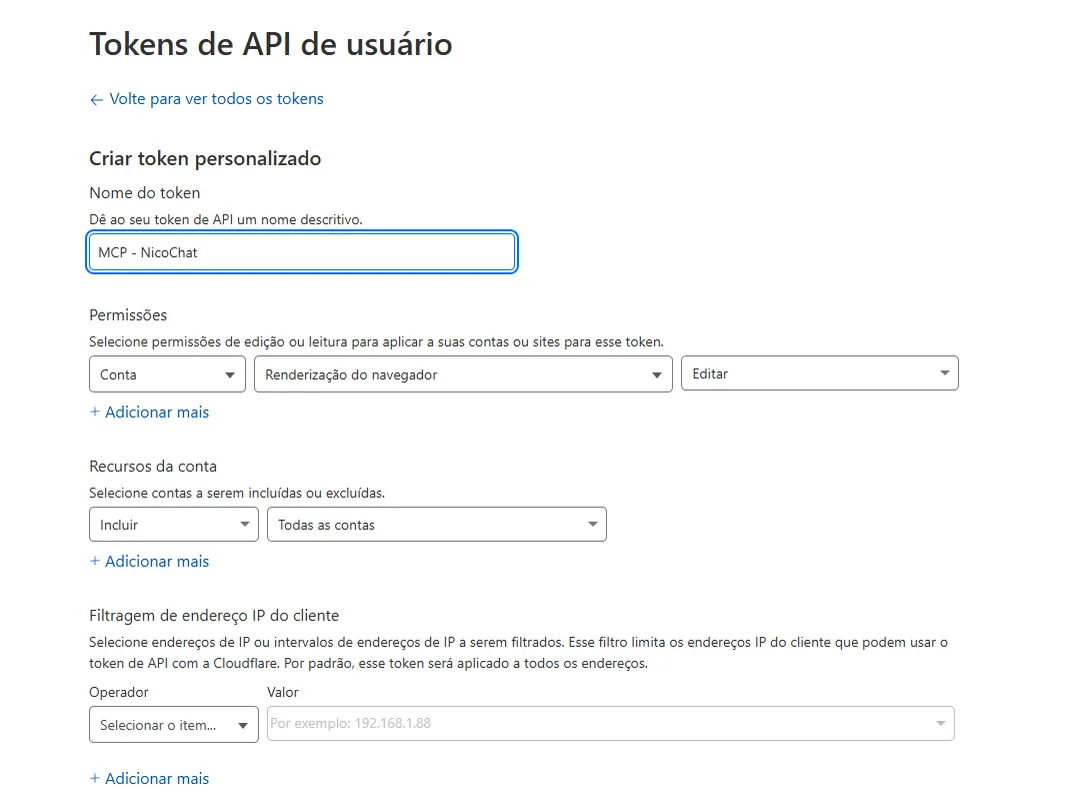
- Instead of using the ready-made templates, click "Create Custom Token".
- Fill in the fields as follows:
MCP - NicoChat- Permissions:
Conta → Renderização do navegador → Editar- Account Resources:
Incluir → Todas as contas📸 Real example of how it should look in Cloudflare:
After creating the token, follow these steps in NicoChat:
- In the Side Menu, go to:
Centro de IA → Servidores MCP → Adicionar Servidor MCP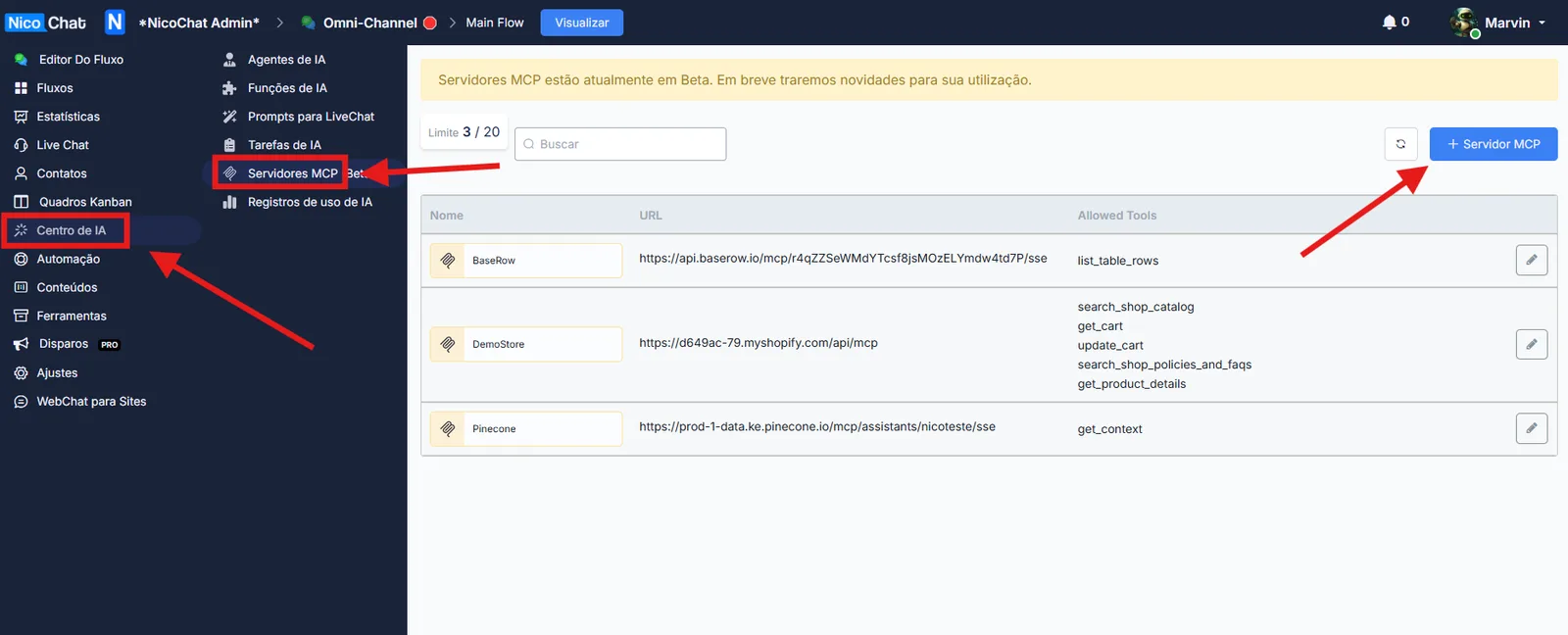
- Fill in the fields as follows:
Cloudflare-Browserhttps://browser.mcp.cloudflare.com/sse- Click List Tools.
NicoChat will load all the tools (Tools) available from this MCP server.
- Select only the tools you want to enable for the AI, for example:
browser_fetchbrowser_markdownbrowser_screenshotbrowser_pdfbrowser_links
- Do not expose all the tools unnecessarily.
- The fewer tools you enable, the lower the risk of misuse or unnecessary token consumption.
📌 Learn more about how to configure this in your flow at:
👉 MCP Servers