

Chatbase
Welcome to the quick guide for integrating NicoChat with Chatbase. Integrating with Artificial Intelligence systems such as Chatbase, Retune and Zaia is essential to keep the
Welcome to the quick guide for integrating NicoChat with Chatbase. Integrating with Artificial Intelligence systems such as Chatbase, Retune and Zaia is essential to keep your chatbot under control and running efficiently. Using NicoChat as an intermediary between these AI systems and your customer service platforms lets you stay in command of the conversation flow, offer rich interaction options such as buttons and quick replies and, most importantly, have the option of human intervention when needed. This simplified tutorial shows how to integrate your Chatbase chatbot with NicoChat in a practical and efficient way.
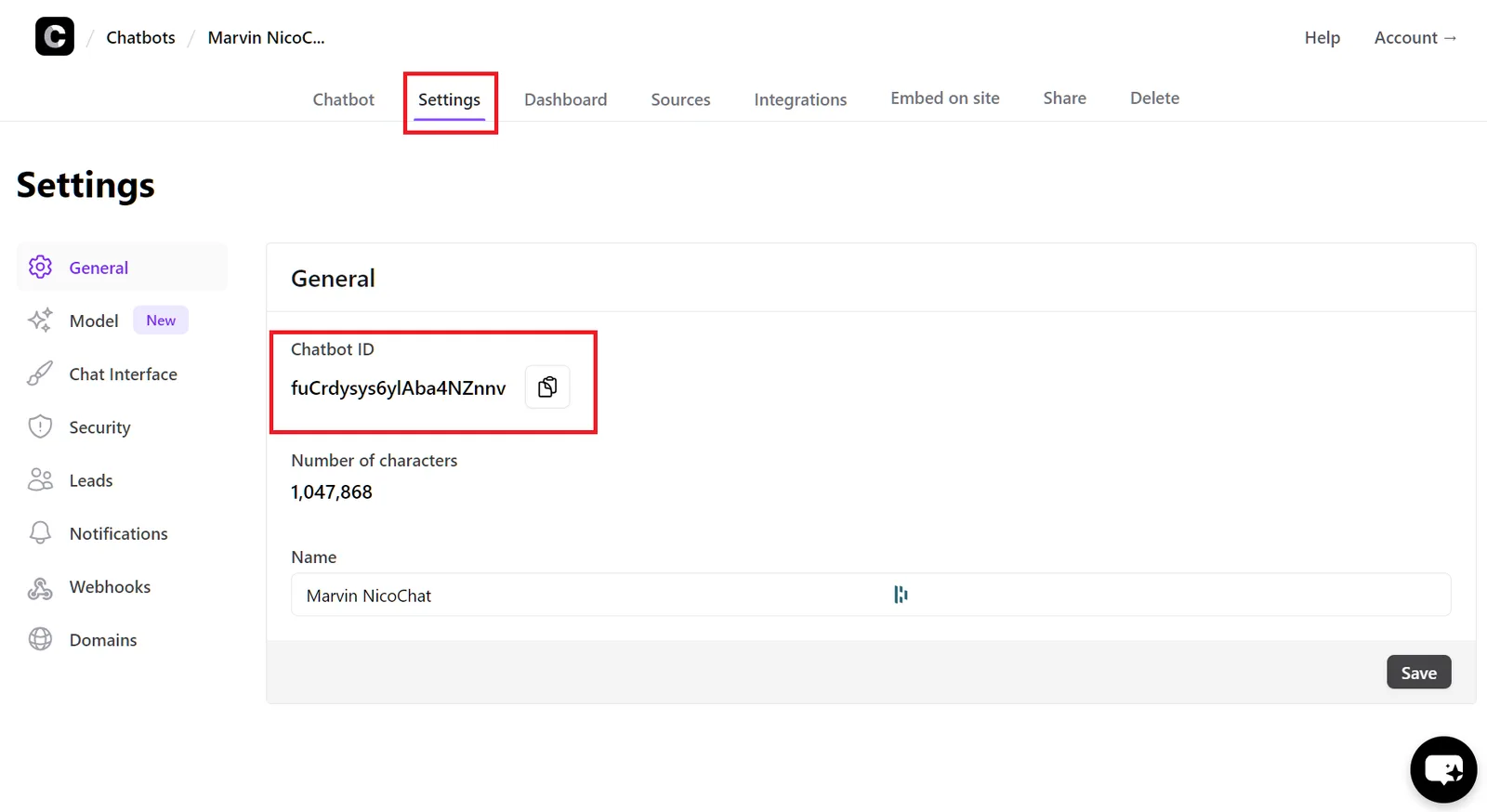
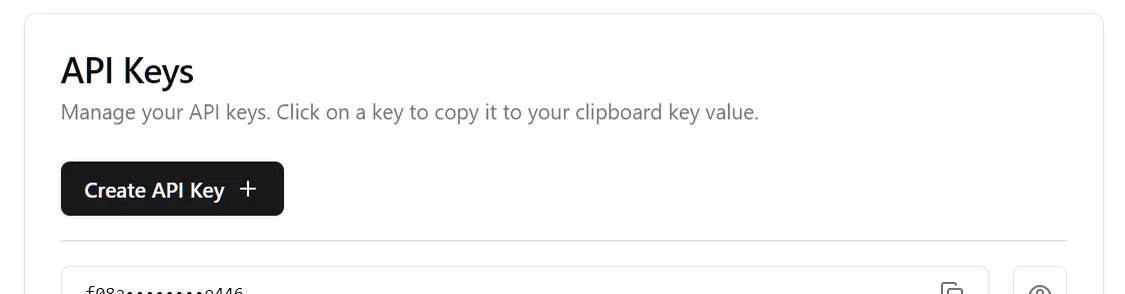
- Getting the Bot ID:
In Chatbase, go to the "Settings" tab of the bot you want to integrate.
Copy the bot ID for later use.
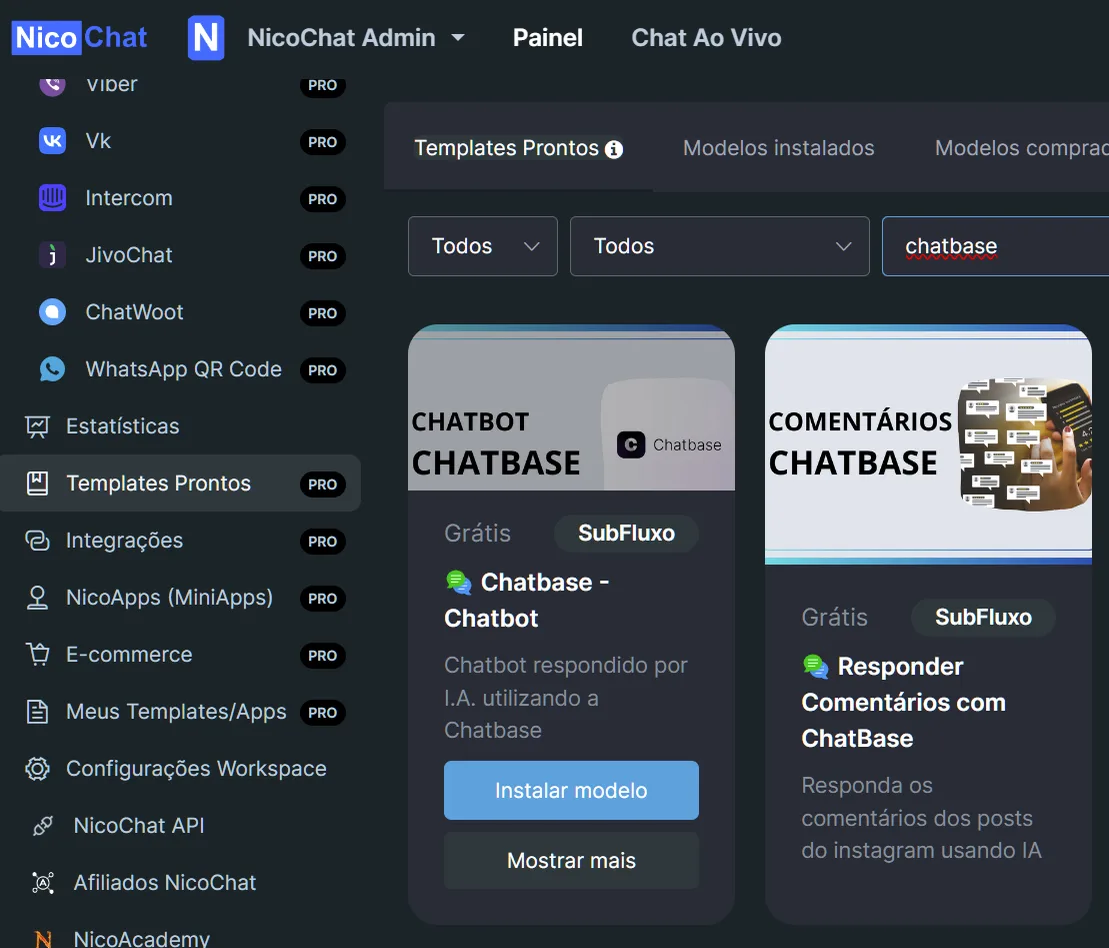
- Template Installation:
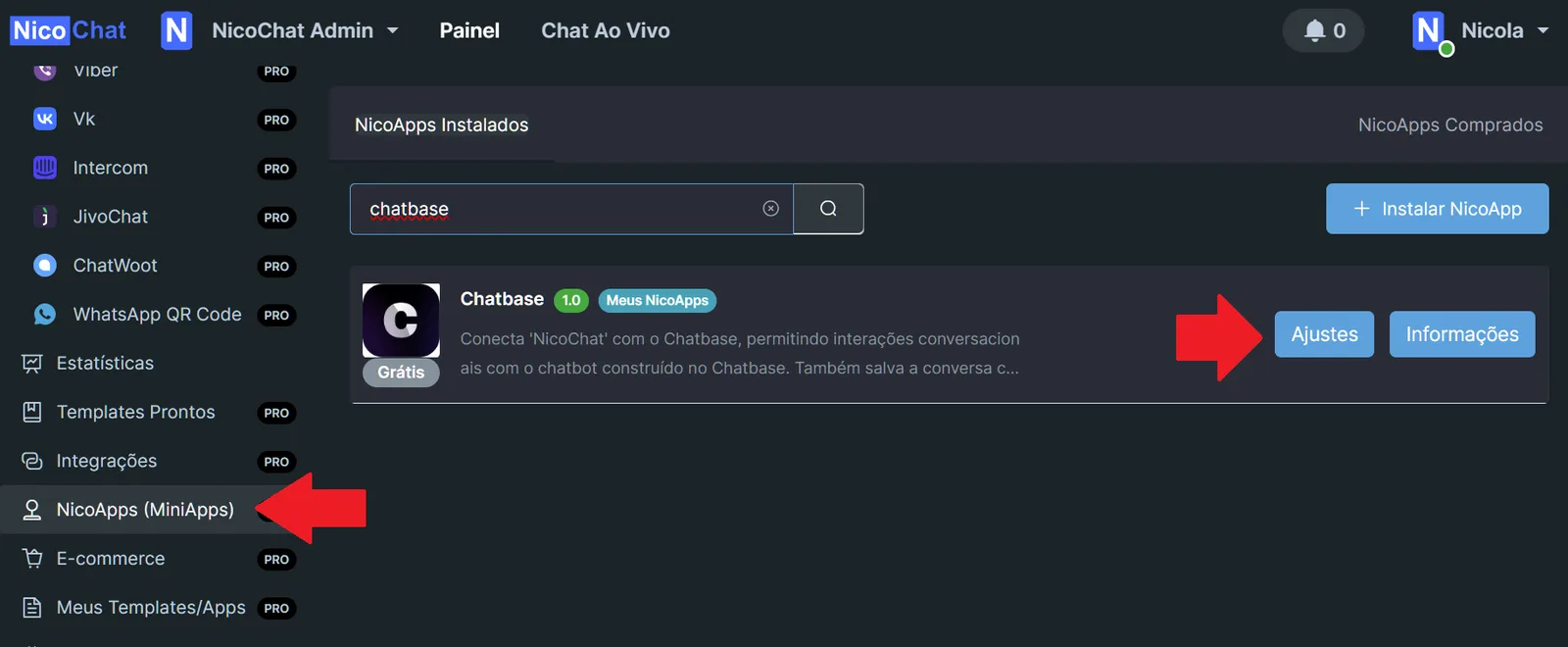
In your NicoChat Dashboard, go to the "Templates" section.
Find and install the Chatbase template.
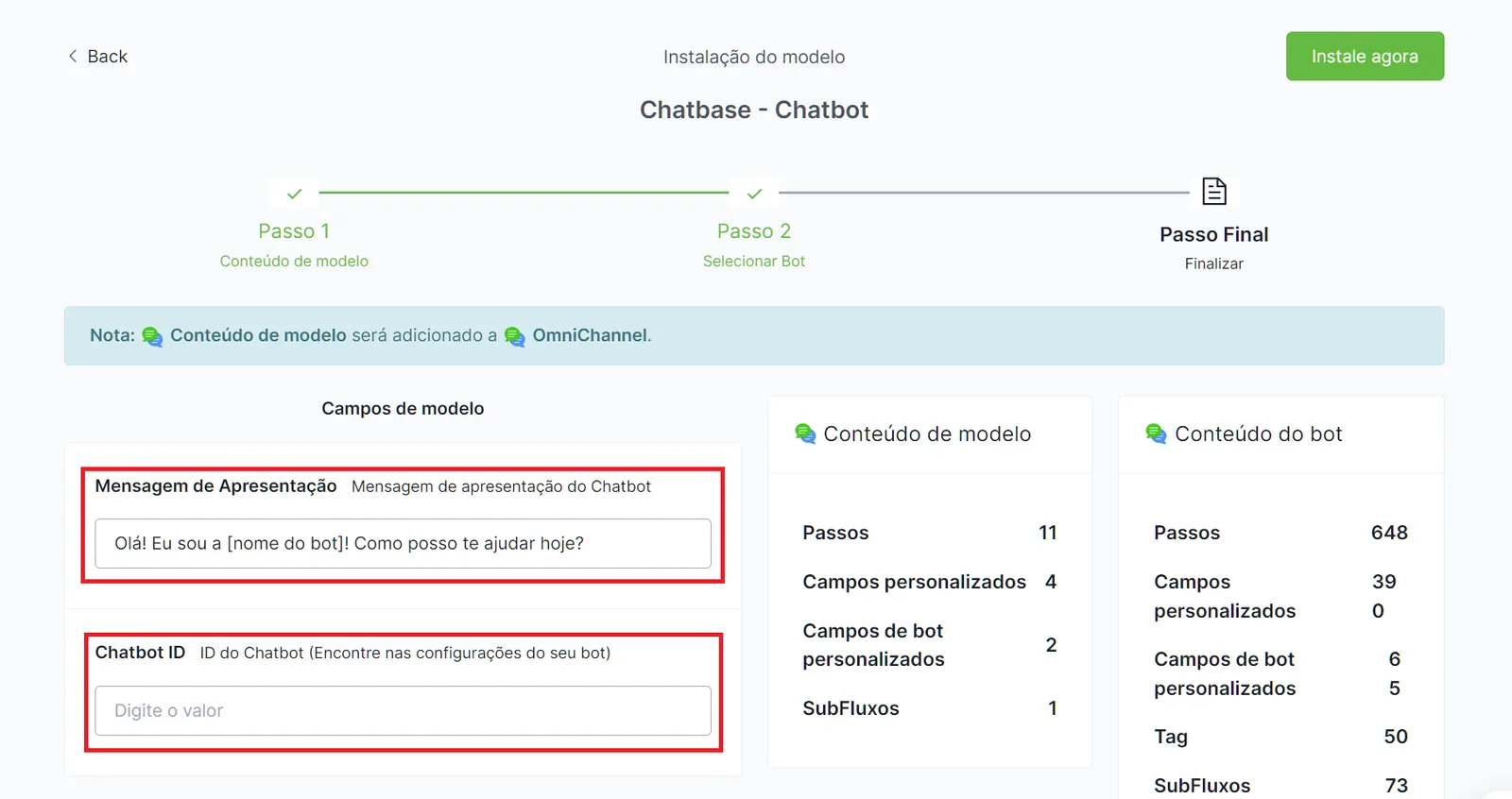
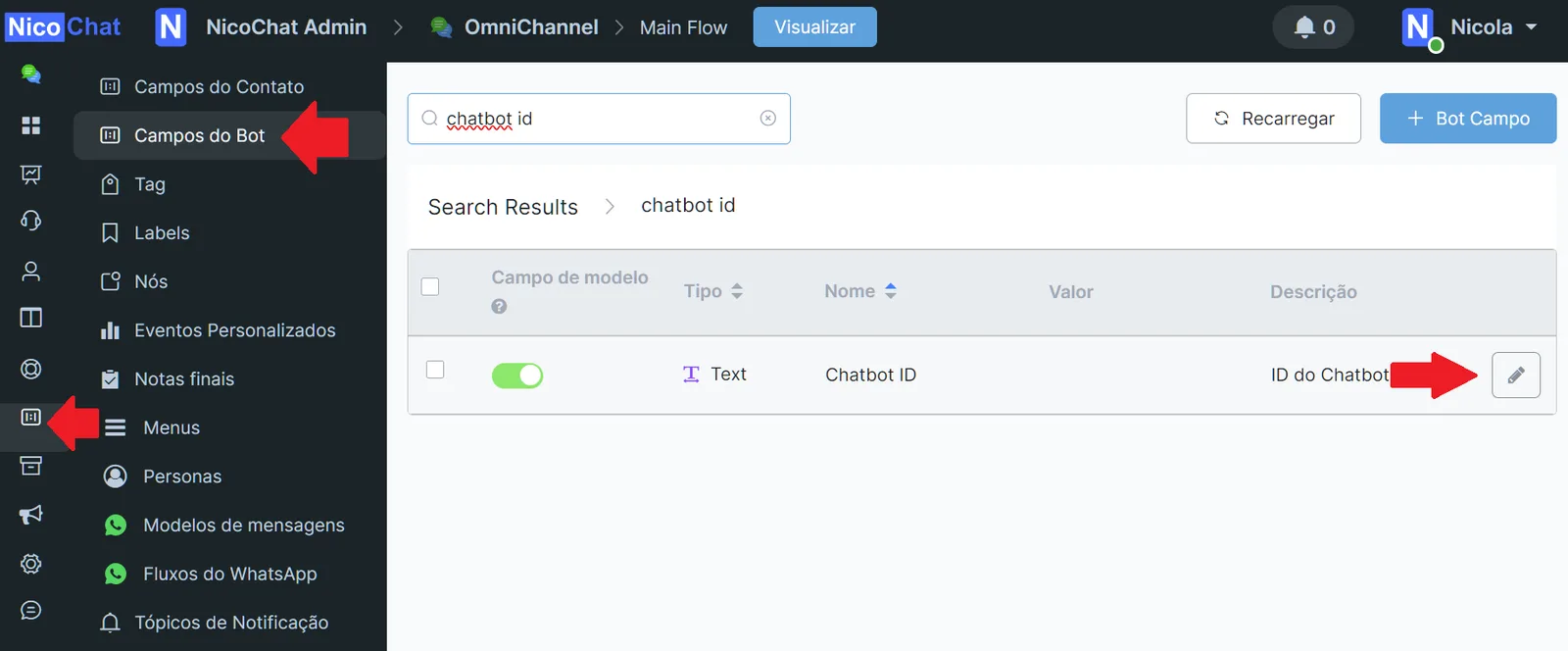
- Enter the fields during installation:
Enter the bot ID in the specified field.
Set the presentation message, which will be the bot's first interaction with the user.
Integrating Chatbase with NicoChat is a straightforward and effective process, ensuring you have all the flexibility you need to manage your automated customer service. If you have any questions, join our Discord community.