

C2S Contact2sale
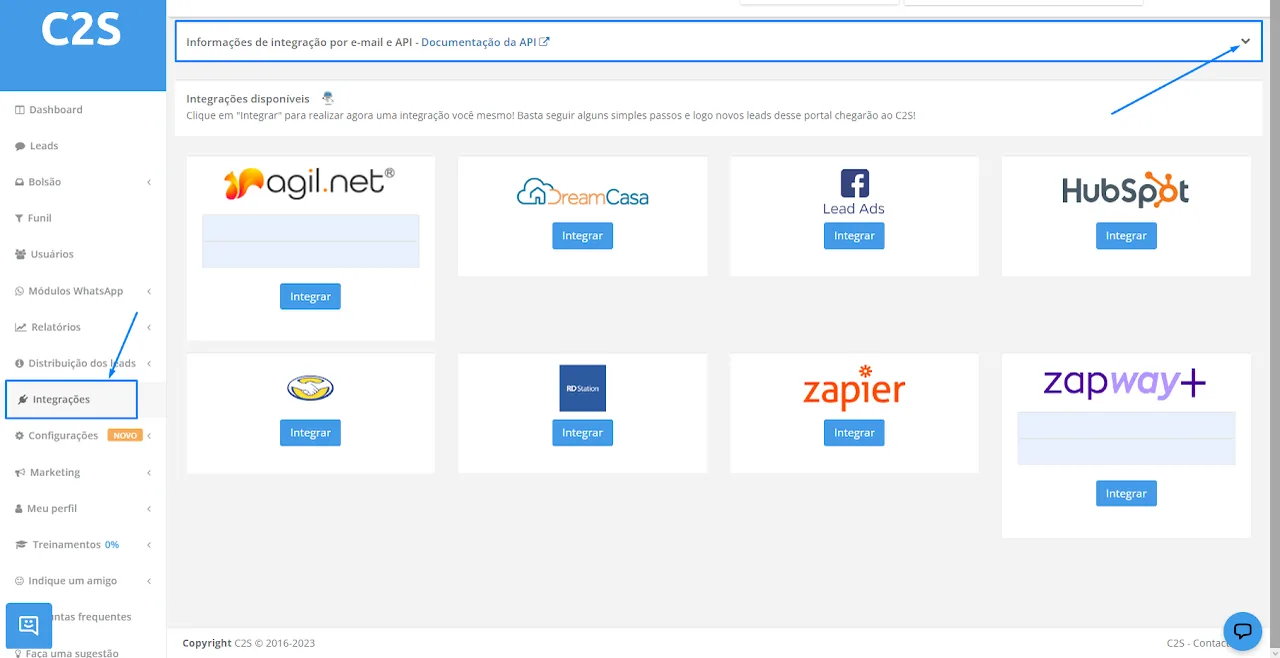
Step 1: open your C2S on a computer and go to the "Integrations" option, in the left sidebar. Then click the "arrow" to open more options under "Information about…".
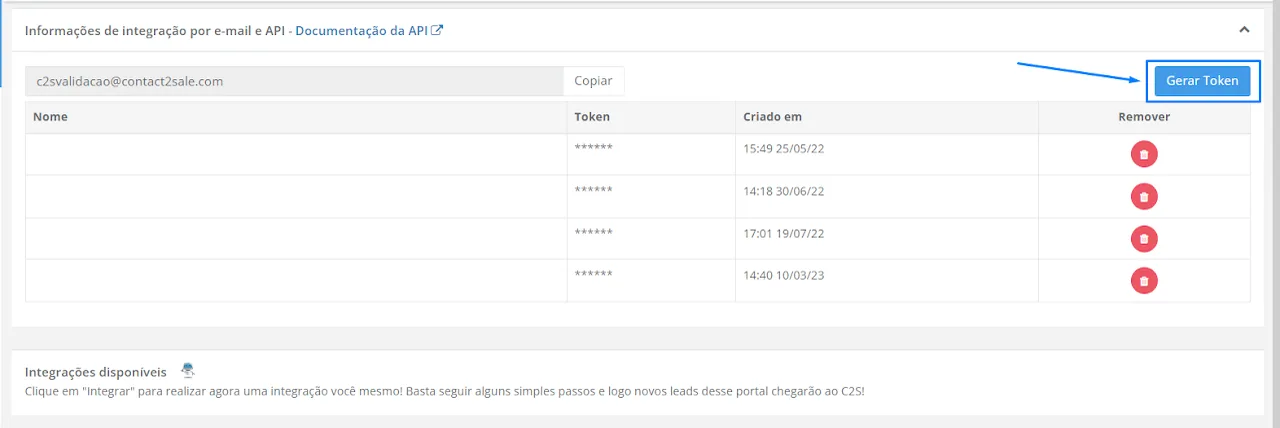
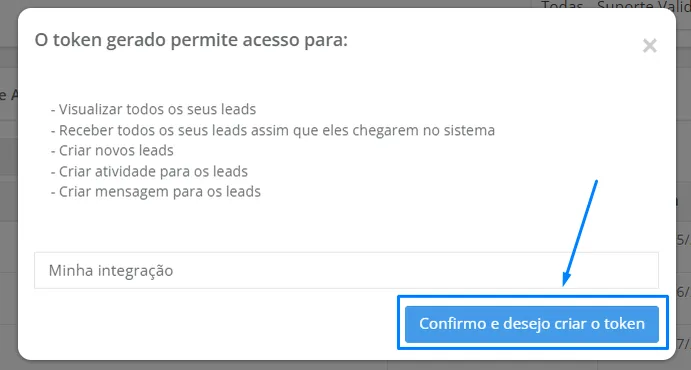
Step 3: give your token a name (this makes it easier to identify and keep a record of it) and click "I confirm and want to create the token".
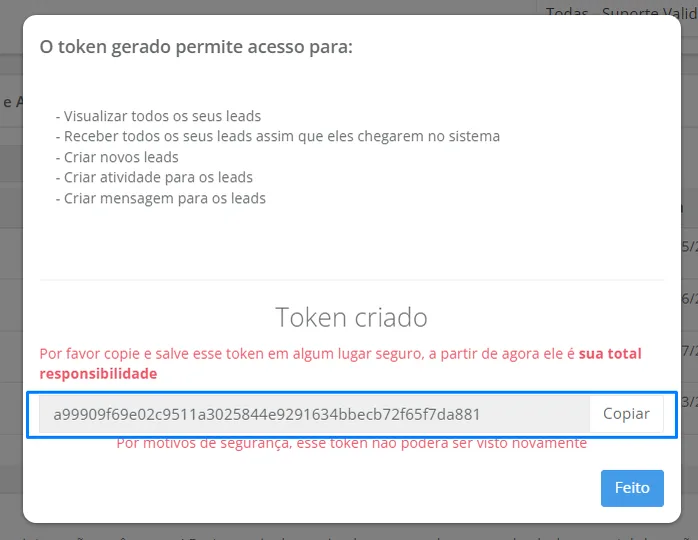
Step 4: copy your token, store it in a secure document and click "done" to finish. After that, your token can no longer be viewed in C2S.
Paste this API Key into the C2S NicoApp, inside NicoChat, and you're done!