

Baserow - MCP
The Baserow MCP Server lets NicoChat connect directly to your Baserow database. This way, NicoChat's AI can query, create, update or delete information
The Baserow MCP Server lets NicoChat connect directly to your Baserow database.
This way, NicoChat's AI can query, create, update or delete information in your Baserow tables, according to the permissions you configure.
- Log in to your Baserow account.
- In the top right menu, click your username → My Settings.
- Go to the MCP Server tab.
- Click Create New Endpoint.
- Give your endpoint a name (example:
nicochat-mcp). - Baserow will generate a unique MCP Server URL, with the token already embedded.
It will look like this format:
https://api.baserow.io/mcp/<SEU_TOKEN>/sse- Copy this URL.
Now that you have the URL, follow the steps below directly in NicoChat:
- In NicoChat's Side Menu, go to:
Centro de IA → Servidores MCP → Adicionar Servidor MCP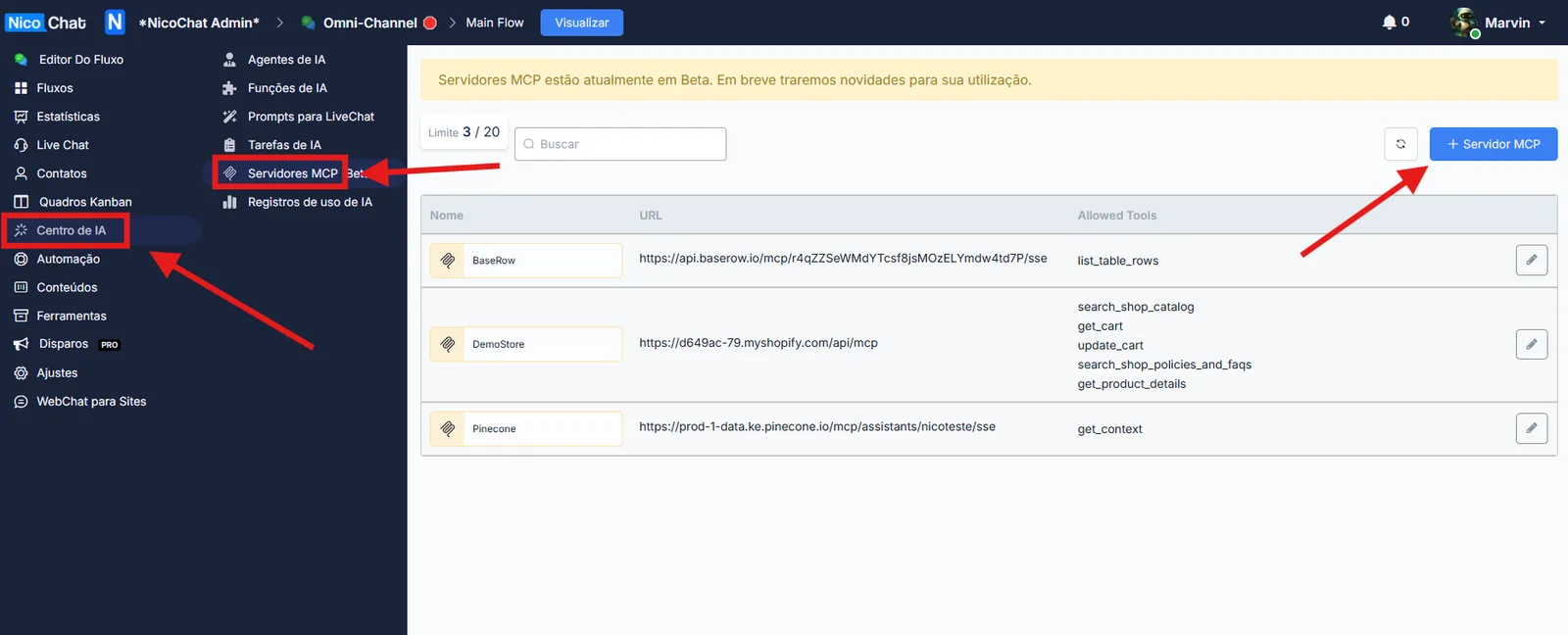
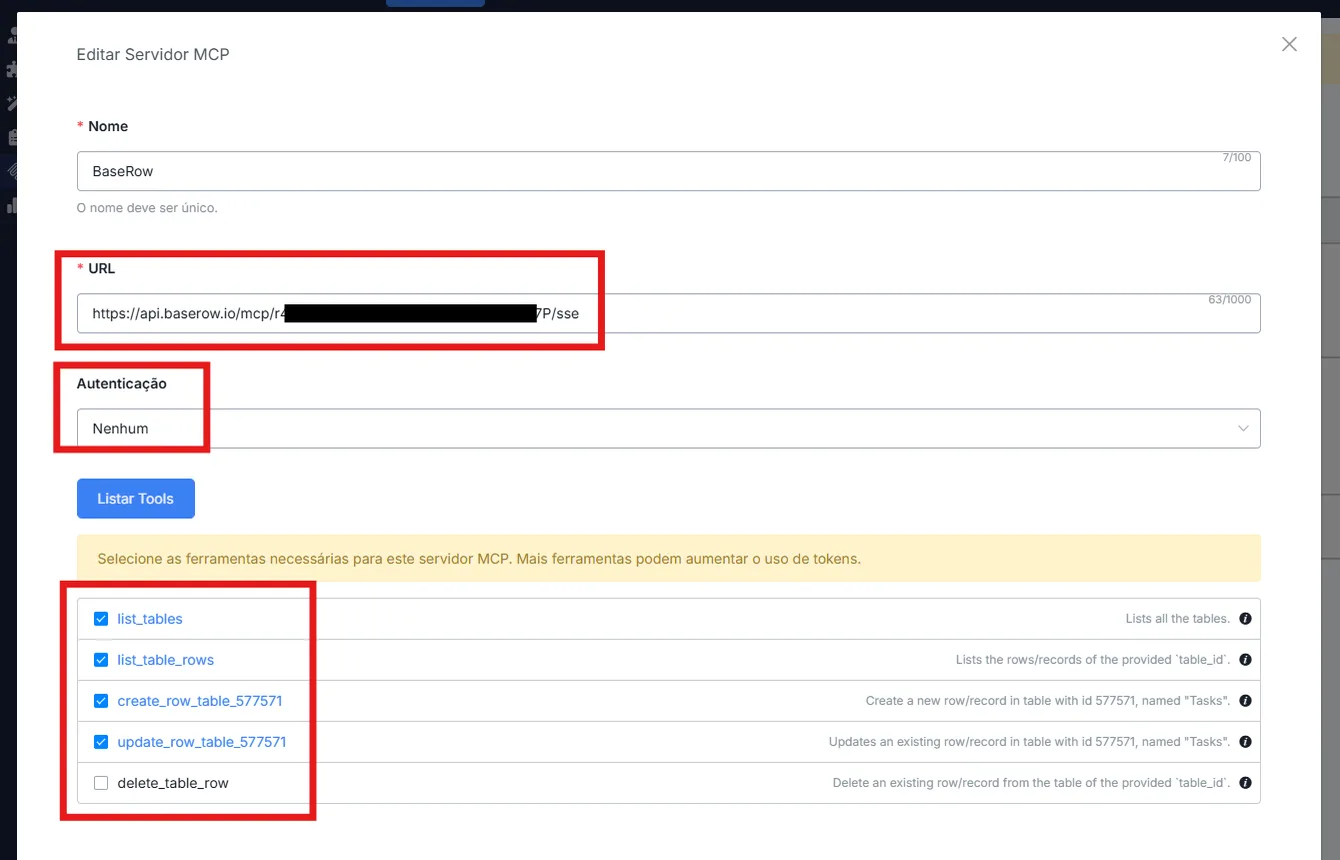
- Fill in the fields as follows:
BaseRow)- Click List Tools so that NicoChat brings in all the tools available from your Baserow.
- Select only the tools you want the AI to use.
👉 Recommended selection example:
✅ list_tables
✅ list_table_rows
✅ create_row_table_XXXXX
✅ update_row_table_XXXXX
❌ delete_row (enable it only if it is really necessary)
✅ Once you are finished, click Save.
Done! Your Baserow MCP will be available for NicoChat's AI to use in the Flows you configure. Learn more about how to set this up in your flow at MCP Servers.