

AI Tasks
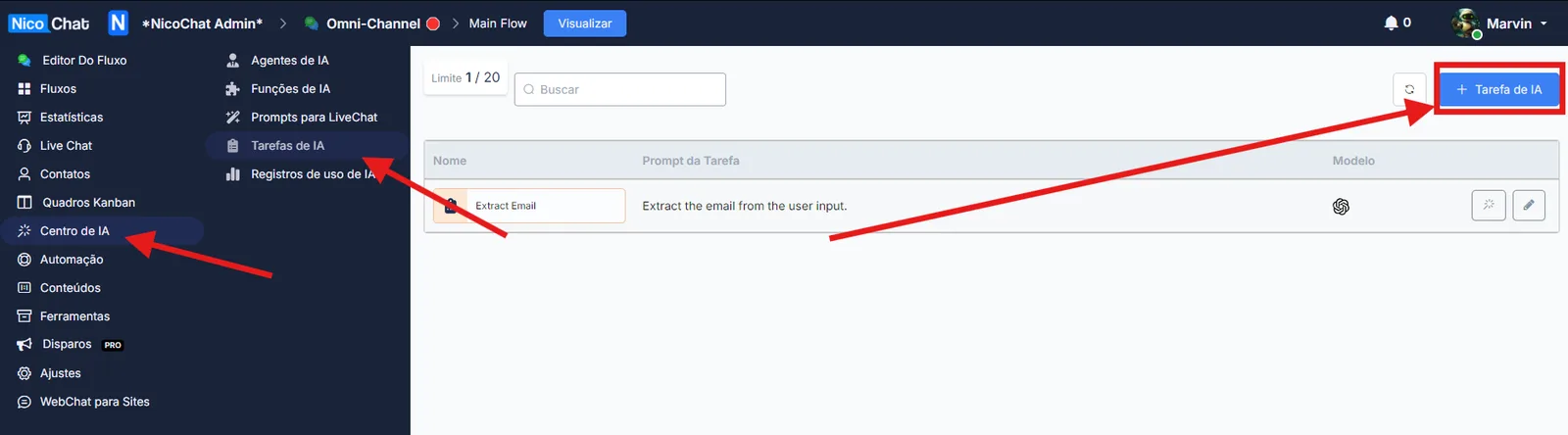
In the AI Hub, click AI Tasks and then “+ AI Task”.
In the AI Hub, click AI Tasks and then “+ AI Task”.
In the first section, you define the name and the prompt for what you want the AI task to do.
AI Tasks are essentially small combinations of chat completions bundled into a package and designed to perform specific tasks.
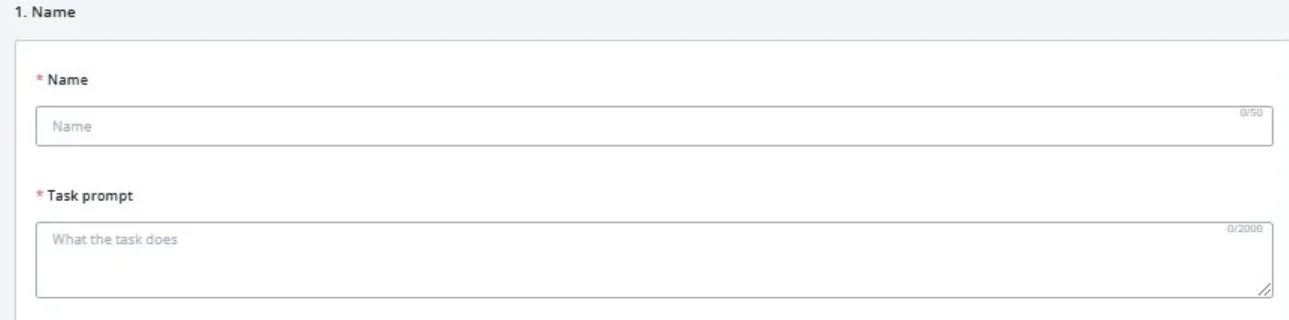
You can use one of the available presets to get an idea of how to fill in the prompt.

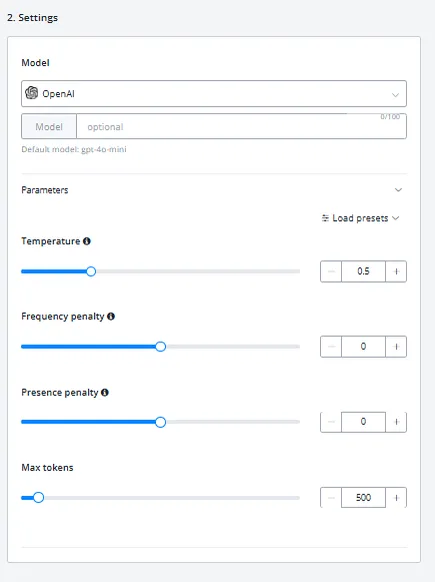
In the Settings section, you can define model parameters such as temperature and Max Tokens.
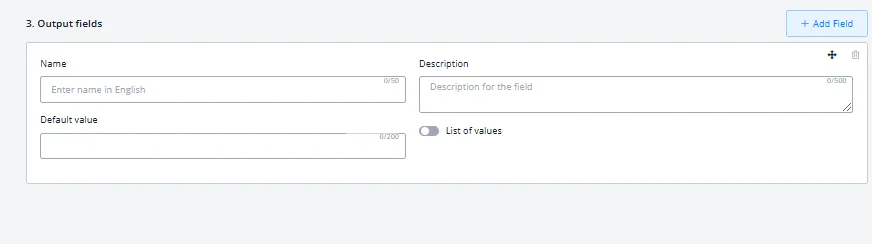
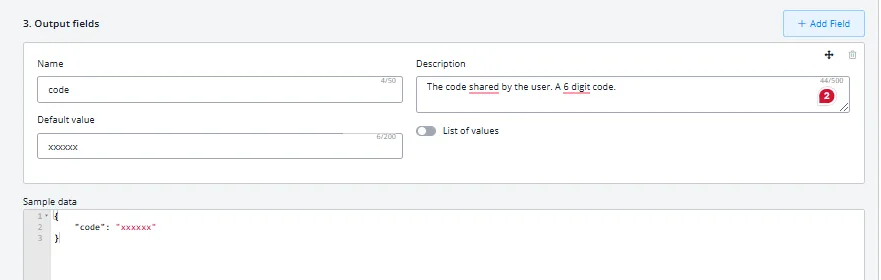
In the Output Field section, if your AI task needs an output — that is, if you are extracting a specific piece of information from a longer text — you can configure an output field where the result will be saved in a CUF.
An example output will look like this:
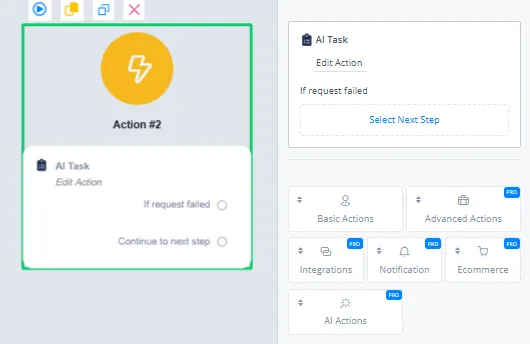
In the action block, click AI Actions and select AI Tasks from the dropdown.
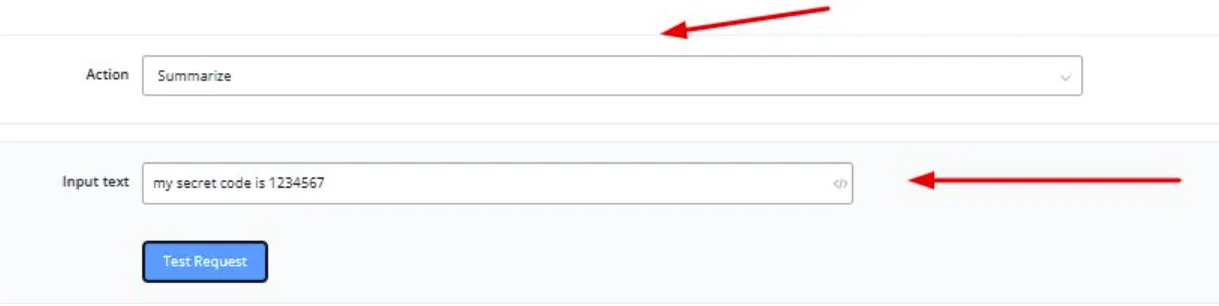
Select the AI Task you want to run and, in the input field, enter the content the task should be run on.
The final result will look like this:
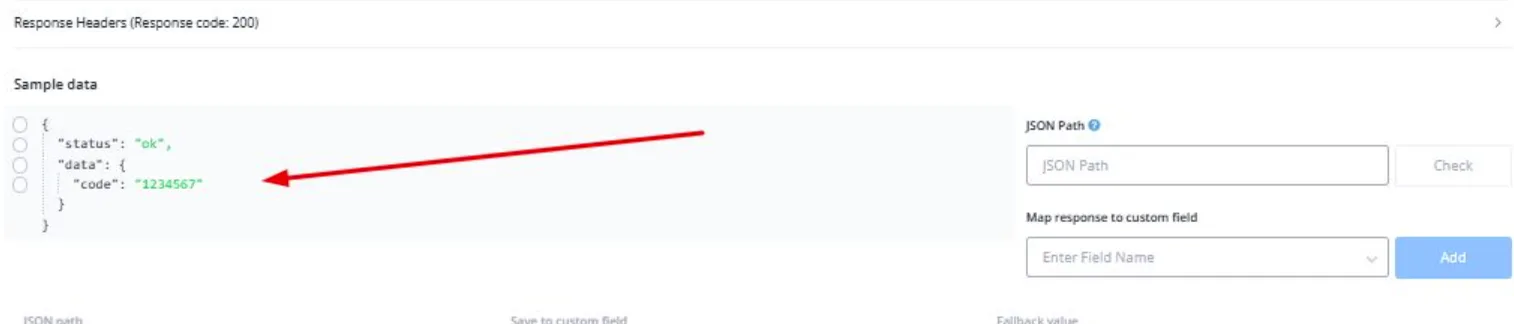
This value can then be mapped to a user field and used in other flows.