

MCP Servers
MCP (Model Context Protocol) is an open standard that allows you to connect artificial intelligence to external tools, such as databases, CRMs, vector search systems (RAG), APIs and much more.
MCP (Model Context Protocol) is an open standard that allows you to connect artificial intelligence to external tools, such as databases, CRMs, vector search systems (RAG), APIs and much more.
Simply put:
👉 The MCP Server is an intermediary between the AI and your work tools.
Currently, inside NicoChat, MCP is only available through the OpenAI Responses API.
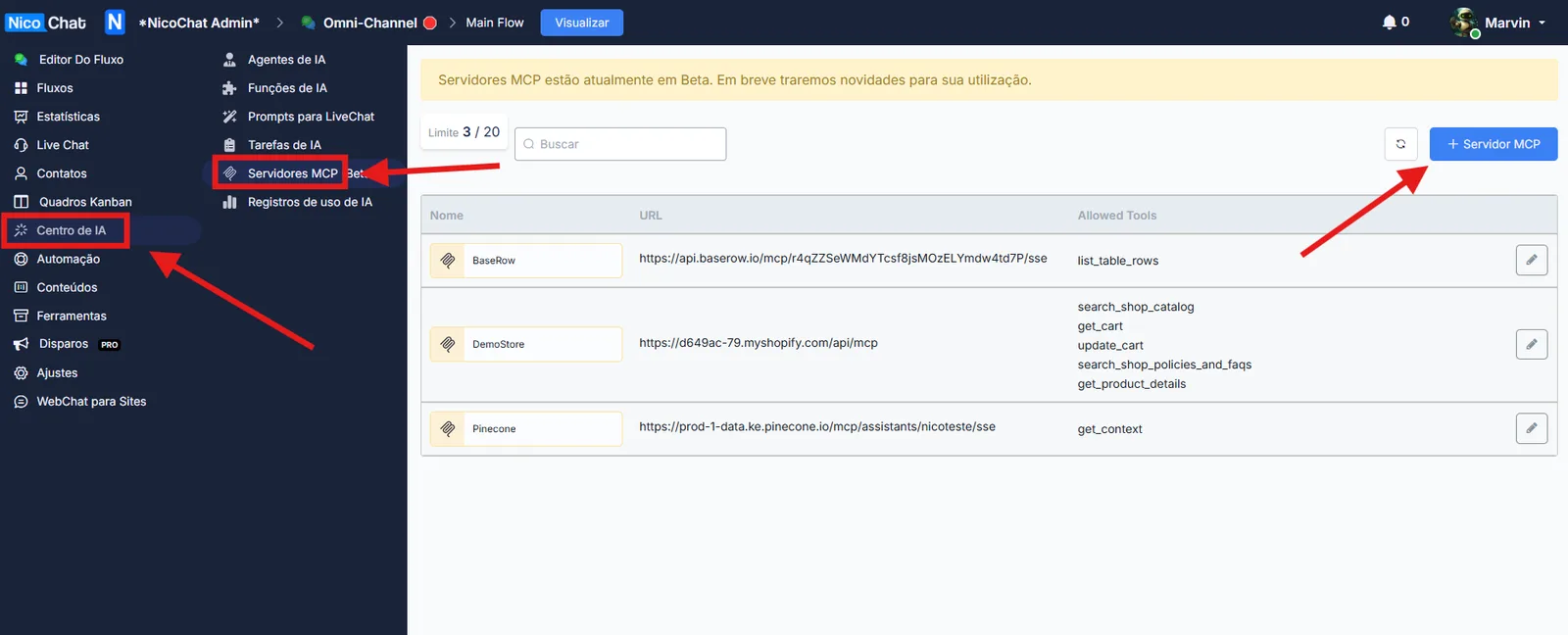
- In the NicoChat panel, go to the side menu.
- Go to:
Central de IA → MCP Servers - Click on “+ MCP Server”.
Fill in the required fields:
"pinecone-rag" or "crm-leads"- After filling it in, click on “List Tools”.
This will make NicoChat fetch every tool (endpoint) available on that MCP server.
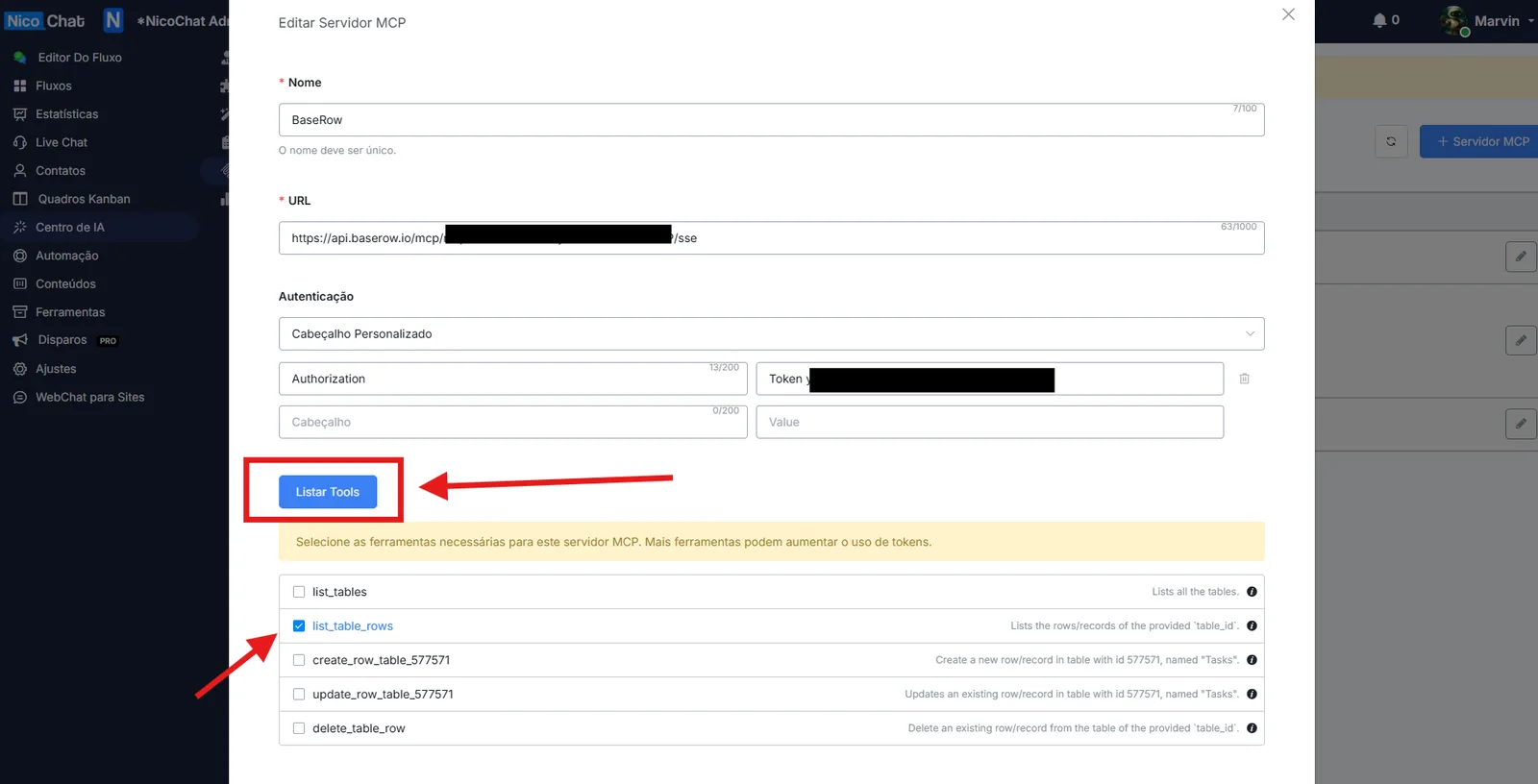
After listing the tools, select only the ones you really want the AI to use.
delete_records, drop_database, etc), the AI may, by accident or through Prompt Injection, delete or modify critical data.- Security: it protects your sensitive data.
- Performance: fewer tools = fewer tokens consumed = lower cost.
- Accuracy: the fewer irrelevant options, the lower the chance of the AI "hallucinating".
👉 Recommendation:
Enable only the tools that make sense for that AI's purpose.
After selecting the tools you want:
✅ Click on “Save”.
That's it! The MCP server will be available globally in your workspace.
- Open your Flow.
- Create a new action of the type:
Advanced Actions → Create Response with AI → Type: Response (OpenAI API)
- In the configuration of this action:
- In the System Message, clearly explain when and how it should use the MCP tools.
Prompt example:
search_customers tool of the MCP server crm-leads. Otherwise, just answer normally."👉 This helps the AI know when to use MCP and when not to, reducing hallucinations and unnecessary token consumption.
- Open the Flow testing area.
- Run a conversation with a question that forces the AI to call the MCP (example: "Bring me the customers who bought this month").
- Check whether the AI makes the correct call to the MCP server.
- We recommend watching our tutorial on how to use the OpenAI Response API inside NicoChat.
- Always review the security of the MCP tools you expose.
- If you are going to integrate with vector databases (e.g.: Pinecone Assistant), configure the MCP with the correct Bearer Token and adjust your prompt for RAG.