LiveChat Prompts
Introducing LiveChat Prompts, our new feature to increase the efficiency of your LiveChat agents.

LiveChat Prompts are shared across all channels in the workspace and give LiveChat agents access to predefined, AI-generated responses and actions. They help the agent save time and improve response quality without switching tabs or manually translating text.
You can find this feature under Central de IA > LiveChat Prompts in your workspace.
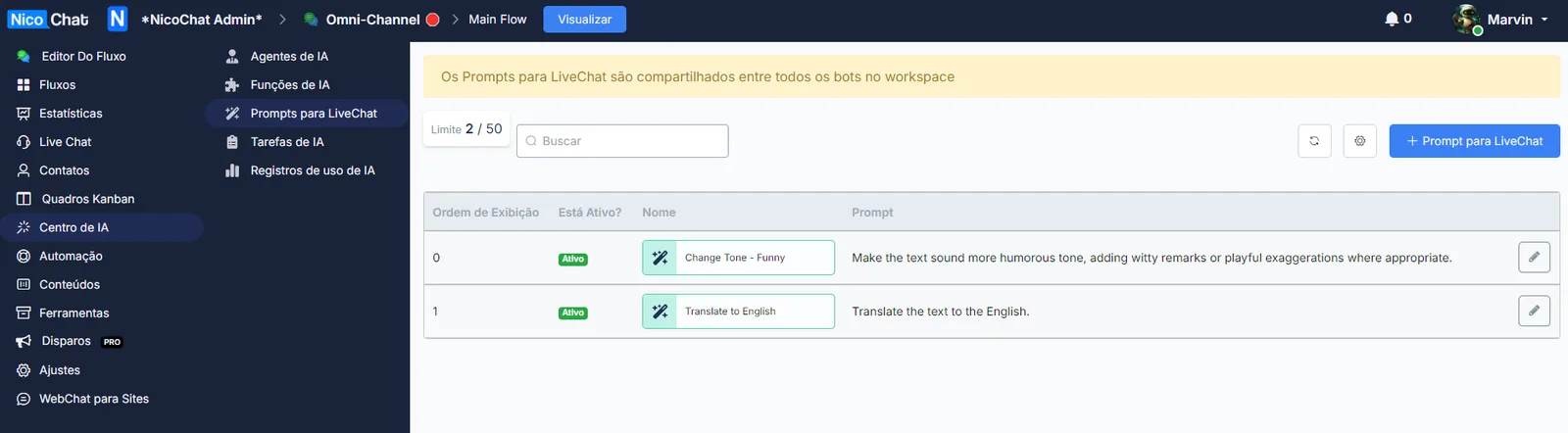
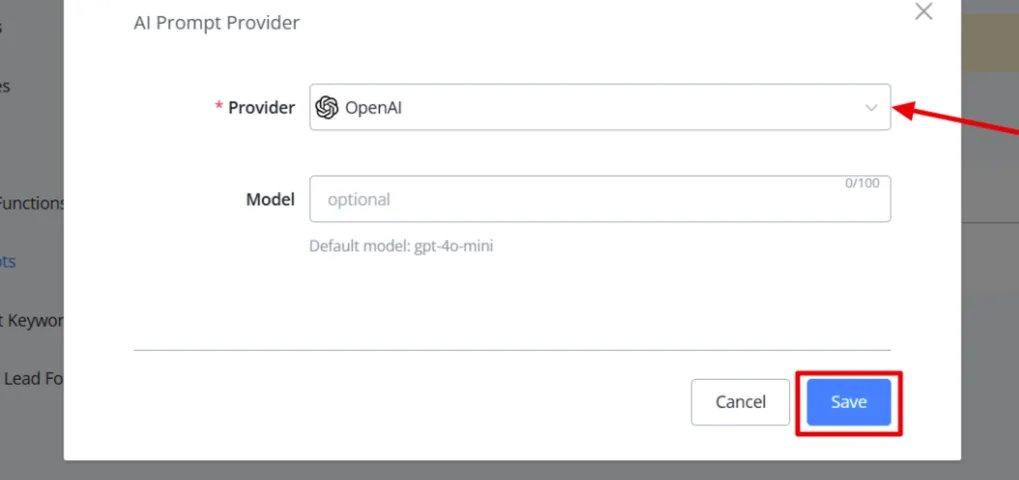
Click the gear icon to open the settings. Select your preferred AI provider and the corresponding model:
- OpenAI
- Deep Seek
- X AI
- Gemini
- Claude
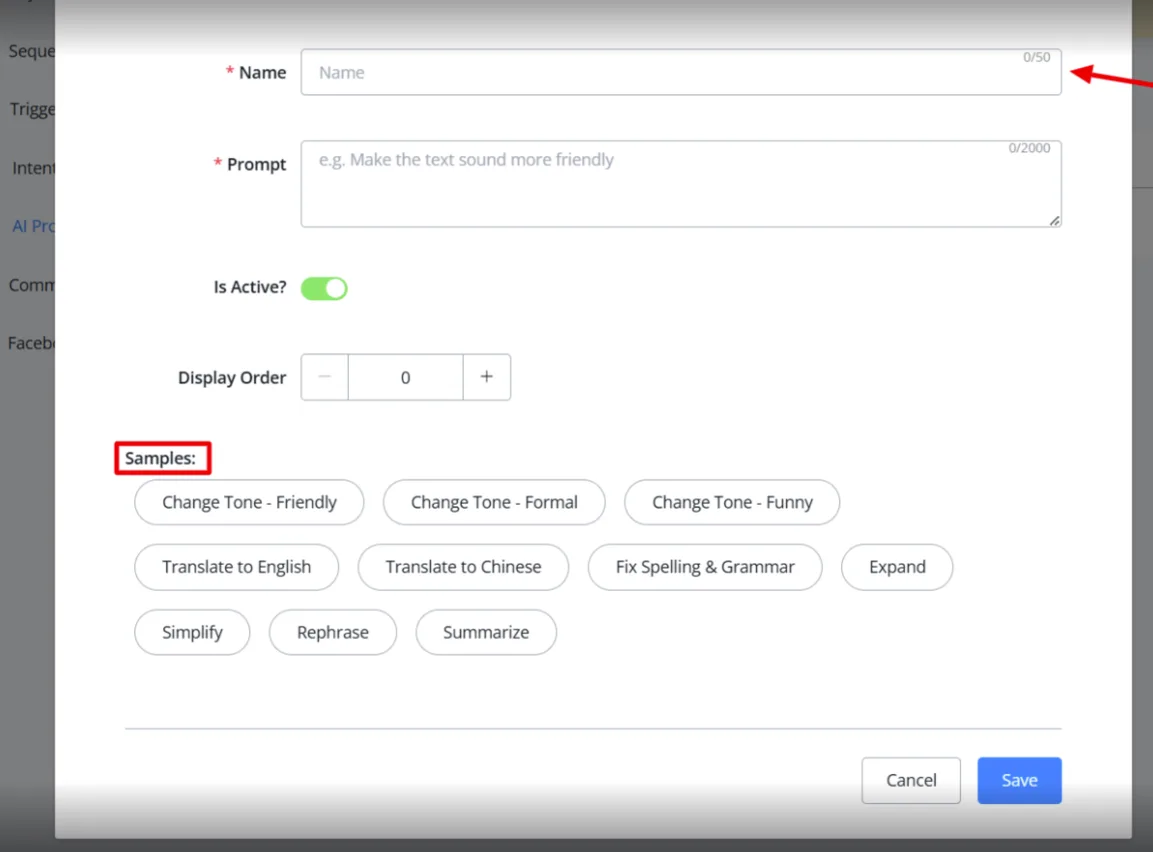
To create a prompt, click the "+ LiveChat Prompt" button. Give the prompt a name, write the content, set the status to active and adjust the display order as needed.
We have included several ready-made samples for common scenarios:
- Tone adjustment (Friendly, Formal, Funny)
- Language translation (English, Chinese)
- Other customizable use cases
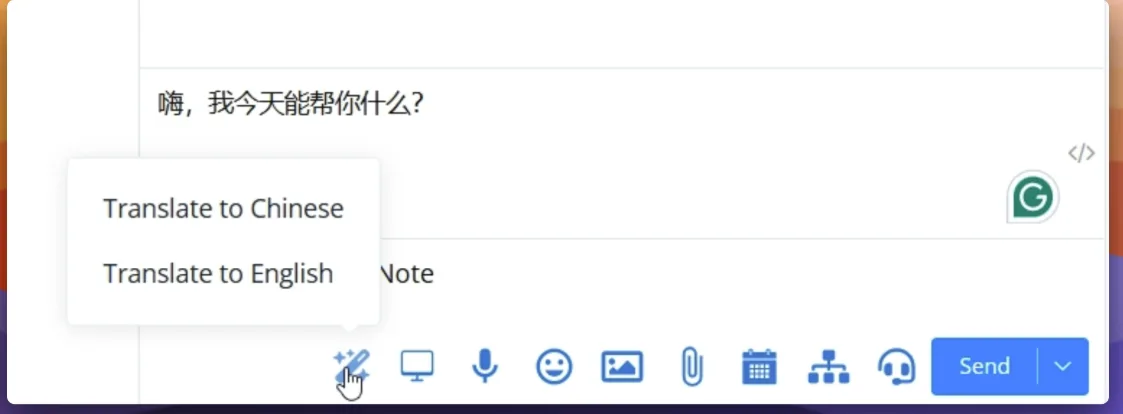
Type your message in the chat window, hover over the prompt icon and select the prompt you want. Within a few seconds, the AI processes it and returns the transformed text.
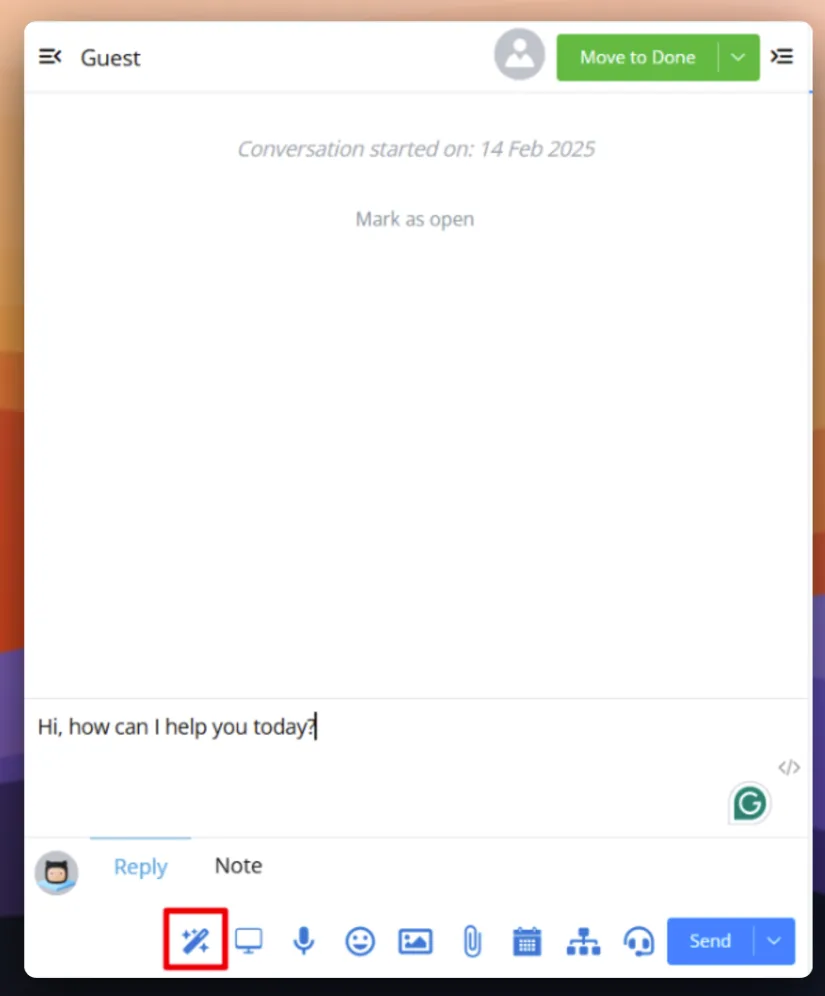
Example: translating "Hi, how can I help you today?" into Chinese takes just a few clicks, with no need to switch tabs or use external translation tools.