

Personas
Personas help make your chatbot more human. They let you set up a personal profile, with a photo, so people are more inclined to talk to the chatbot, because the experience feels more personal.
To create a new persona, go to Content in the left-hand menu and then to the Personas tab.
From here you have an overview of all the personas you have created inside the chatbot.
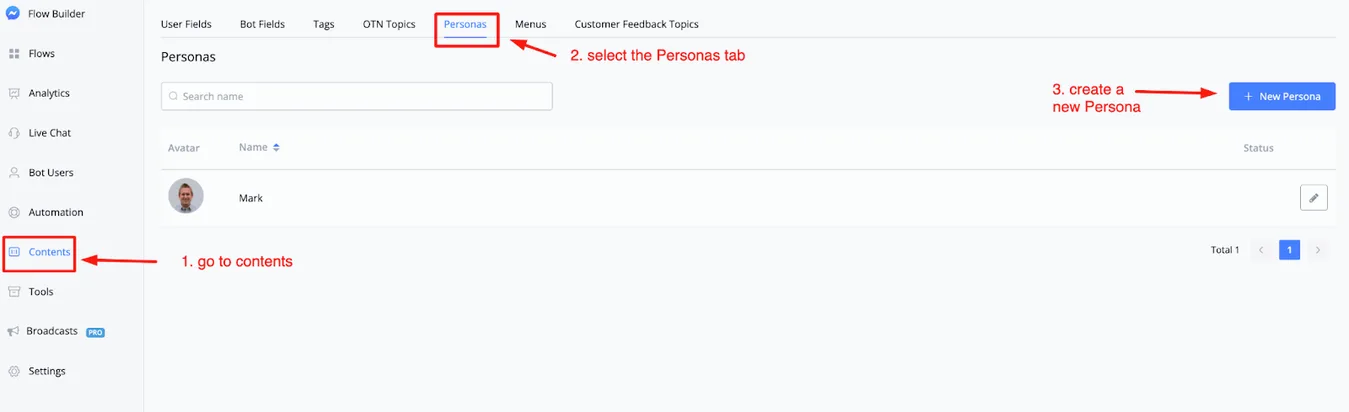
To create a new persona, click the + New Persona button in the top right corner.
A window then appears where you set everything up.
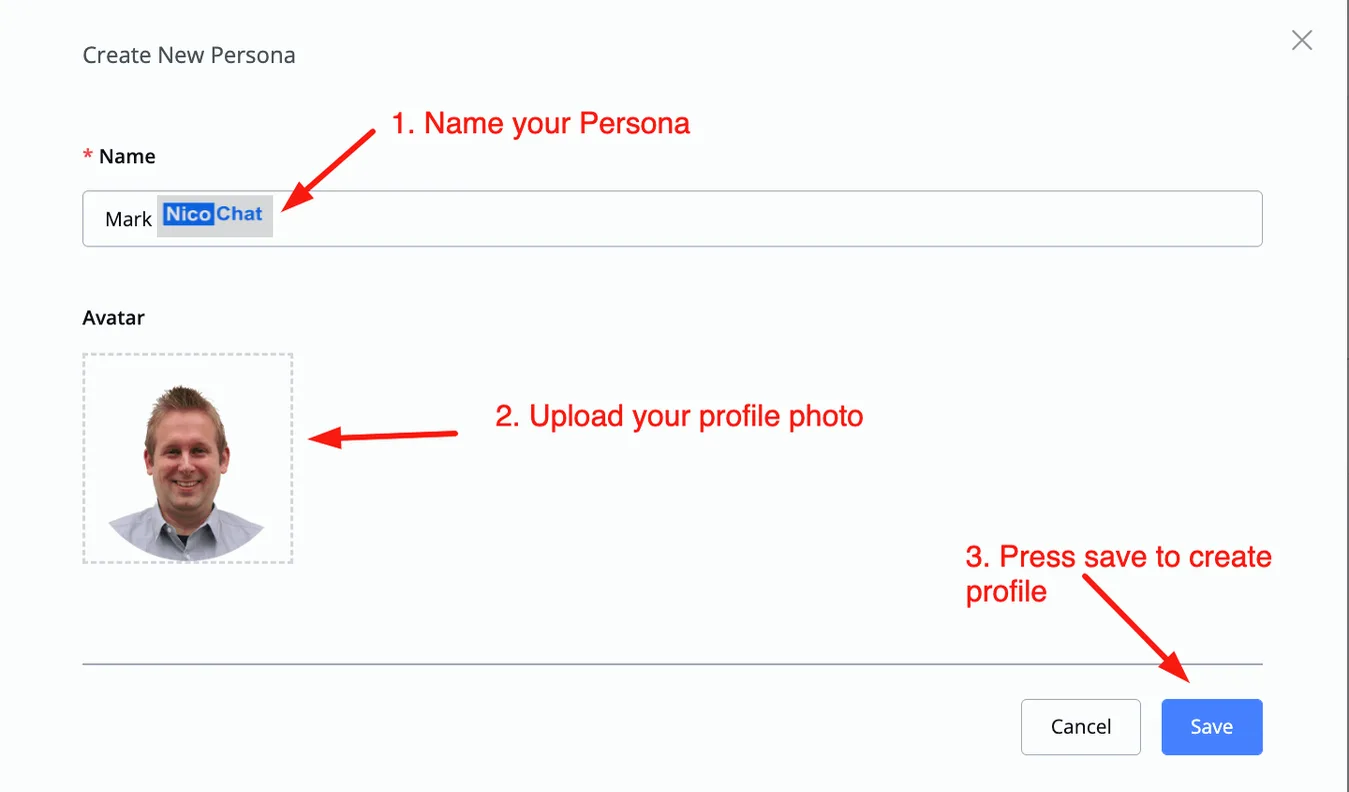
Once created, the persona is available in the main overview.
In that same overview you also manage the persona: just click the pencil icon to edit.

You use personas by setting them inside your flows.
Go to a flow and create an action block. In it, select Advanced actions and then Set Persona.
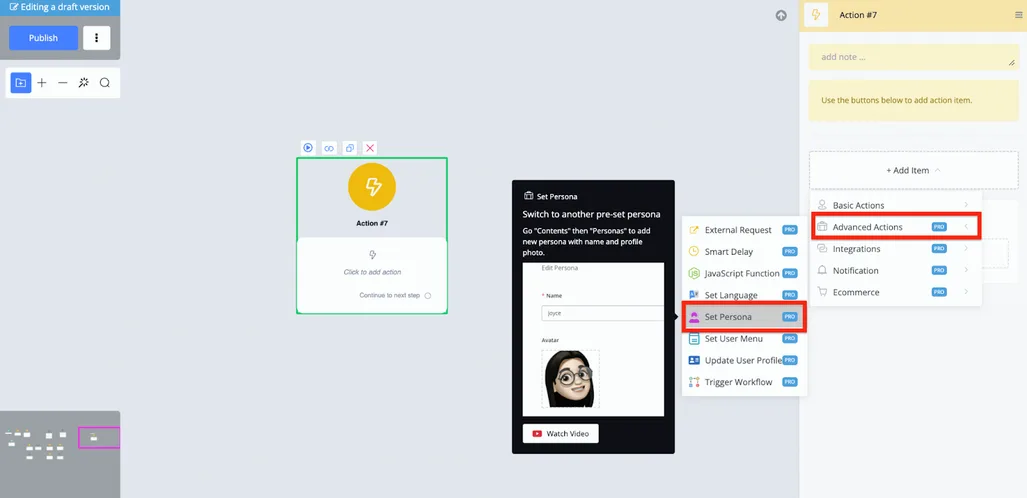
There you select any persona you created previously, and the chatbot goes on to lead the conversation with that user using that profile.
Using personas is also a good way to increase engagement and conversions. Female personas usually work very well with a male audience, so you can start the flow by checking the user's gender with a condition and then set the persona accordingly.