

Final Notes (Statistics)
The Final Notes Report lets you review the notes left when interactions with users are closed, helping you better understand the context of conversations.
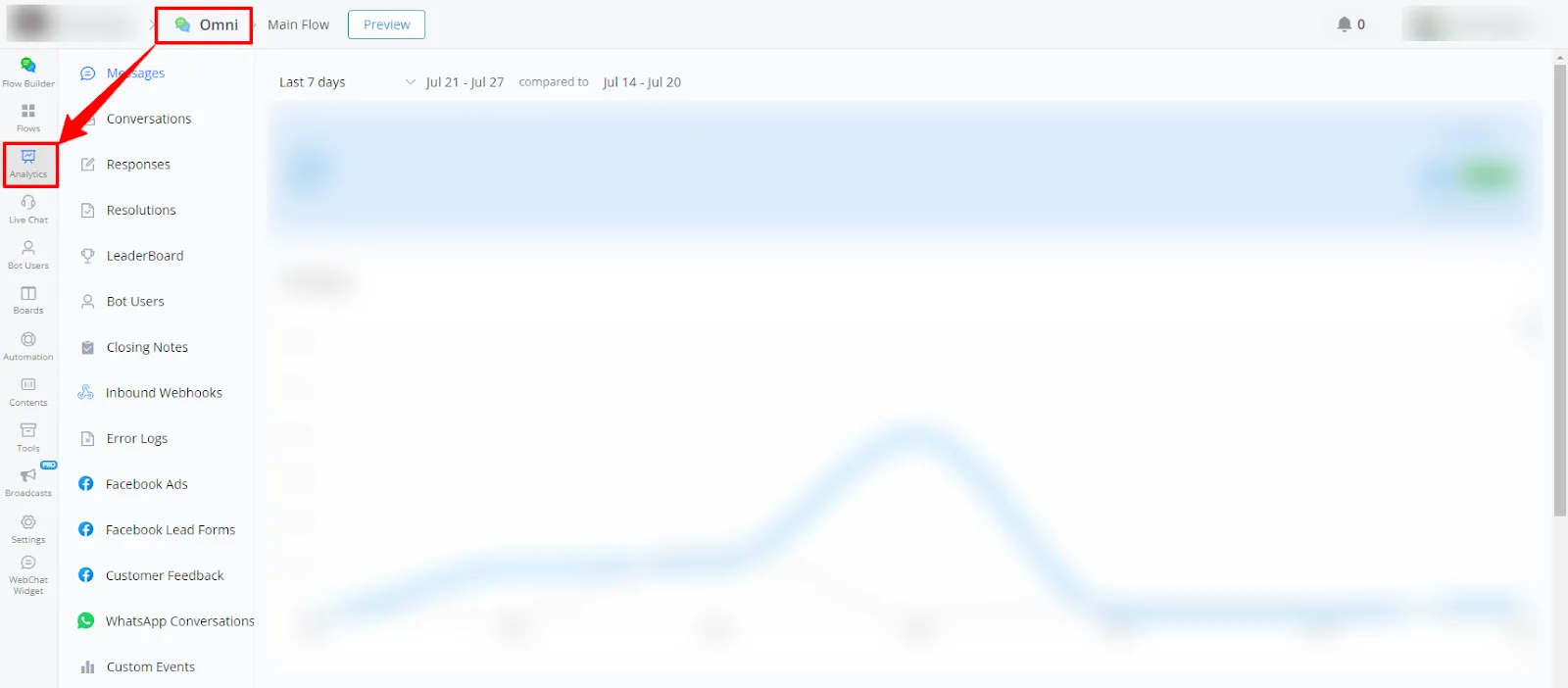
- Within your channel, go to Statistics.
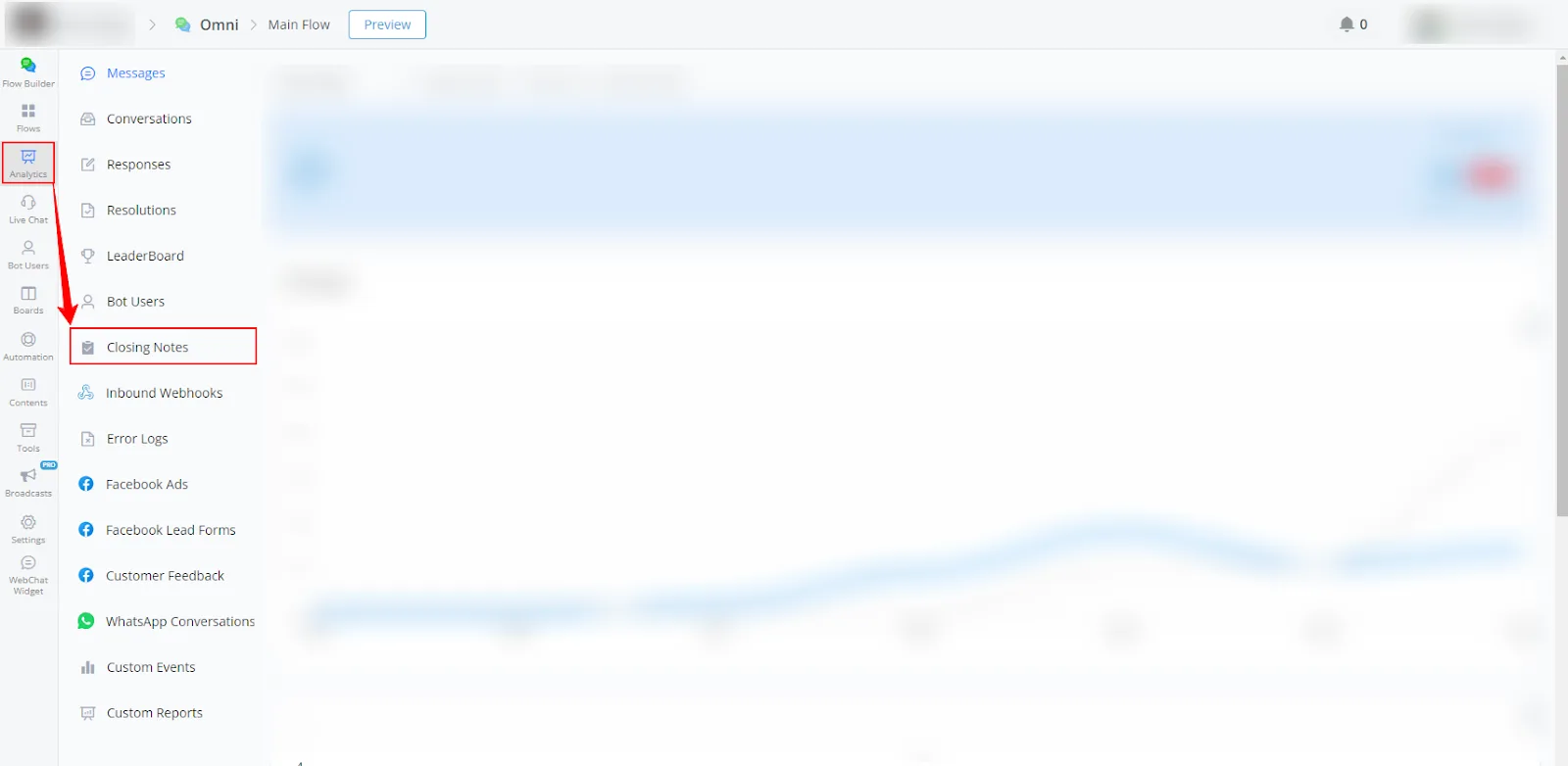
- Select Final Notes from the left-side menu.
Available report types
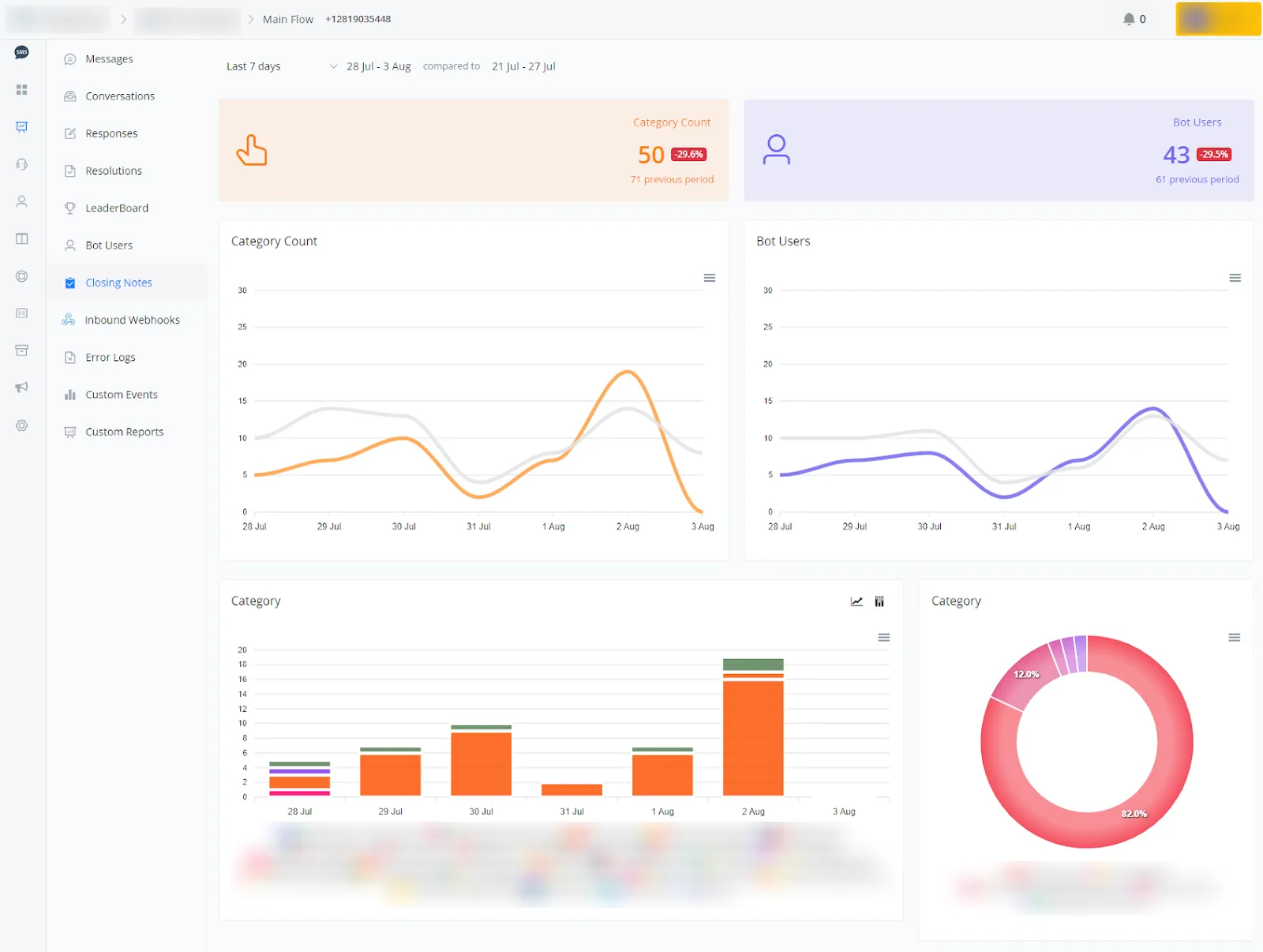
- Category Count and bot users charts
The following charts show the daily variations in the category count and in the number of bot users.
- Orange and gray lines: represent the category count in the current and previous periods, respectively.
- Purple and gray lines: represent the number of bot users in the current and previous periods, respectively.
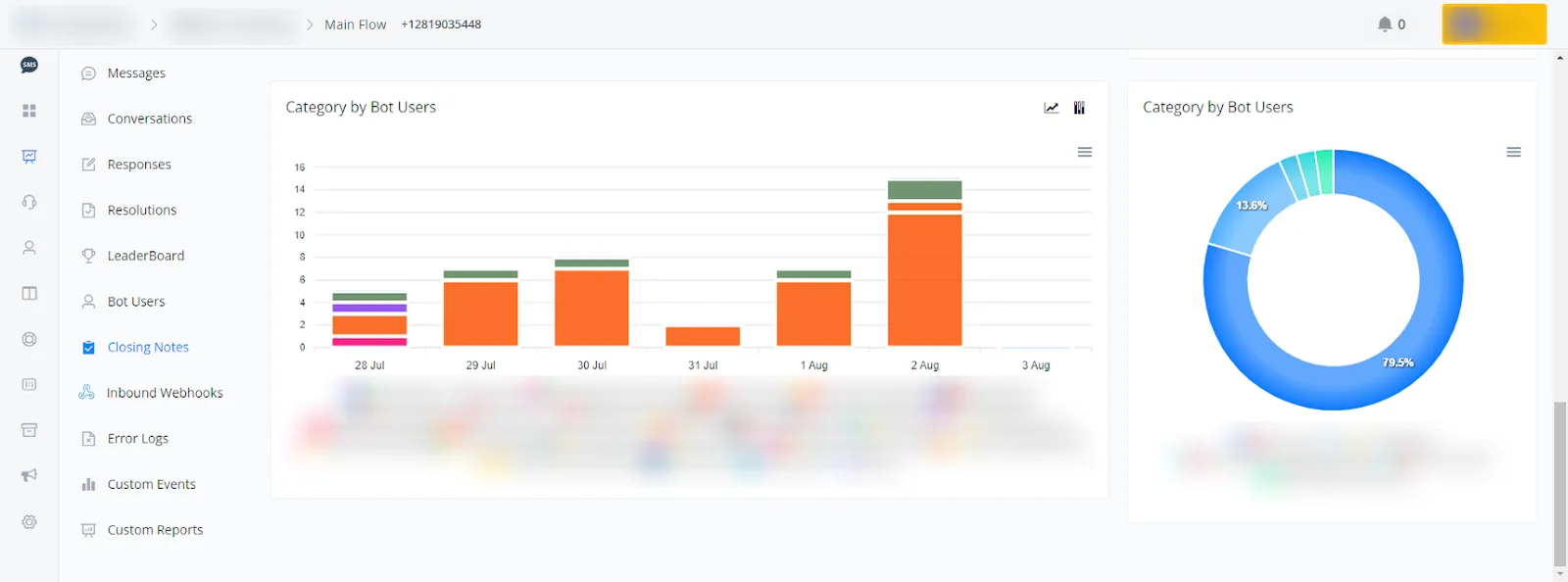
The following charts show the distribution among the different final notes added for bot users. This data helps you visualize how final notes are being categorized over time.
- Bar chart: represents the number of final notes added in each category for different bot users in the current and previous periods.
- Donut chart: provides a percentage view of the distribution of the final note categories added by each bot user, allowing for a quick analysis of the proportion between categories.
If you need further help, open a ticket at discord.com/channels/1147227963792830534/1153402986240946358