Final Notes
NicoChat now allows your users to extend the LiveChat functionalities with Final Notes. Final notes allow LiveChat agents to record more context when a conversation is closed or moved to Done.
Inside the channel, click on “Content” and then “Final Notes”.
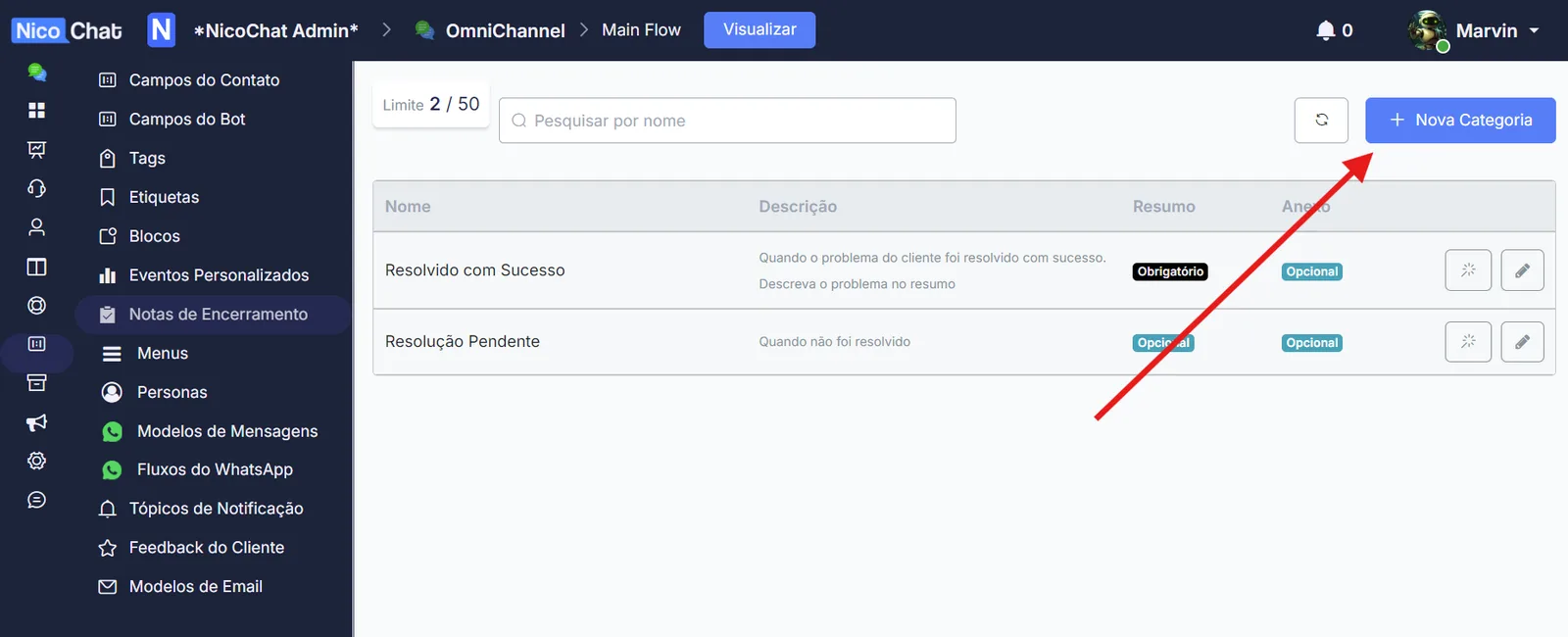
Click on “+ New Category”.
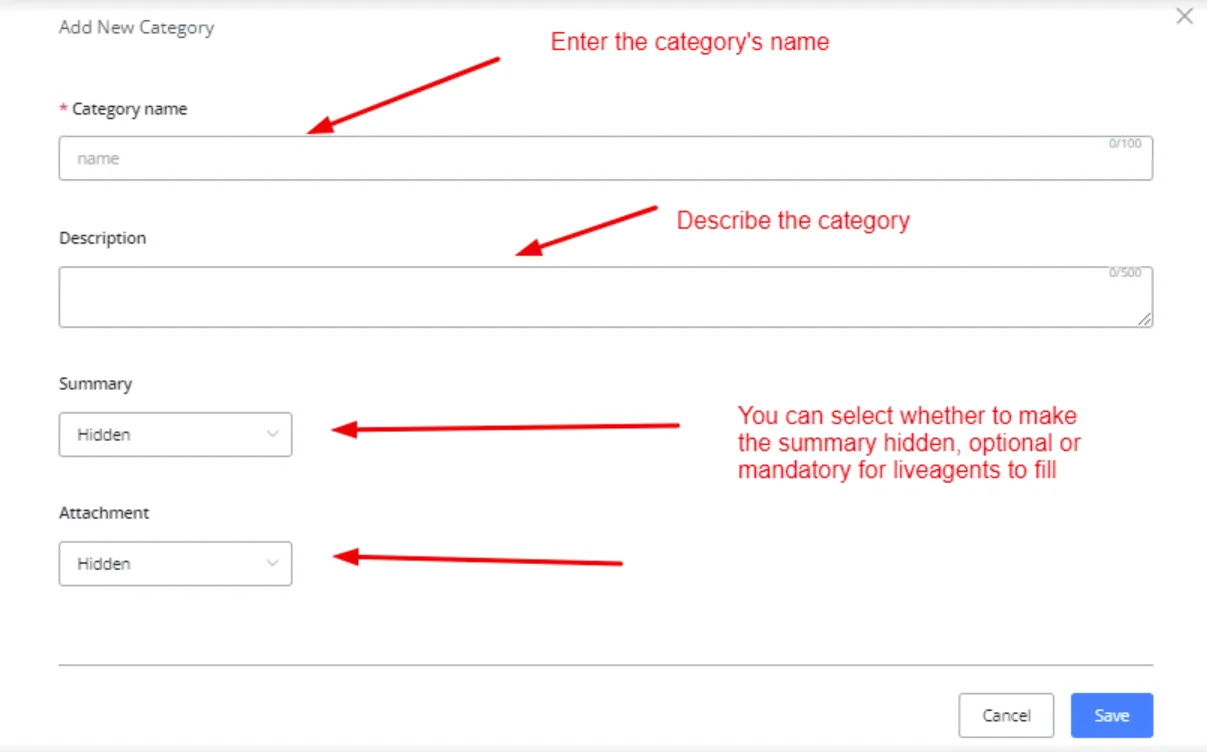
Click Save to create a new category.
Go to the Settings tab and click on LiveChat Settings. Enable final notes.
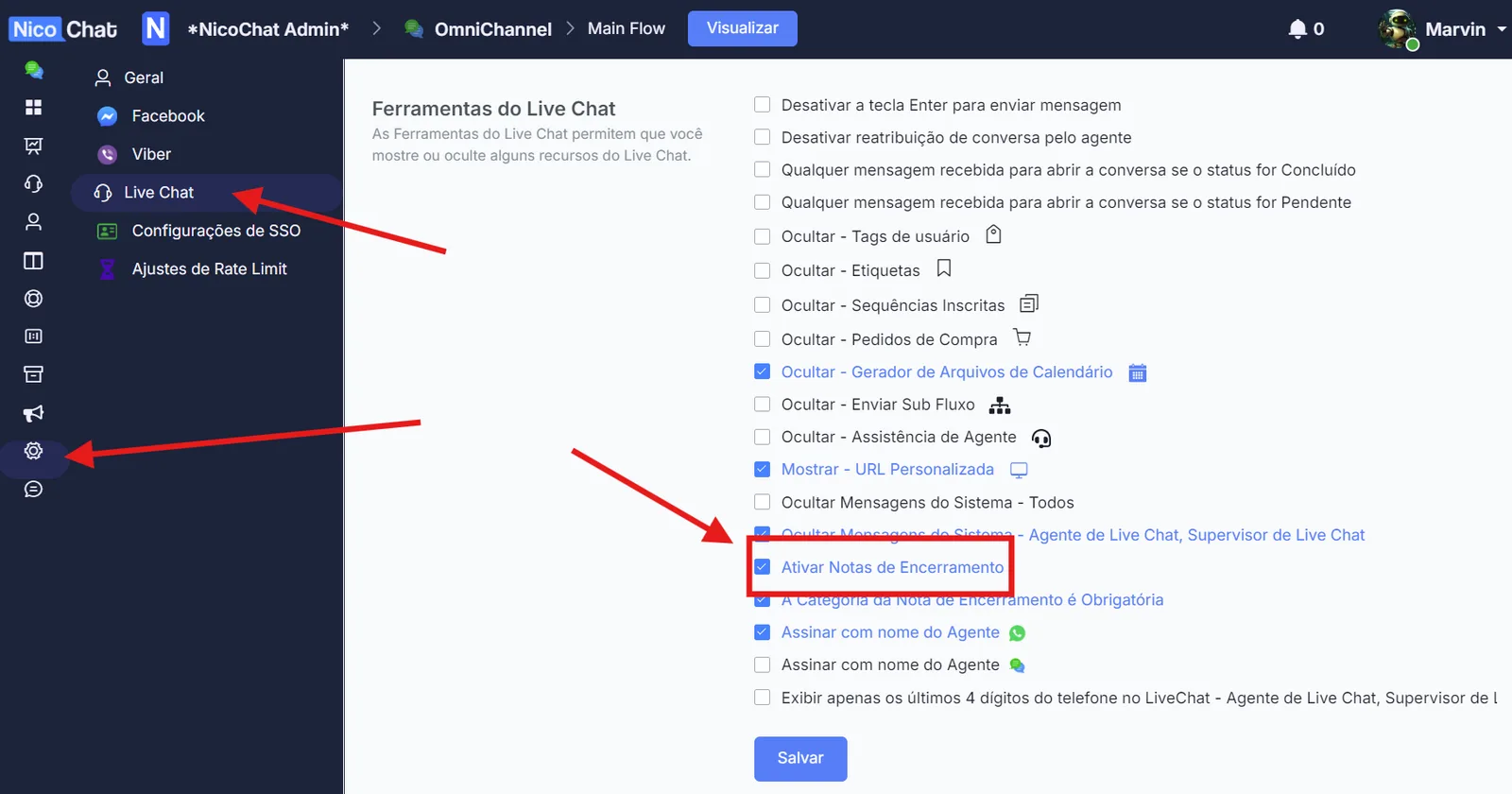
When you are done, click Save and you will be able to use final notes.
Final notes can be used when moving a conversation to “Done”. When moving a user to Done, if final notes are enabled, the LiveChat agent will be prompted to enter the final note.
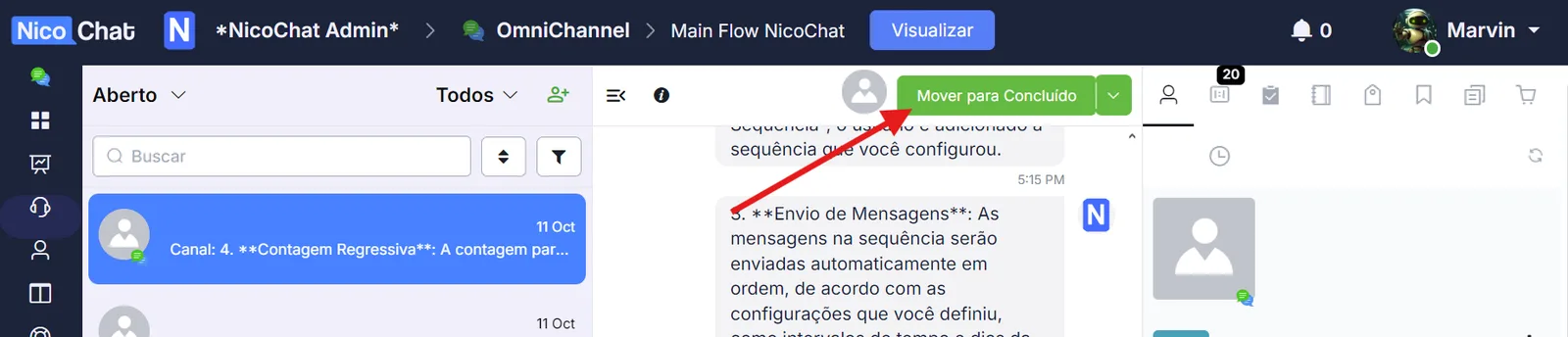
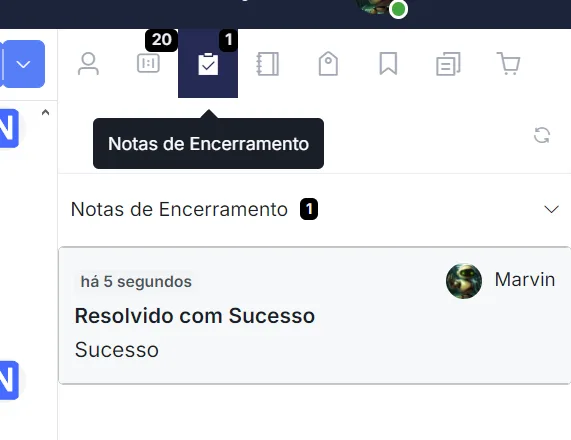
The final note can also be viewed in the contact overview.
Once a final note has been applied, it can be used as a trigger to run automations.
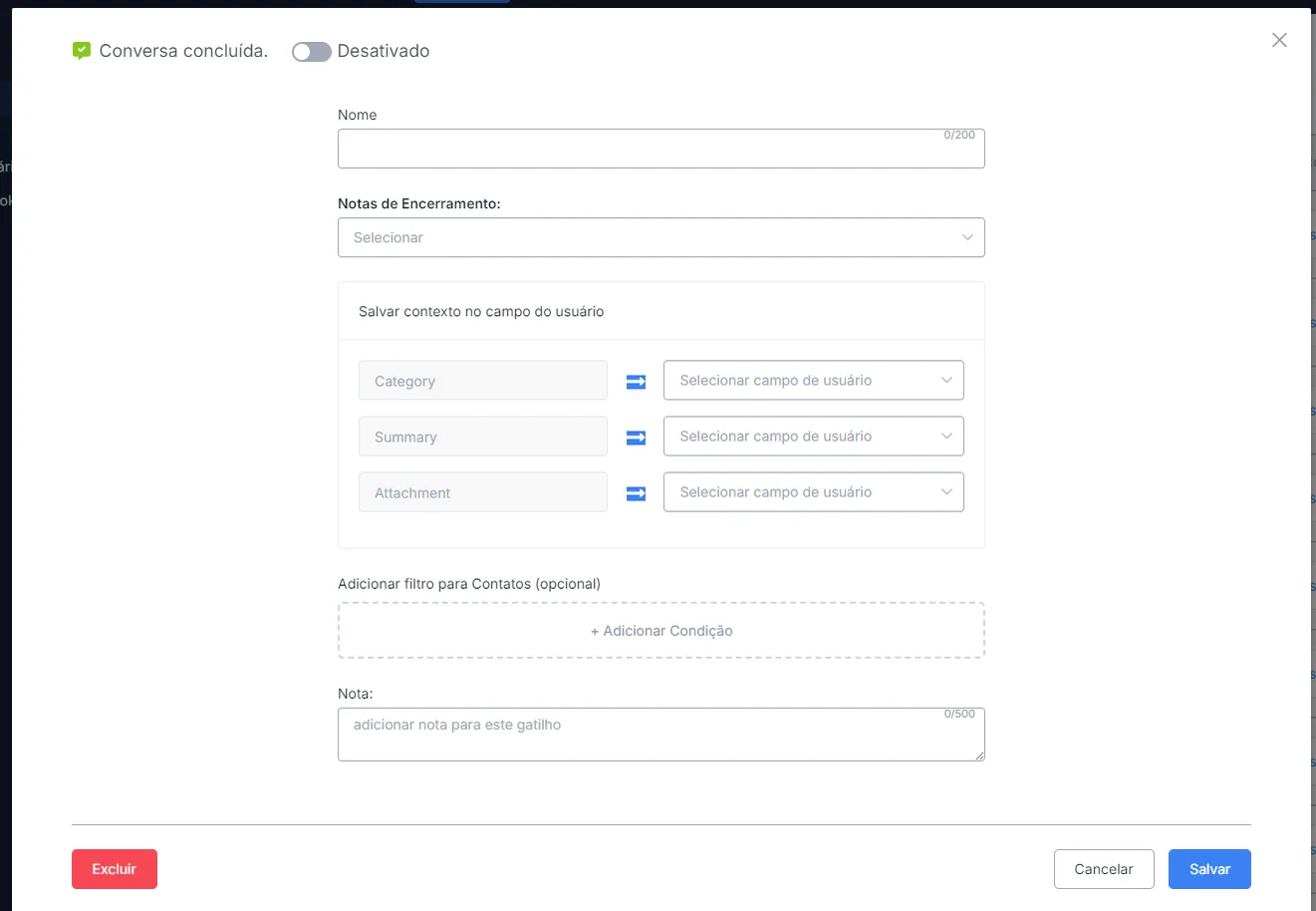
This trigger is useful for notifications, analytics and other contact-related automations.
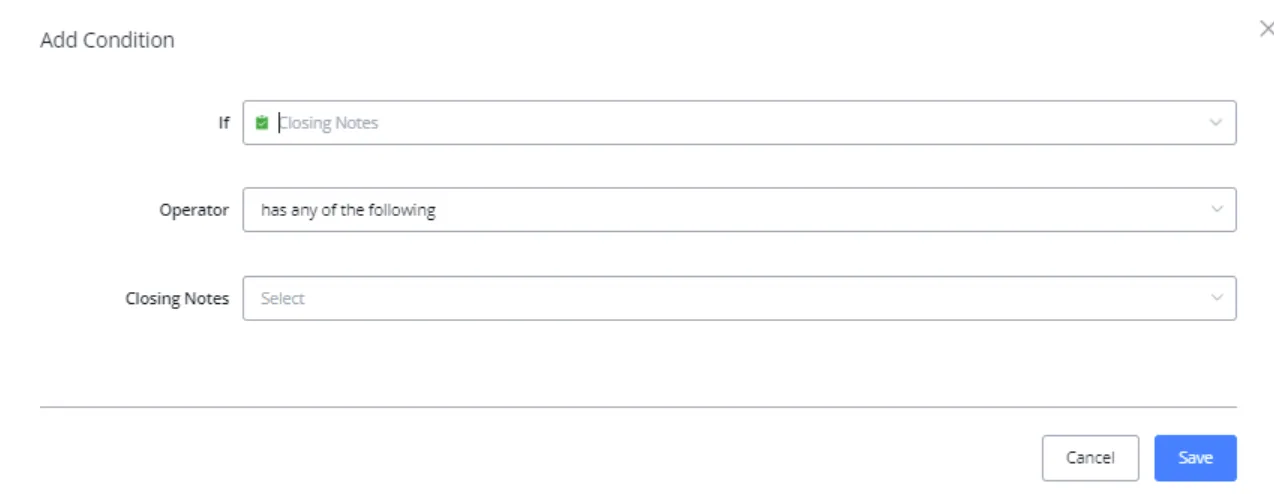
You can also separate users by final note in a condition block.
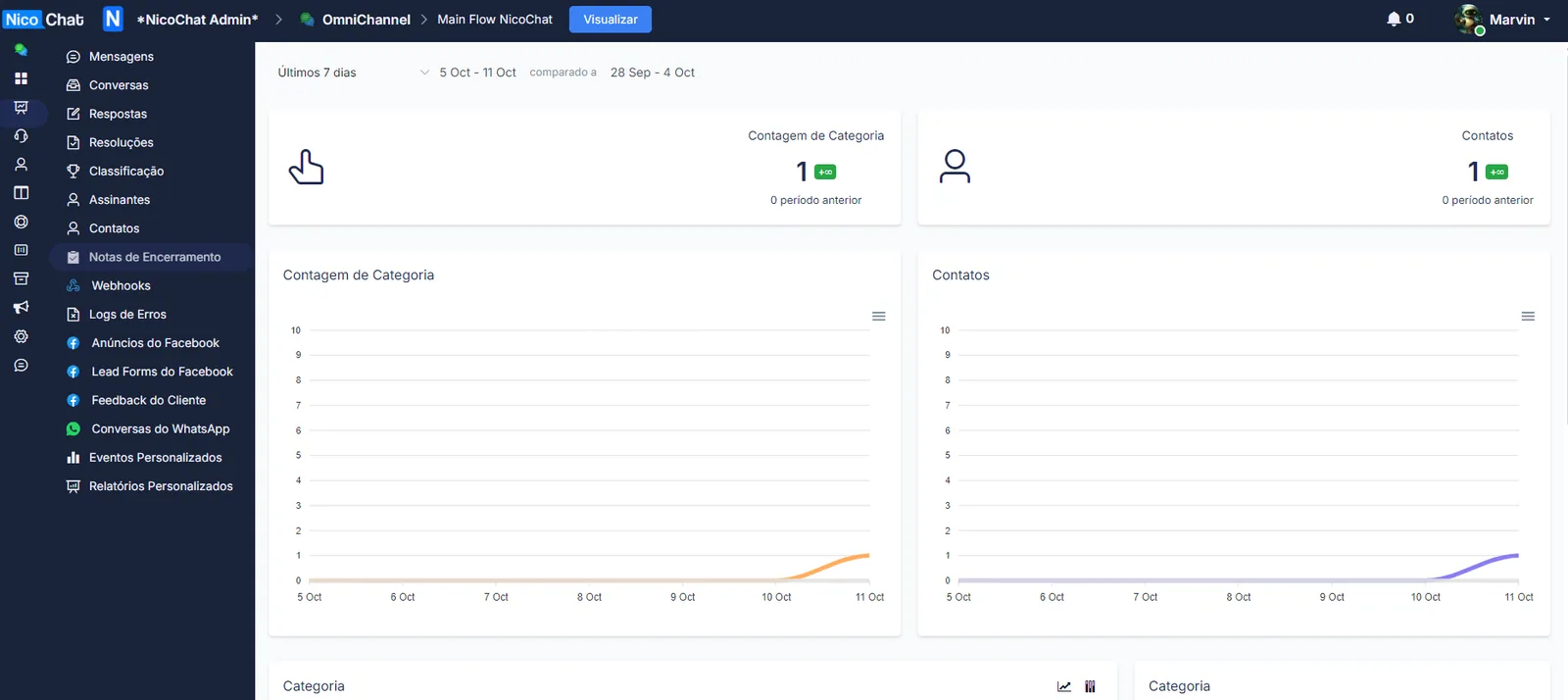
You can view the final note statistics in the Statistics tab.