

Error Logs
Error logs help you troubleshoot bugs that happen inside your chatbot and save you a lot of time you would otherwise spend trying to figure out the cause yourself.
To access the error log, go to Tools in the left-hand menu and select the first tab, called Error Logs.
From here you will have a complete overview of all the errors that have happened in the chatbot.
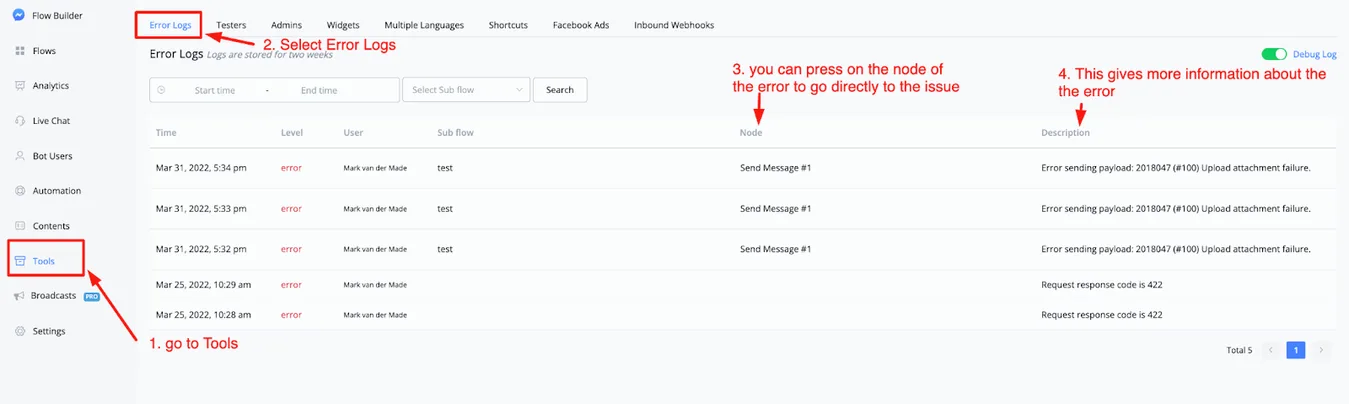
From here you can see the date of the error, the kind of error, which user was affected, which SubFlow it happened in, along with the node that contains the error, and more information.
If you click the node of the error message, you will be taken directly to the point where the issue was registered.
This will speed up troubleshooting immensely and save you hours you would otherwise waste trying to find the bug.