

Intents (Functions)
To use Intents, you need to create an Intent inside the automations.
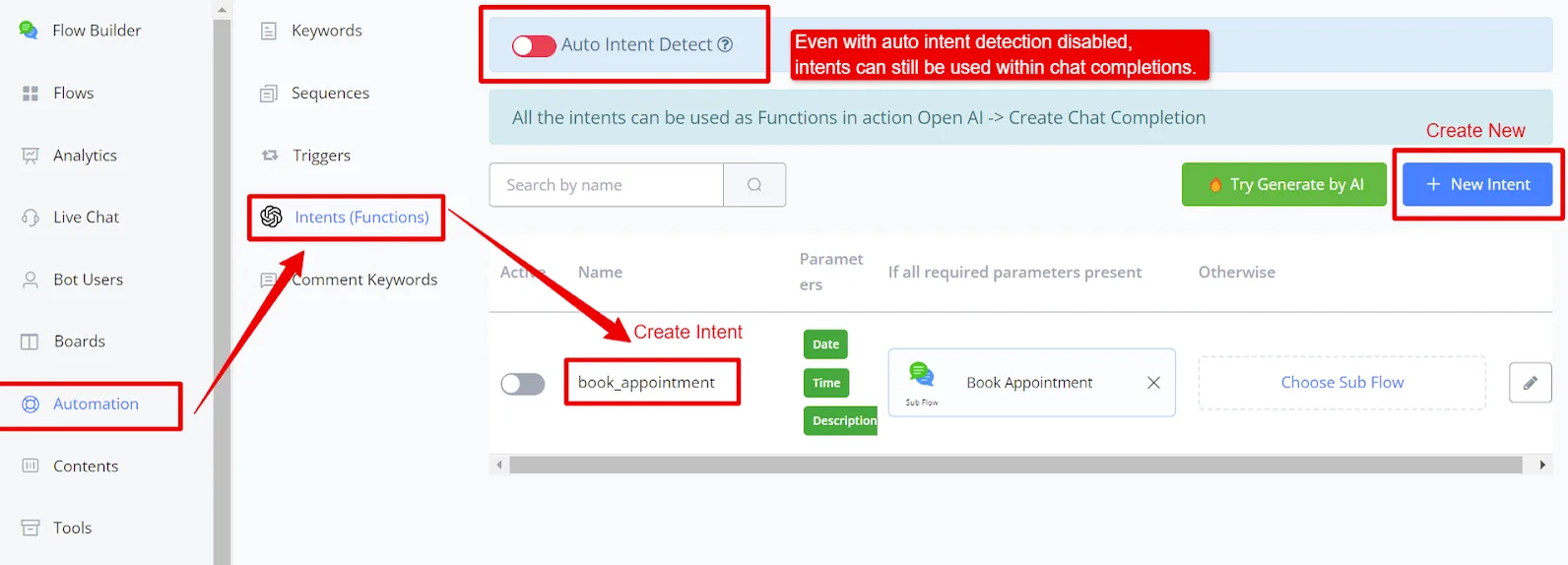
Below is a workflow example.
The first step is to clear the chat history, which is essential for repeating the Chat Completion until all parameters are captured.
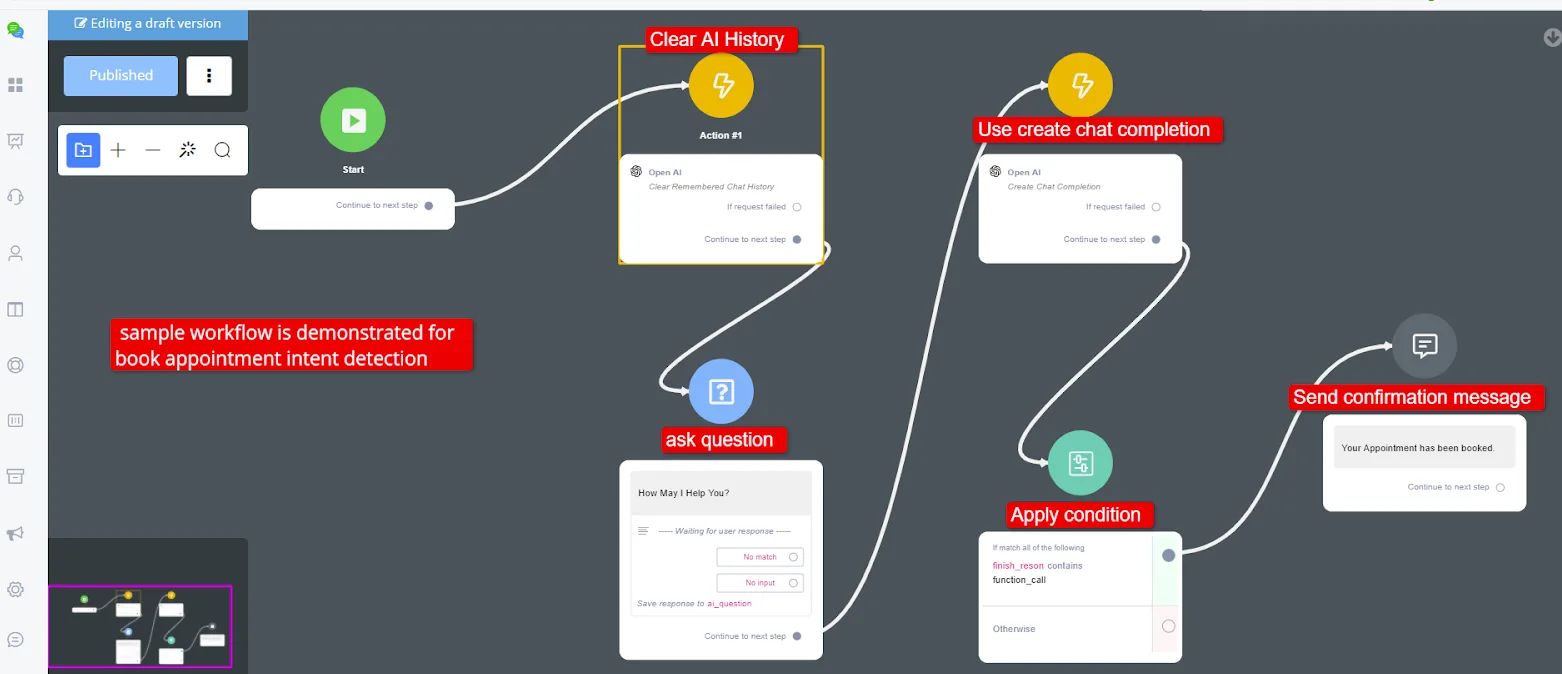
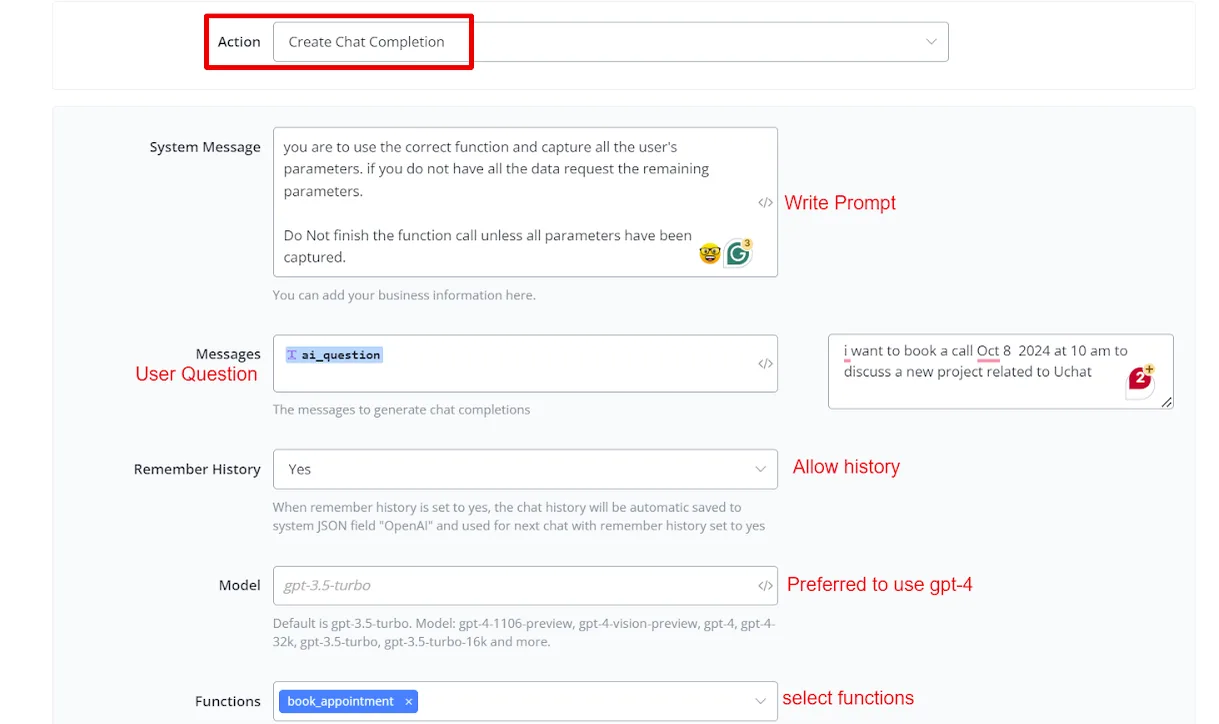
- A simple system message asks the user to ensure that all parameters are captured before completing the function call.
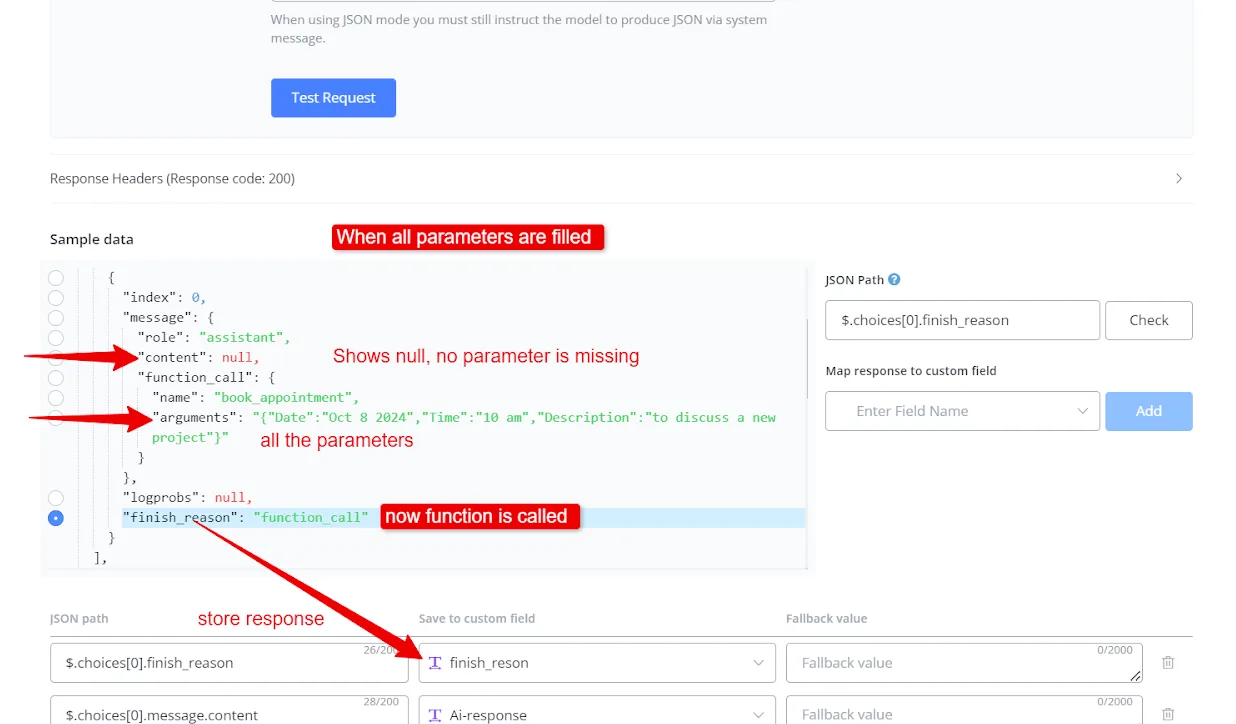
Output handling involves checking the chat finish reason. Customization options include setting up Intents and mapping parameters. It is essential to test thoroughly to ensure that all parameters are captured correctly. If any parameter is missing, it may be necessary to redirect the user back to the Chat Completion.
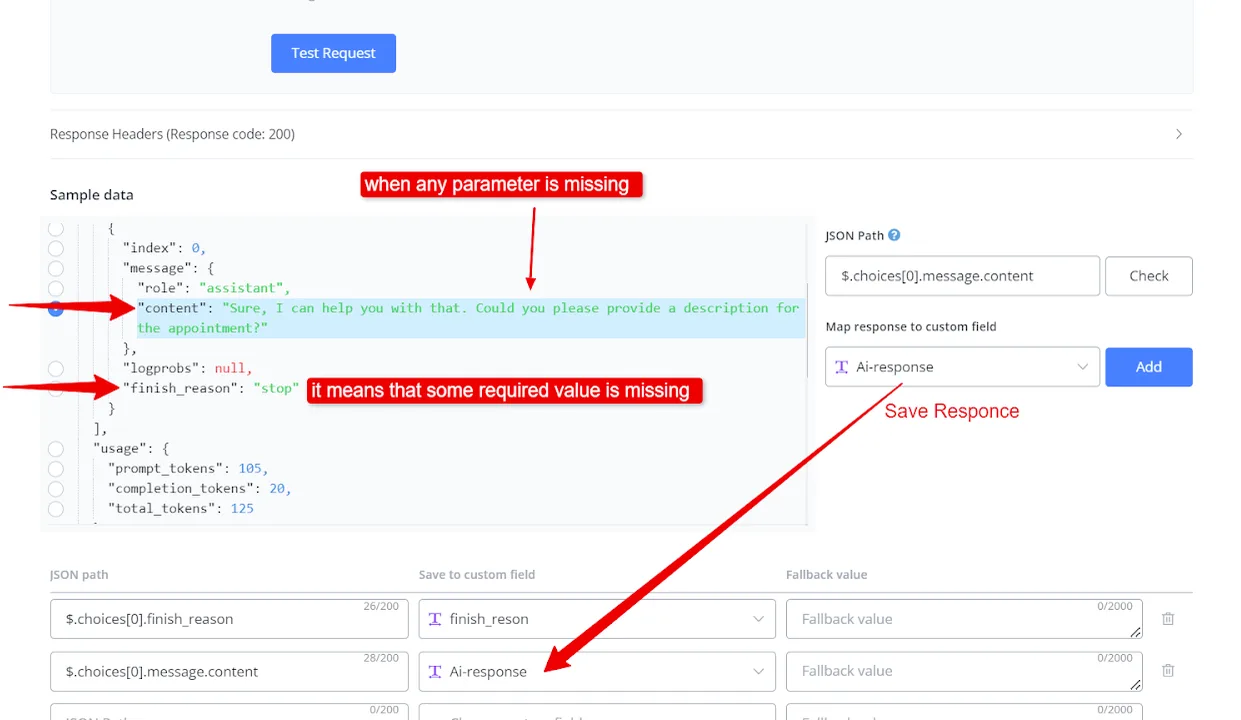
- If the reason is a function call, it indicates that all parameters were captured, allowing direct output to the user.
The method described is not limited to appointment scheduling: it can be extended to various purposes.