

General (Settings)
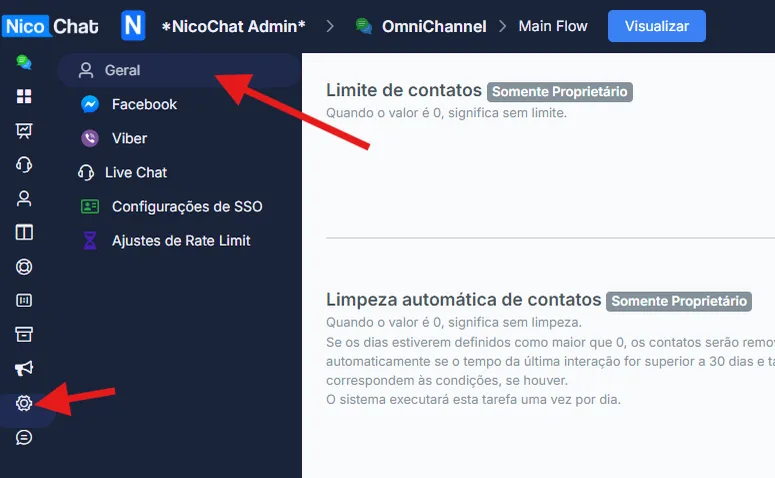
To access the General Settings panel in NicoChat, follow these steps:
To access the General Settings panel in NicoChat, follow these steps:
- Enter your channel: navigate to the channel you want to configure.
- Go to "Settings": in the left sidebar menu, click "Settings".
- Select "General": within "Settings", click the "General" option.
Note: only the workspace owner can change this setting.
See the image below for visual guidance:
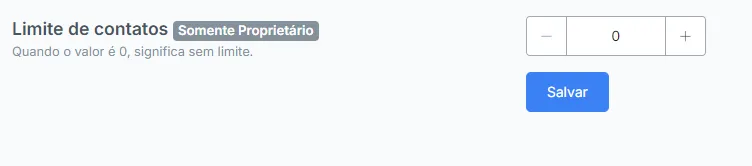
- Description: sets the maximum number of contacts. If the value is 0, there is no limit.
- Access: only the workspace owner can change this setting. Anyone who does not see this option is not the workspace owner.
- How to configure:
Go to the "Contact limit" section. Use the "+" and "-" buttons to adjust the limit. Click "Save" to save the changes.
- Description: automatically removes the contacts that do not interact within the defined period. If the value is 0, there is no cleanup.
- How to configure:
Go to the "Automatic cleaning of contacts" section. Set the number of days after which inactive contacts will be removed. If needed, add specific conditions (for example, delete contacts with certain tags). Click "Save" to save the changes.
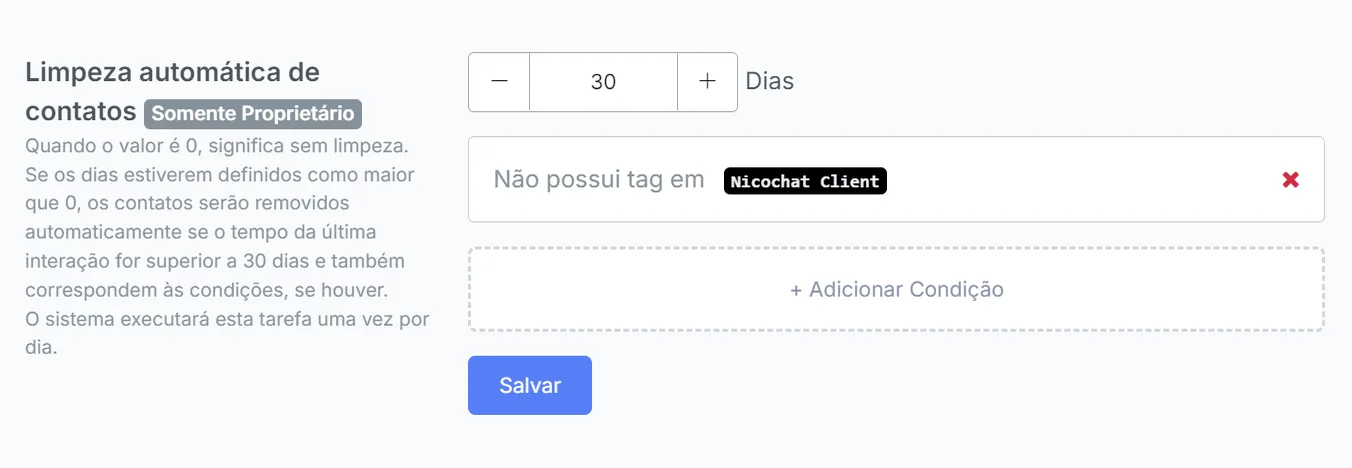
- If no specific condition is set, contacts will be removed based on the date of the last interaction.
- What it is: defines what keeps being sent while bot automation is paused.
- Messages from agent, triggers and smart delays will be sent: during the pause, triggers and smart delays keep working.
- Only messages from the human agent will be sent: during the pause, only the messages written by the agent go out; triggers and smart delays are stopped.
- How to configure: pick one of the options in the list and click Save.

Attention
Pausing the bot prevents keywords, triggers and answers to question blocks from starting the automation — nothing new begins, and a flow waiting for an answer does not move on. But what is already being processed finishes and sends: if the AI was generating the answer when the agent paused the bot, the message still goes out. To prevent that, use the Is bot paused? condition in the Condition Step.
Attention
Ideally, set the default flow in Keywords.
- Description: sets the default start flow of the bot.
- How to configure:
Go to the "Bot Start Flow" section. Select the desired default flow (the default is "Main Flow"). Click "Save" to save the changes.
