Function Flow
YouTube video (embedding unavailable)
A function flow is a great way to avoid building the same flows over and over again. Think of when you need to ask for emails or phone numbers.
With a function flow, you send the user to that flow and, when it finishes, the user continues exactly from the point where they left off in the previous flow.
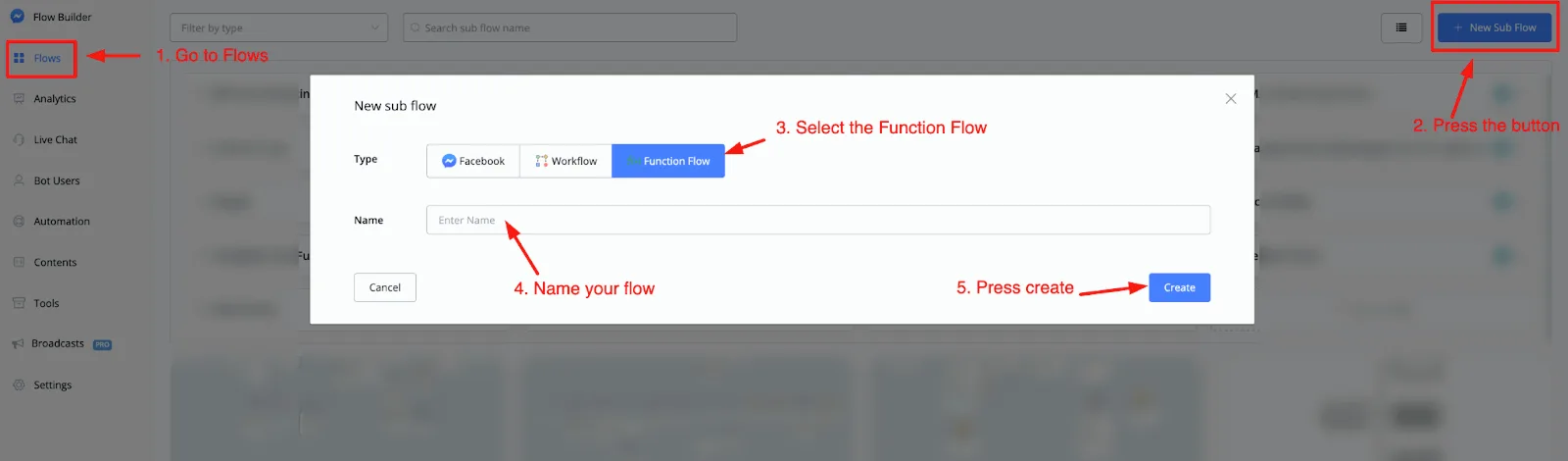
To create a function flow, go to Flows in the left-hand menu and press the + New sub flow button.
Select the Function Flow type and name your flow. Once done, press the Create button and you will be taken to the flow builder.
Inside the flow builder, when you insert a new block, you will see that you have all the blocks of a regular flow at your disposal, plus one more, called Output.
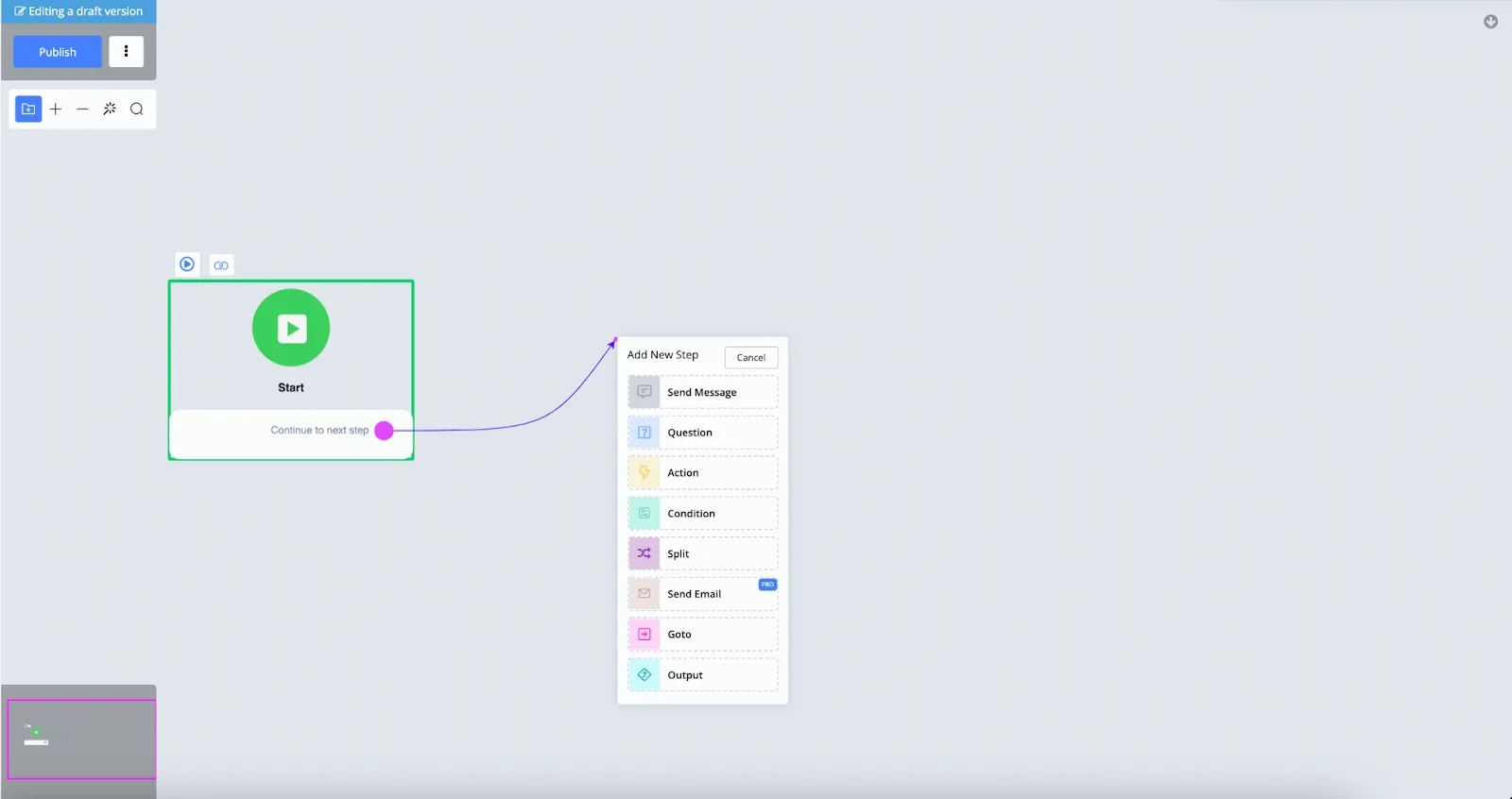
This output is what makes the function flow so unique, because it lets you send the user back to the previous flow (if you want), exactly where they left off.
Let's create an example in which we ask the user for an email and add an output module to this flow:
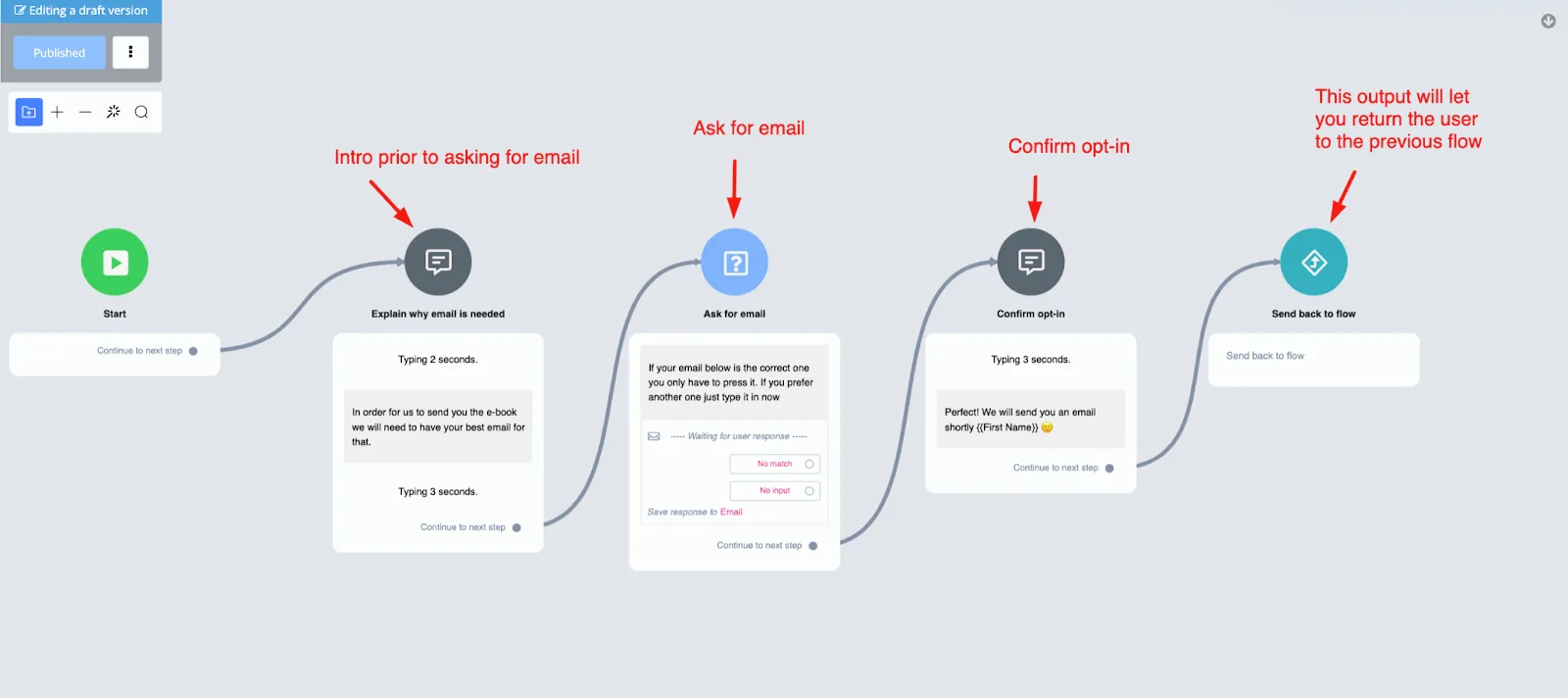
As you can see, it is a simple flow, with the advantage of having a single function: asking for an email.
After this flow finishes, you can return the user to the previous flow to continue the conversation there, if you want.
Here is how that would look:
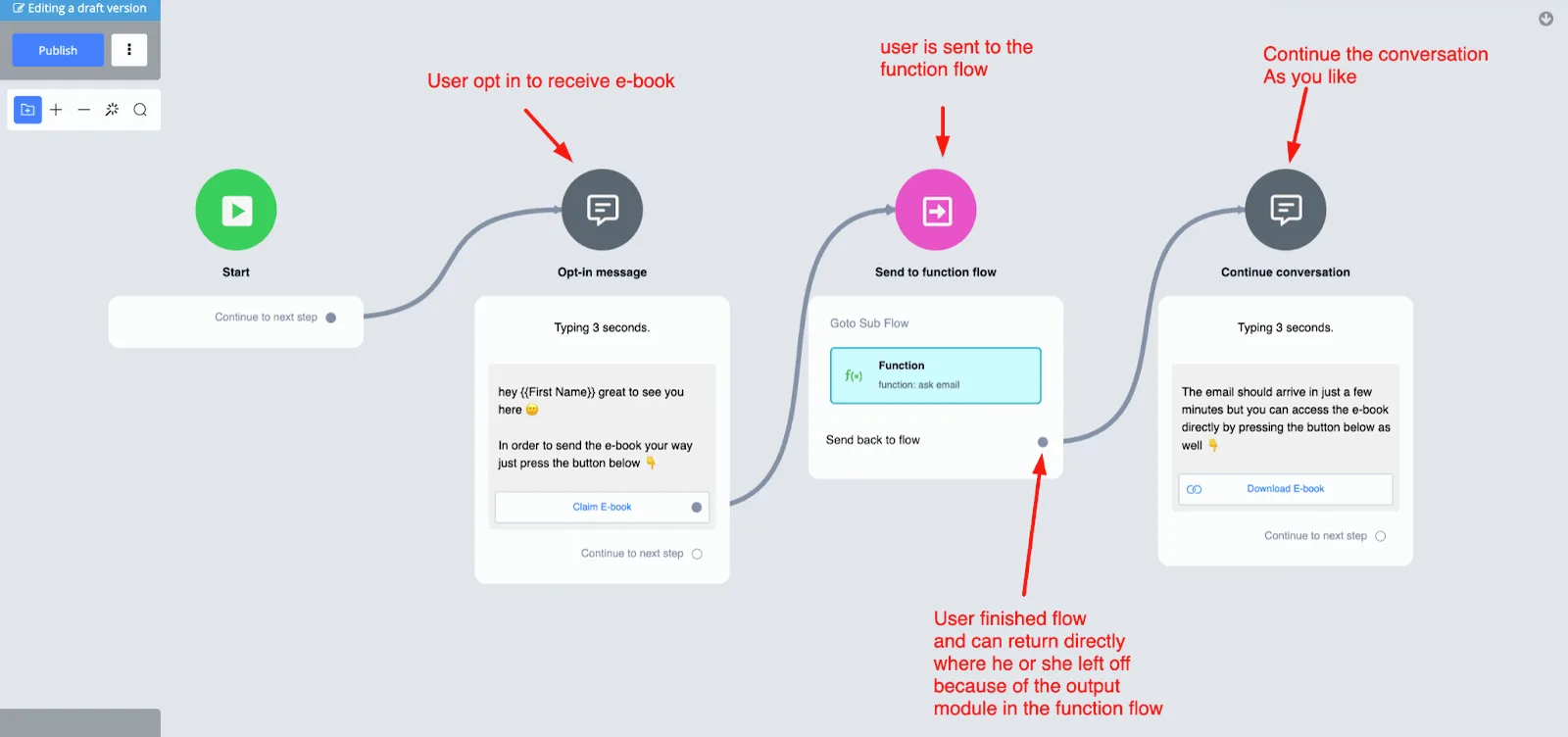
There are many use cases for function flows, so you can be as creative as you like.
Your function flow supports multiple output steps.
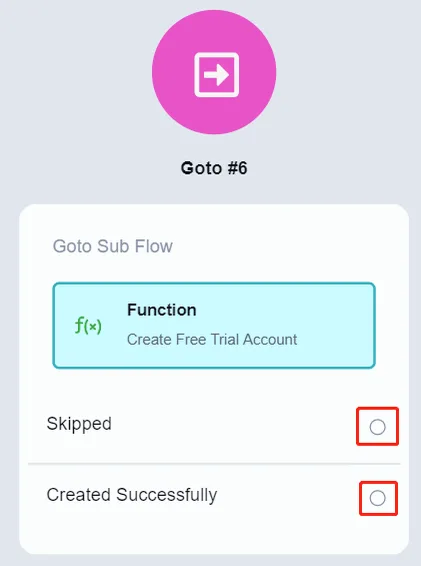
When you call a function flow with multiple outputs, the titles of those outputs appear in the Goto step, and you can handle each of them as you like.