Customer Feedback (Facebook)
A great way to collect feedback inside the chatbot is to use NicoChat's native module. It lets you gather feedback and also find out when a user is not satisfied with the product or service you provide — so you can proactively reach out and fix whatever is wrong.
Note: this is only available inside the Messenger channel.
To create a new customer feedback topic, go to Content and select the Customer Feedback Topics tab.
From here you get an overview of all the topics created and you can manage them or create a new one.
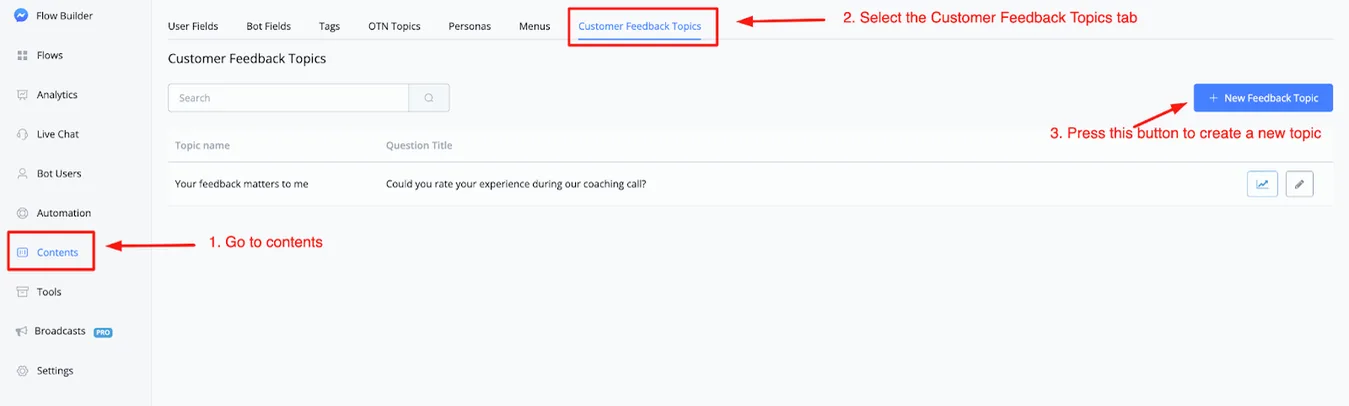
To create a new topic, just click the button in the top right corner, named + New Feedback Topic.
Once that is done, a window appears where you set everything up.
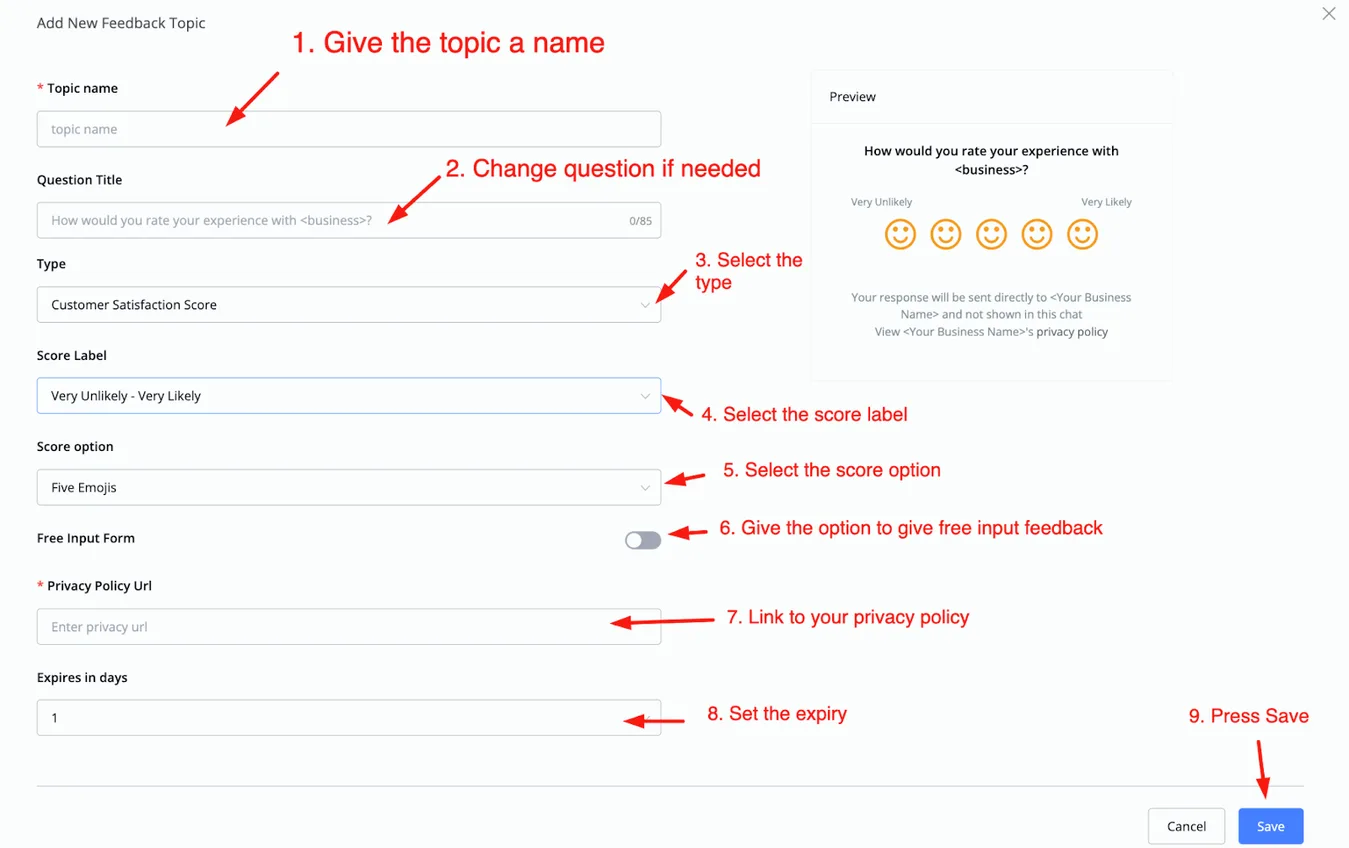
As you can see, you can customize everything as you prefer. Let's walk through the options.
In option 1, you give the topic a name — this is the name that appears in the topics overview. Below that, you adjust the question title, which is the text shown as the question. The field is filled in by default, but you can change it.
You also define the type. The options are:
- Customer Satisfaction Score
- Net Promoter Score
- Customer Effort Score
- Free Input Form
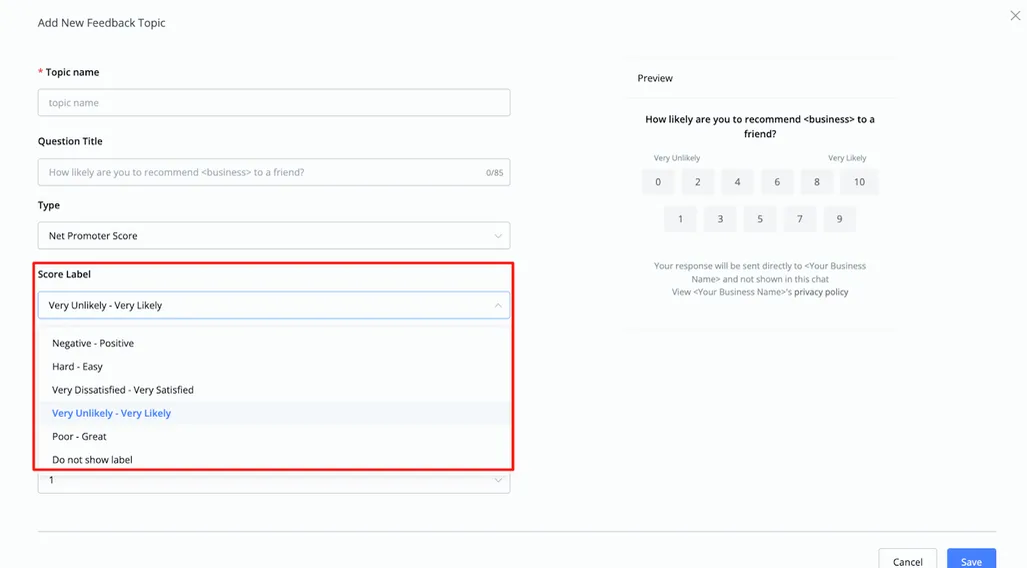
The next step is to choose the Score Label. The options are:
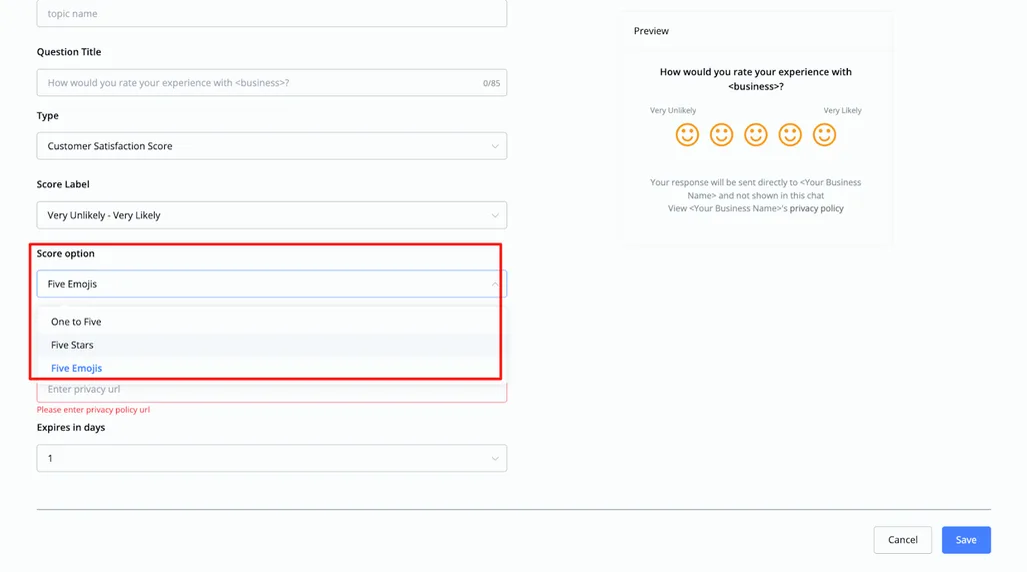
Next come the score options you can choose from:
- One to five (numbers)
- Five stars
- Five emojis
You can also enable or disable free-form input. When enabled, the user can give additional feedback beyond the rating.
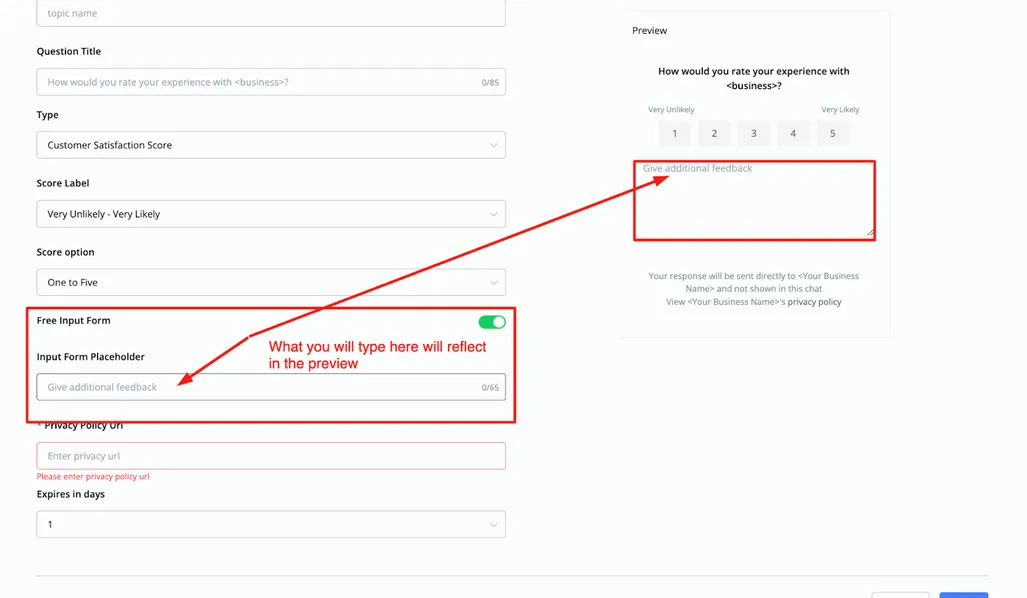
Below that, you point to your Privacy Policy, which is mandatory. Lastly, you set in how many days the customer feedback expires — between 1 and 7 days.
Once that is done, click save. You are taken back to the main overview and can manage the customer feedback topic you have just created from there.

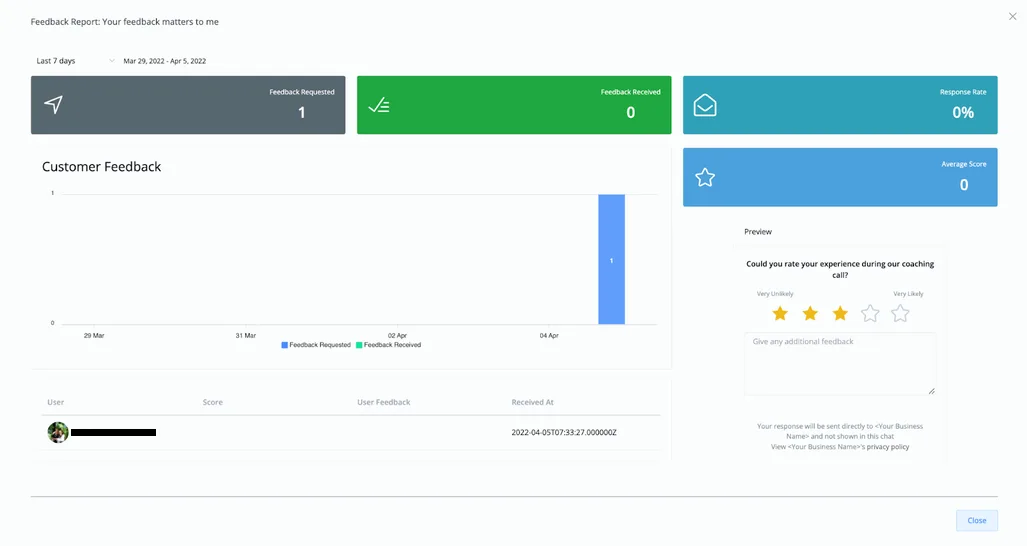
On the right there are two icons. The first one shows advanced analytics about the selected topic; the pencil icon lets you edit it however you want.
Below you will find an example of the analytics you will see:
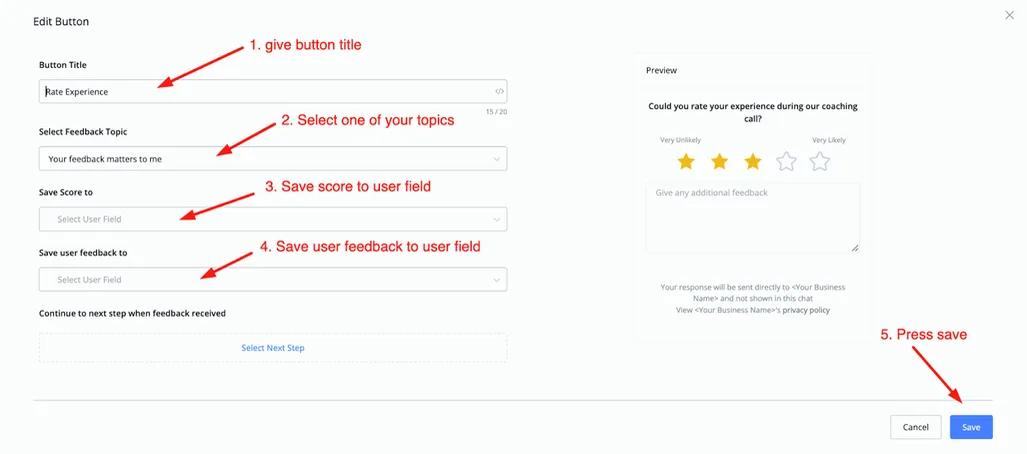
This is done in the flow builder. Go to the flow you want to set up, create a Send Message block and select Customer Feedback.
You will then be able to add a title and a subtitle and click the button named Rate Experience.
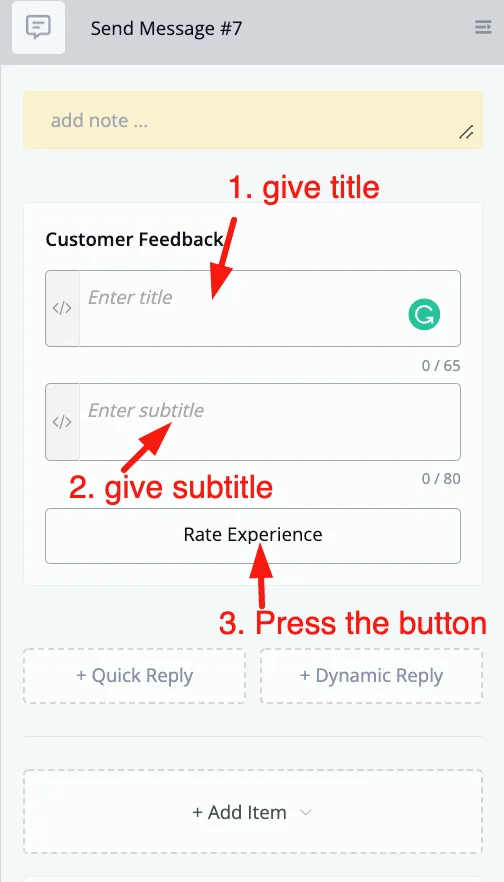
Then give the button a title, select the topic you want to use and save the responses to a user field. Once that is done, click save: you can now send this customer feedback to any user who enters the flow and reaches this block.