

Customer Feedback (Statistics)
This report shows user ratings and feedback about the Facebook Channel, providing valuable insights to improve service and user experience.
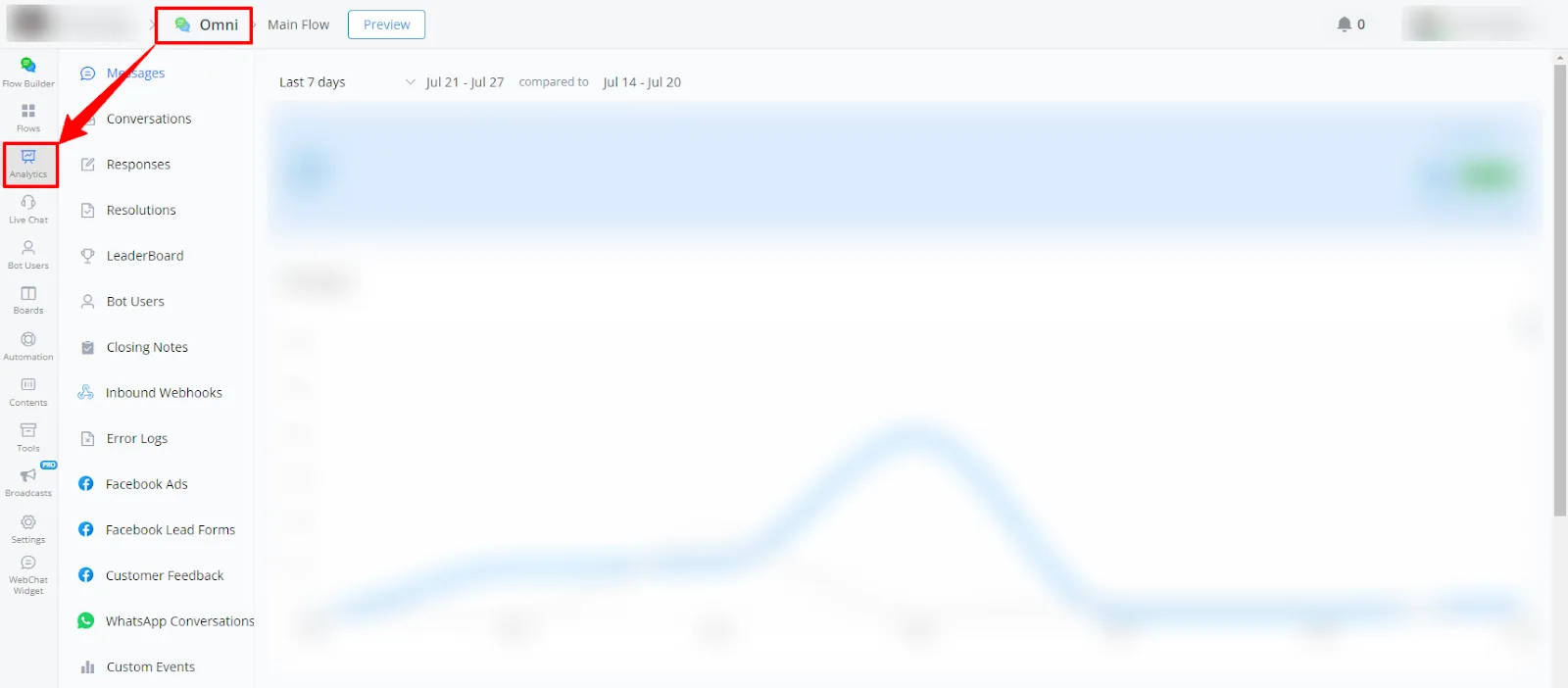
- In your channel, go to Statistics.
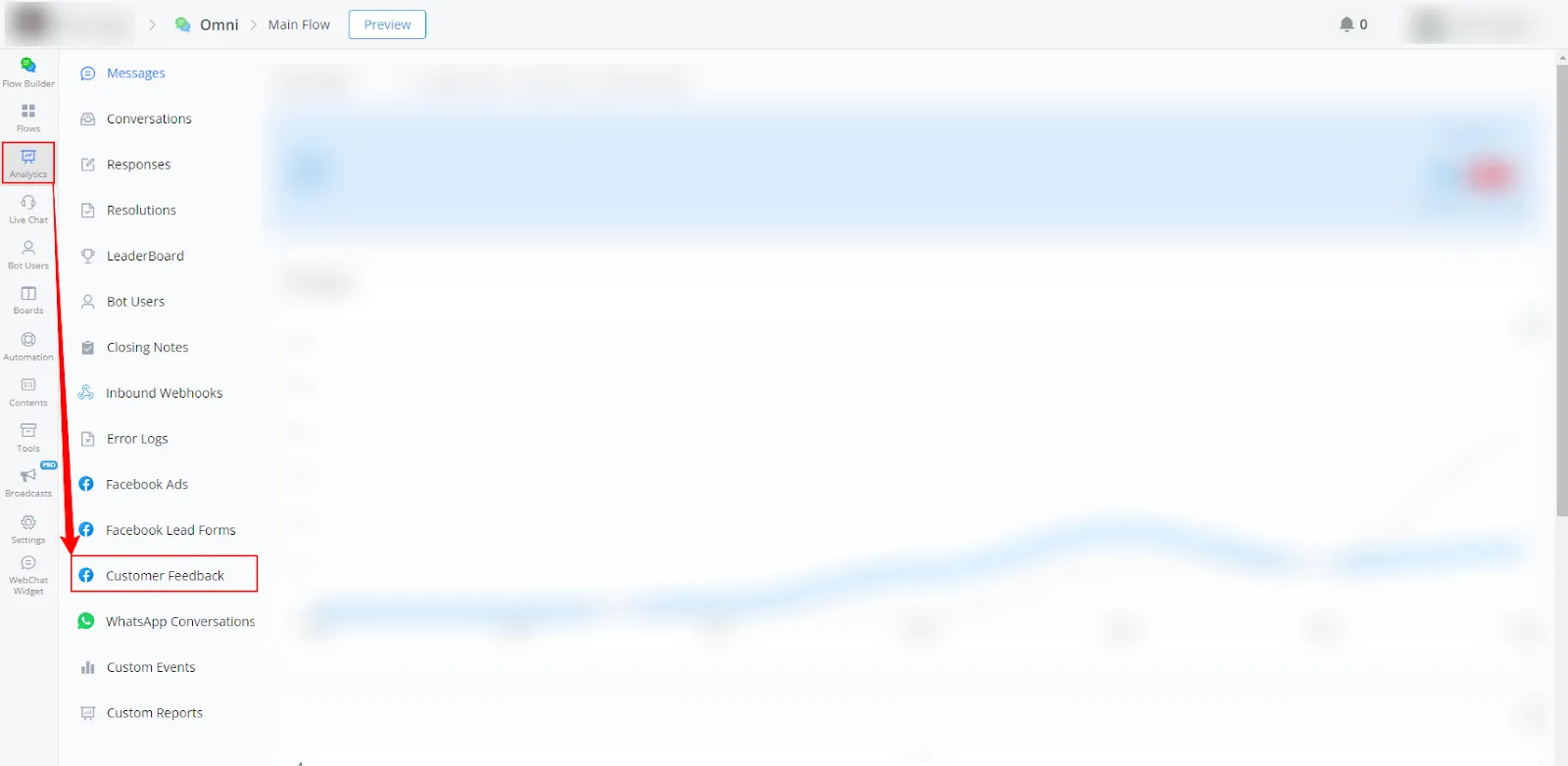
- Select Customer Feedback in the left-side menu.
Available report types
Below is a brief explanation of the charts in the Customer Feedback reports:
Line charts
- Customer Feedback:
The orange line represents the feedback received in the current period. The gray line represents the feedback received in the previous period. - Contacts:
The blue line represents the contacts in the current period. The gray line represents the contacts in the previous period.
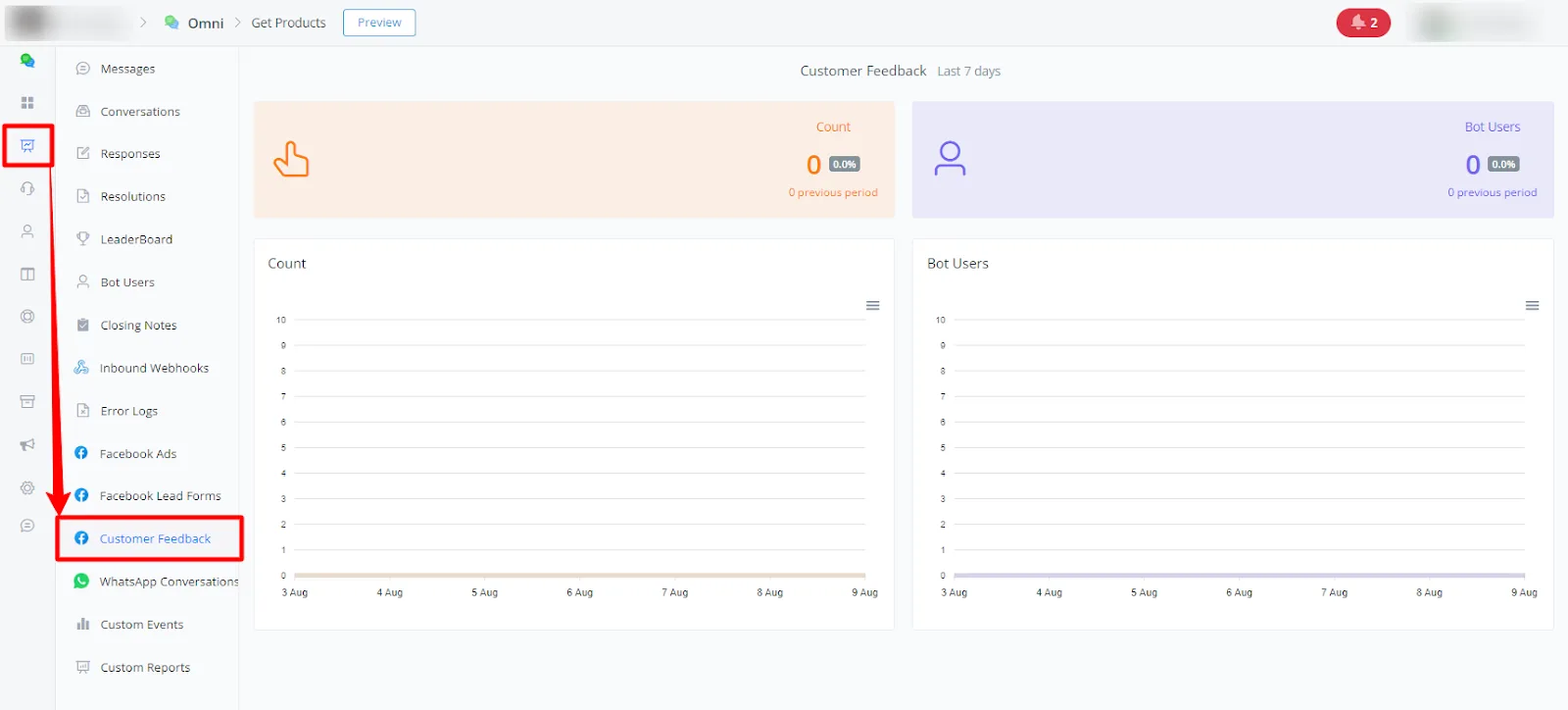
These descriptions help you interpret the charts and use the available filters to analyze the relevant data in each report.
If you need further help, open a ticket at discord.com/channels/1147227963792830534/1153402986240946358