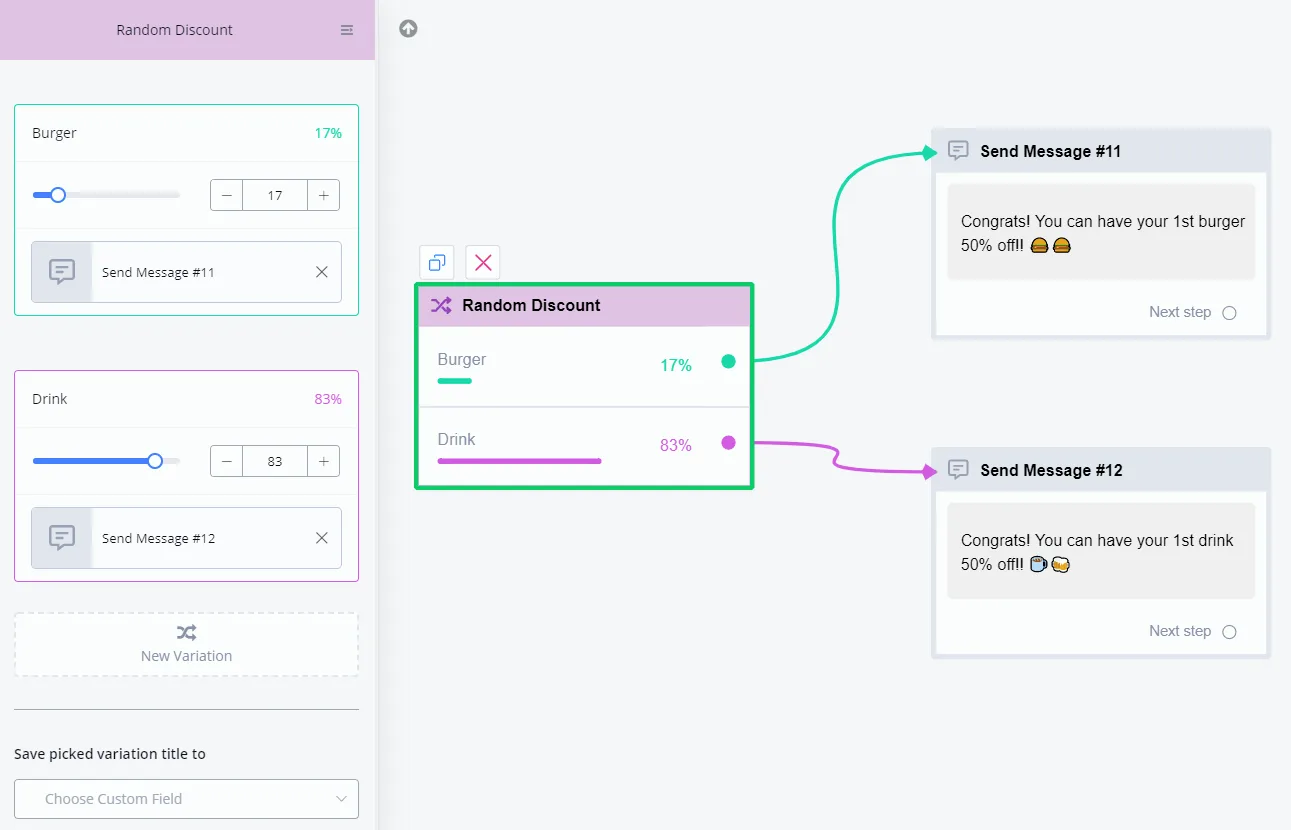
Random Step
YouTube video (unavailable for embedding)
With the Random step, you can go to different steps/flows according to probability.
The Random step lets you build many interesting features, such as:
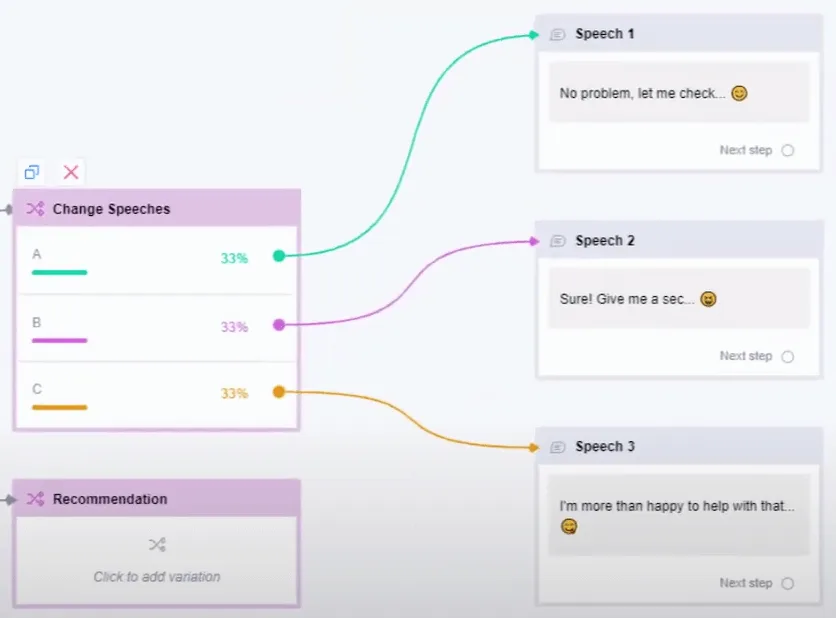
- vary the wording instead of always repeating the same responses
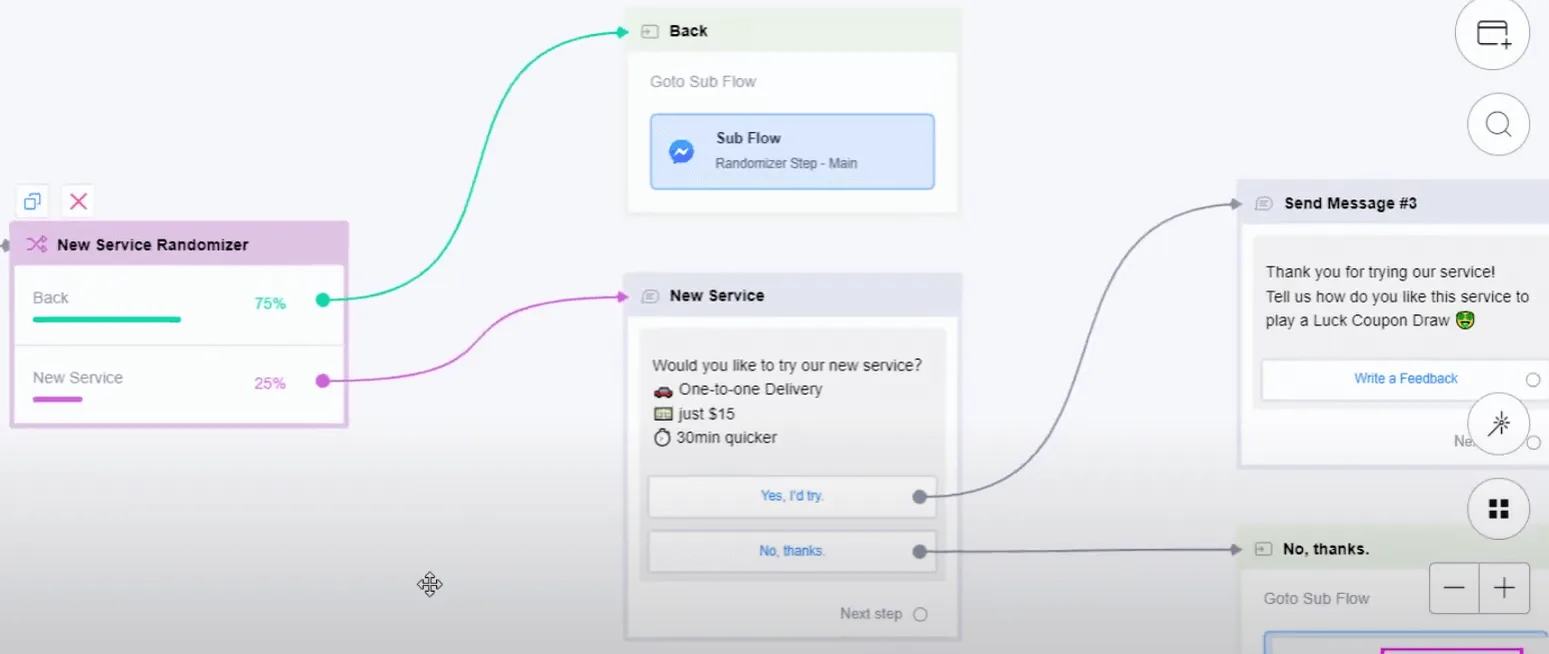
- test new features with just a small group of clients to get feedback
- or run a fun lottery!
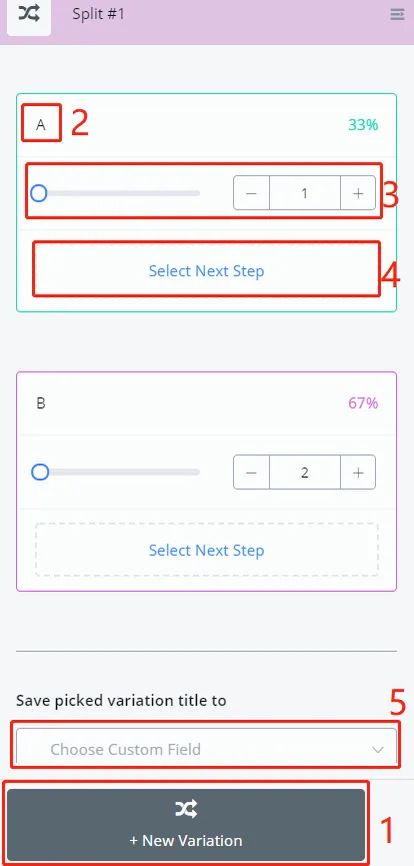
In your Random step:
1
click "+ New Variation" and add more than two variations
2
change the variation title if needed
3
adjust the weights as you want
enter percentages directly, such as 30 and 70, and you will get 30% and 70%. Alternatively, enter weights such as 1 and 2 and let the system calculate the percentages 33% and 67%.
4
select the next steps for each variation
5
save the picked variation for later use if needed
Varying the wording:
Testing new features and getting feedback:
Fun lottery: