

Comment
The Comment feature improves the clarity and the organization of chatbot flows by allowing users to add comments directly in the Flow Builder. These comments work as annotations that explain the purpose or the functionality of specific actions and steps.
- Adding comments:
To add a comment, just right-click any empty space in the Flow Builder. A comment box will appear, and you type the comment text in it. - Customization options:
Customize the size and the font of the comment text to suit your preference. Move the comment box within the flow to position it where it is clearest.
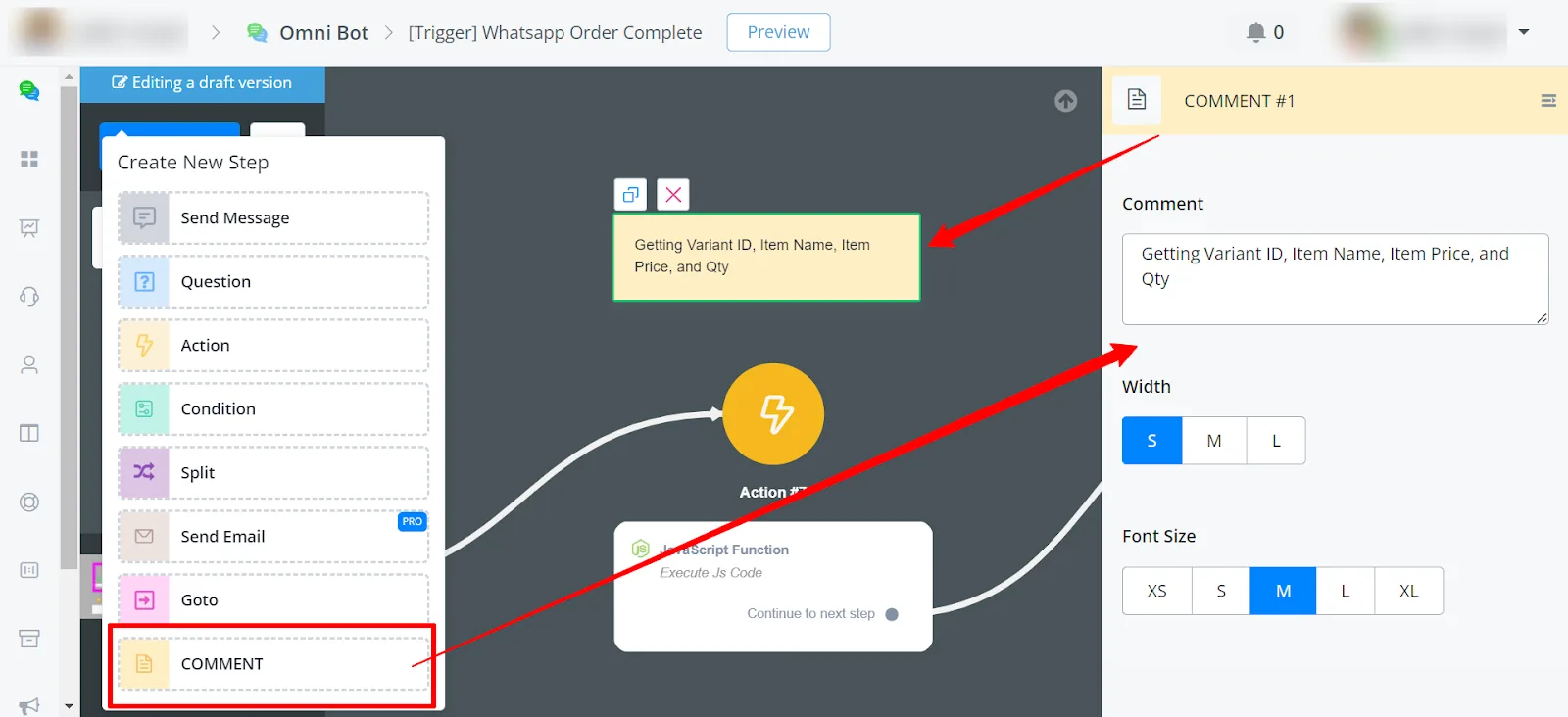
- Use comments to provide explanations, instructions, or context for each action or step of the chatbot flow.
- Comments are especially useful for documenting complex flows or for team development, because they let your colleagues understand the logic and the functionality of each component.
- Each action or step of the flow also has a notes section.
- Tapping an action or step reveals the corresponding note, with additional details or explanations, directly in the flow.
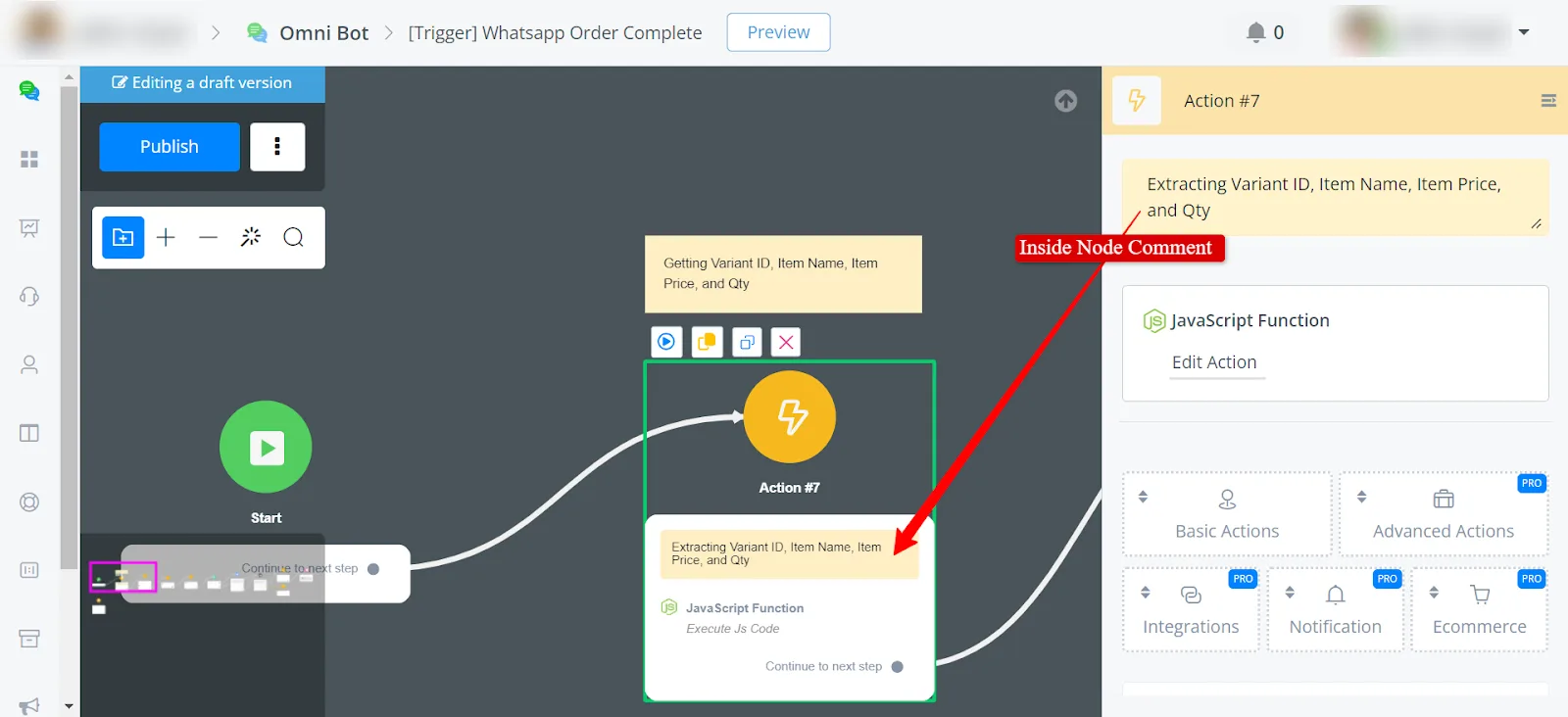
The Comment feature in the Flow Builder lets users add annotations and explanations directly in the flow, which improves clarity, understanding, and collaboration.