

Bot Fields
YouTube video (embedding unavailable)
Similar to contact fields, you can also create bot fields. The main difference is that, with contact fields, you store data to segment and share with that specific contact, while bot fields let you store data and show it equally to all contacts.
The value does not change. Think of information such as opening hours or the company's contact details.
You can create a bot field in the bot fields overview tab.
You can do so by pressing Content in the left-hand menu and, from there, pressing the tab called Bot Fields.
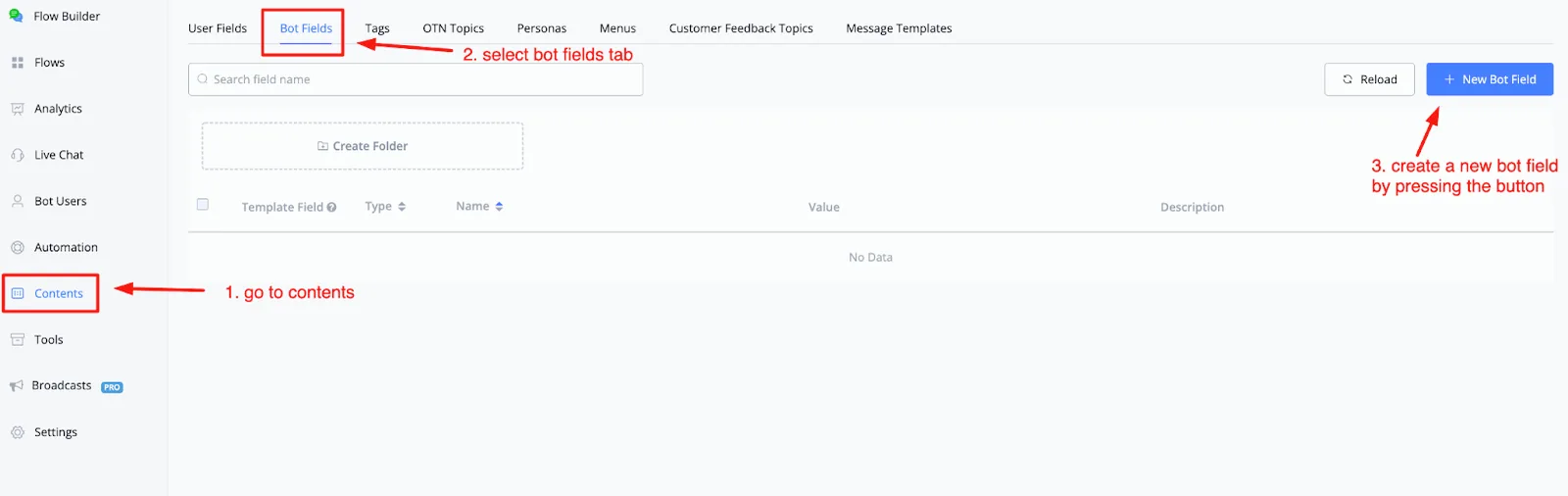
If you want to create a new bot field, just press the button called + New Bot Field, in the top right corner.
From there, a pop-up window will appear where you can create your bot field.
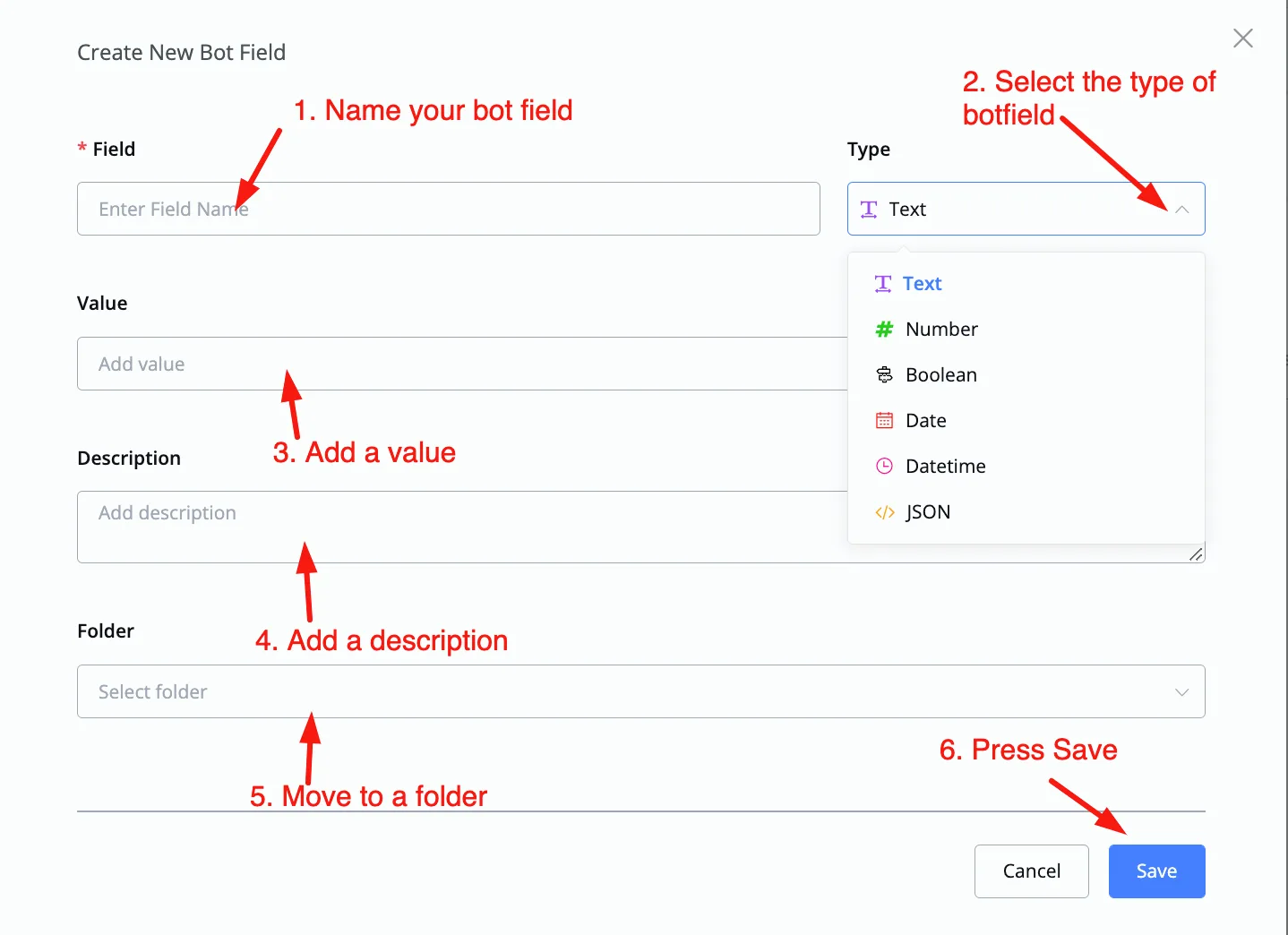
After naming the new bot field, you can select the type of field it will have.
We currently have the following types available:
- Text
- Number
- Boolean
- Date
- Datetime
- JSON
After selecting the type, you can add the value to this bot field. If you want, you can also add a description and choose the folder you want to move it to.
When everything is filled in, just press the Save button, in the bottom right corner, to create the bot field.
After creating the bot field, you will be able to manage it from the main overview.
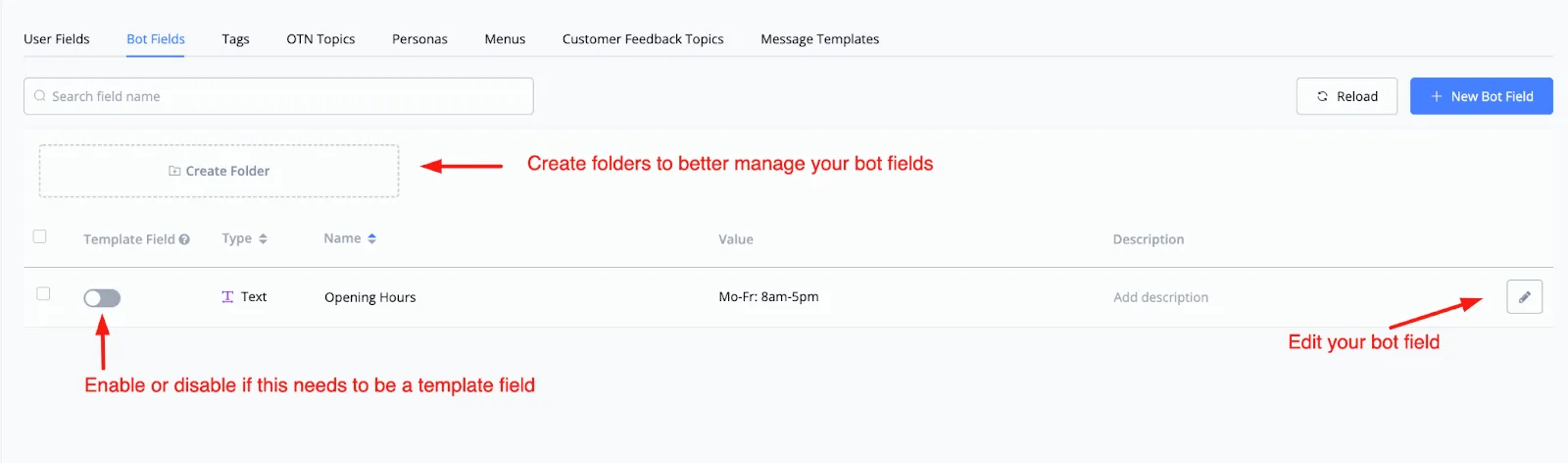
You can create folders to better organize your bot fields. You can also enable or disable the Template Field option.
Lastly, you can edit the bot field itself by pressing the pencil icon to the right of any bot field.