AI Agents
NicoChat has launched its powerful AI Agents feature, making it easier than ever to build AI chatbots without the complexity of manually handling AI assistants and chat completions.

NicoChat has launched its powerful AI Agents feature, making it easier than ever to build AI chatbots without the complexity of manually handling AI assistants and chat completions.
With AI Agents, users can now build advanced conversational bots that integrate seamlessly with OpenAI (and other popular GenAI platforms), perform tasks independently and deliver dynamic, natural interactions — all with minimal effort.
Whether for customer support, lead generation or workflow automation, NicoChat AI Agents remove the barriers to developing AI-powered chatbots, simplifying the process for businesses and developers alike.
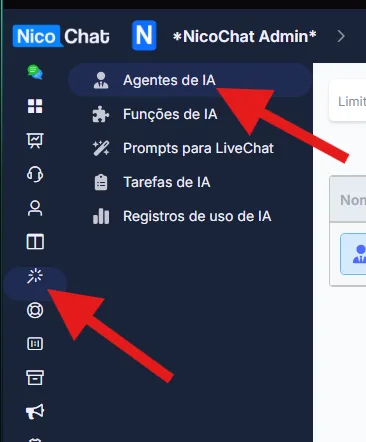
Inside your channel, click "Central de IA" in the left sidebar to access AI Agents and AI Functions.
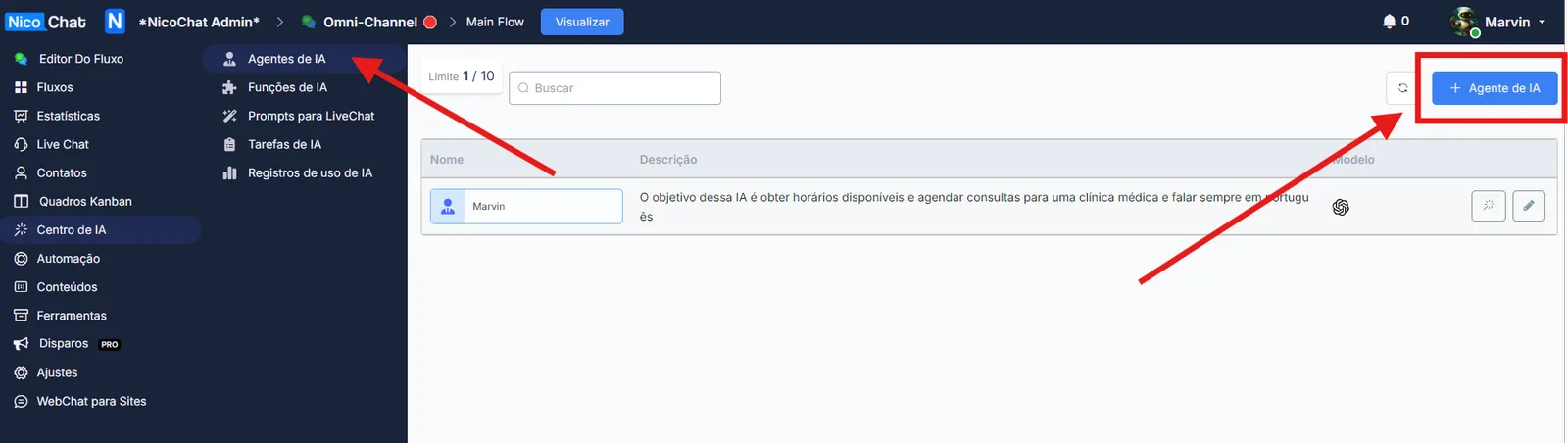
Click "+ AI Agent" to create a new agent.
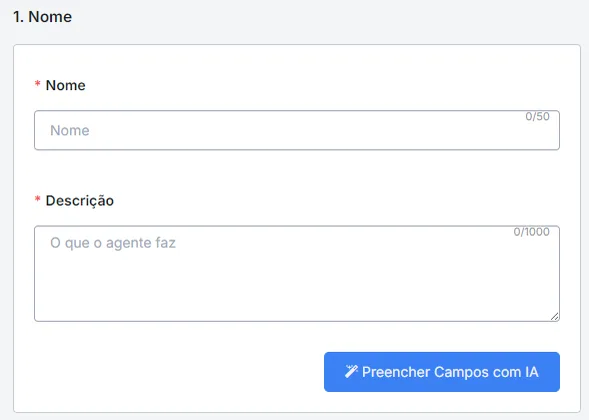
In this section, you will need to set the name and the description of the AI agent. The description should be a short text explaining the agent's role.
Description Example:
Este agente é responsável por agendar compromissos com os usuários. Primeiro, ele coleta os detalhes do usuário (nome, sobrenome e e-mail). Em seguida, busca os horários disponíveis e permite que o usuário escolha um. Assim que a data e hora forem escolhidas, o agente agenda o compromisso.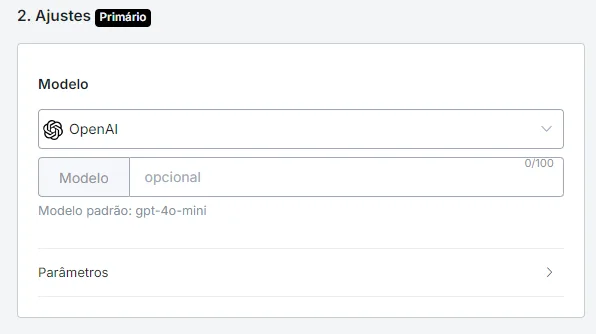
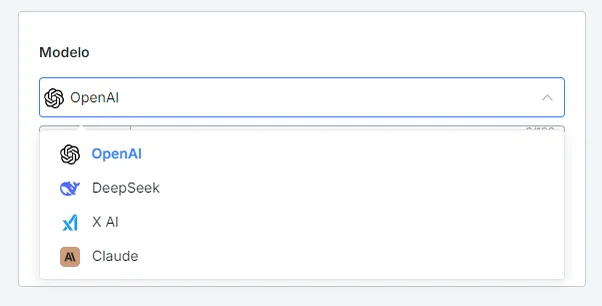
In this section, you can choose the AI model and set several parameters that will affect the agent's behavior.
If your use case requires the AI Agent to use functions, advanced models such as GPT-4-turbo-preview are recommended, as they are more stable and accurate when handling functions.
Currently, NicoChat supports OpenAI, Deepseek, Grok AI and Claude for creating agents. New models will be added soon, including Google Gemini and Claude.
- Temperature: controls the creativity of the responses.
- Number of repetitions: defines how many times the AI can repeat certain information.
- Number of messages before automatic summarization:
This feature manages long conversations by condensing the chat history after a predefined number of messages (e.g. 10, 50 or 100 messages). This preserves the essential details without overloading the history.
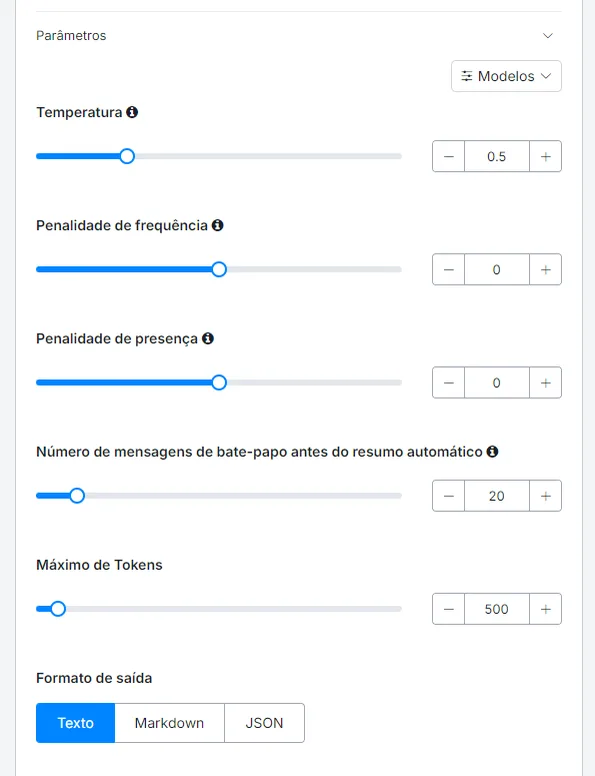
You can set the agent's output format, choosing between plain text or JSON.

In this section, you will define the personality and role of the AI Agent.
Role Example:
O Agente de Agendamento de Compromissos é responsável por marcar reuniões com os usuários. Ele deve capturar as informações do usuário (nome, sobrenome e e-mail), buscar horários disponíveis, permitir a seleção de horário e concluir o agendamento. O tom deve ser profissional e amigável, garantindo uma experiência suave para o usuário.
You can define the skills you want the agent to perform.
Skills Example:
Habilidade 1: Captura de Detalhes do Usuário
- Coletar nome, sobrenome e e-mail.
- Perguntar apenas pelos detalhes não informados.
- Após coletar todas as informações, buscar horários disponíveis e prosseguir para a próxima etapa.

Habilidade 2: Seleção de Horário
- Exibir horários disponíveis ao usuário de forma organizada.
- Primeiro, apresentar as datas disponíveis.
- Após a escolha da data, exibir os horários disponíveis para aquele dia.

Habilidade 3: Agendamento
- Após o usuário escolher a data e horário, apresentar um resumo e pedir confirmação.
- Ao confirmar, salvar a data e hora no formato original e finalizar o agendamento.
- Notificar o usuário quando o agendamento for concluído.Learn more about AI functions here:

This feature lets you enter detailed descriptions of products and services, including:
- Specifications
- Scheduling options
- Pricing
- Useful references
This avoids repetitive questions, improving the user experience and the efficiency of your support.

In this section, you define behaviors the agent must NOT perform.
Restrictions Example:
- O agente deve processar solicitações apenas dentro de uma sessão e não armazenar dados pessoais além dela.
- Deve evitar perguntas irrelevantes e respostas confusas.
- Se o usuário cancelar o processo, oferecer uma saída educada.
- As respostas devem ser rápidas para manter o engajamento.
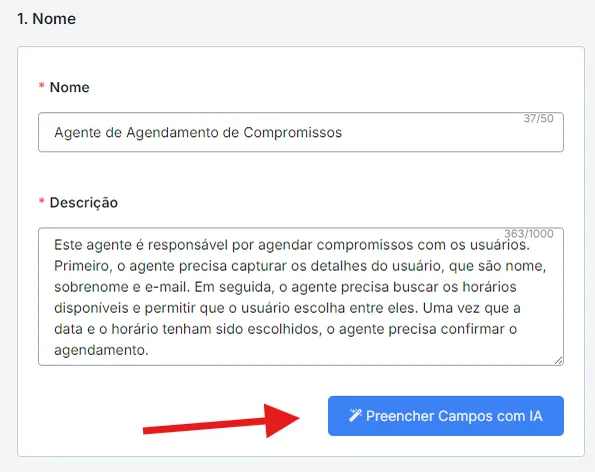
NicoChat provides a "Generate Agent Prompt" button, which automatically generates the role, personality, skills and restrictions based on the description you provide.
There are two main scenarios in which this feature is especially useful. First, if you have no experience creating prompts, it helps you quickly structure a detailed and effective prompt without requiring advanced skills.
Second, if you prefer not to start from scratch, this tool provides a predefined structure, offering a solid base that can be modified and adapted to meet your specific needs.
- Create an action node and select "AI Action".
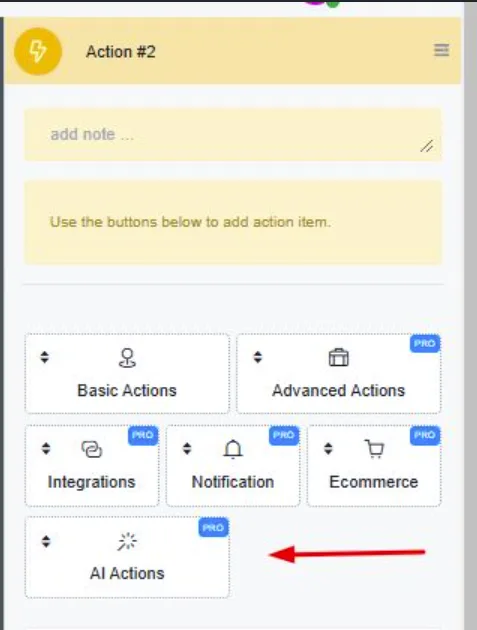
To use the AI Agent, simply send the flow to the user, and the agent will start interacting automatically.
In addition, you can chain several AI Agents to route the user as needed.
- The additional agent will receive a title and a short description in the system prompt.
- Once the user's intent has been identified by the additional agent, you can connect that intent to another AI Agent action.
This approach ensures maximum use-case coverage and optimizes prompt token consumption.
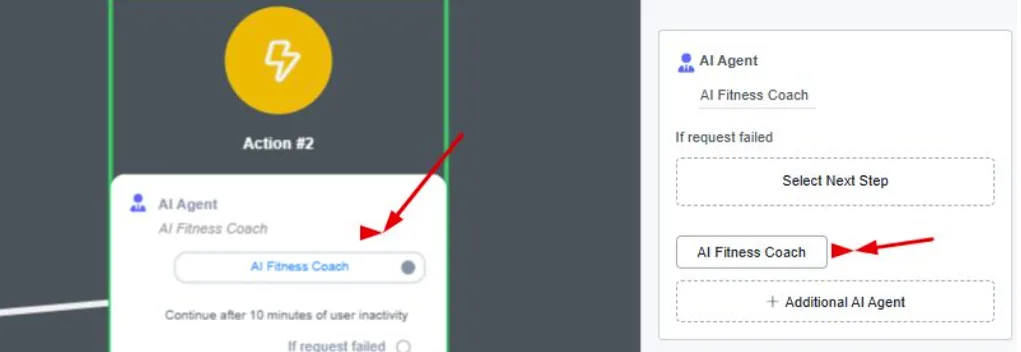
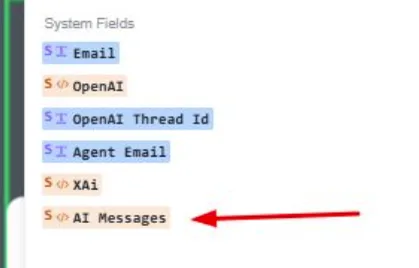
The entire conversation with the user will be saved in the new System JSON field, called "AI Messages".