

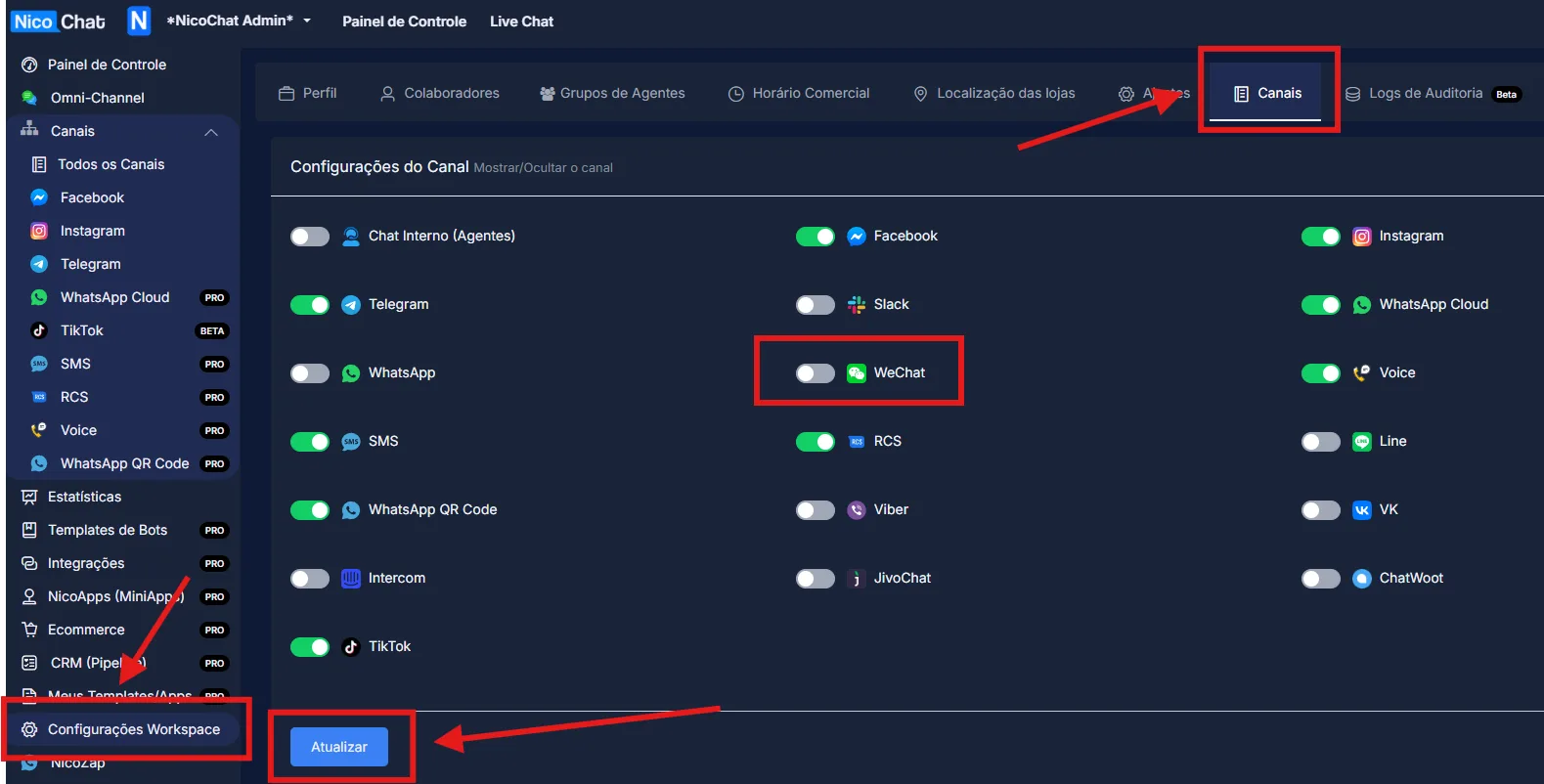
To enable NicoChat's additional channels, go to “Workspace Settings” > “Channels”, enable the desired channel and click “Update”, as shown in the image:
To enable NicoChat's additional channels, go to “Workspace Settings” > “Channels”, enable the desired channel and click “Update”, as shown in the image:
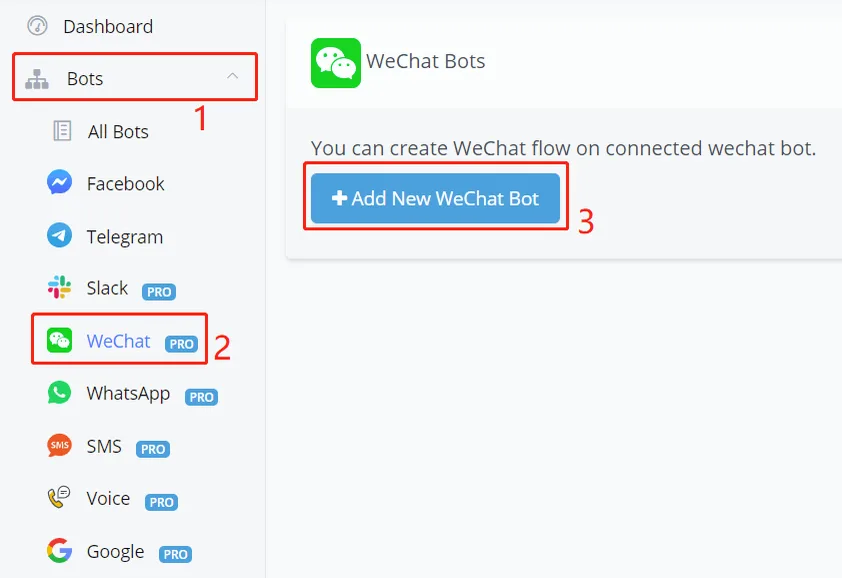
Follow steps 1, 2 and 3 in the image above.
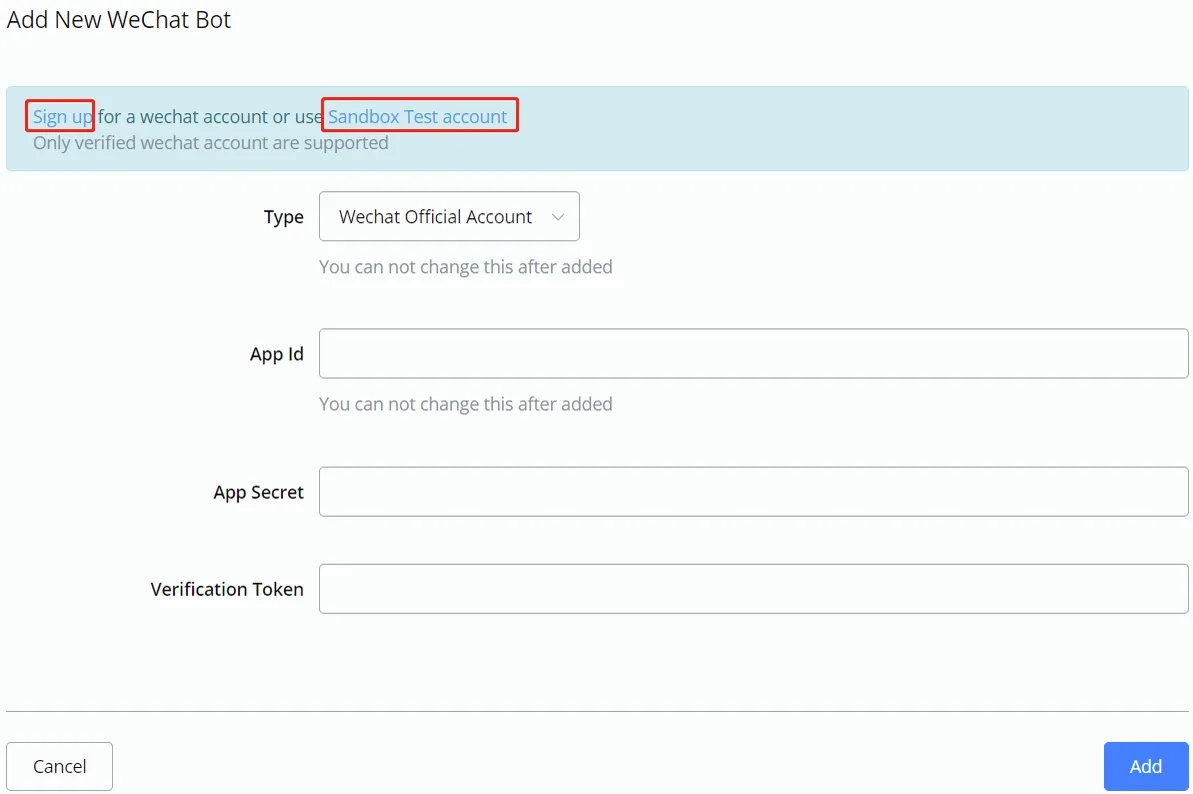
- If you already have a WeChat official account or want to register one, click "Sign up"
- If you don't have an official account yet, click "Sandbox Test account" to test the bot with your personal WeChat account
Log in with your WeChat account. At the top, you can see your “appID” and “appsecret” as shown below:
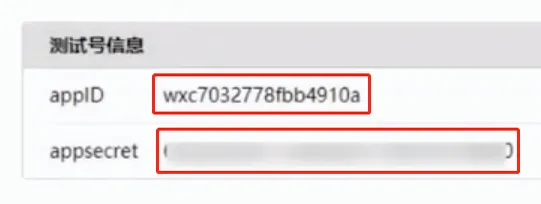
Copy them to NicoChat. Follow the steps below:
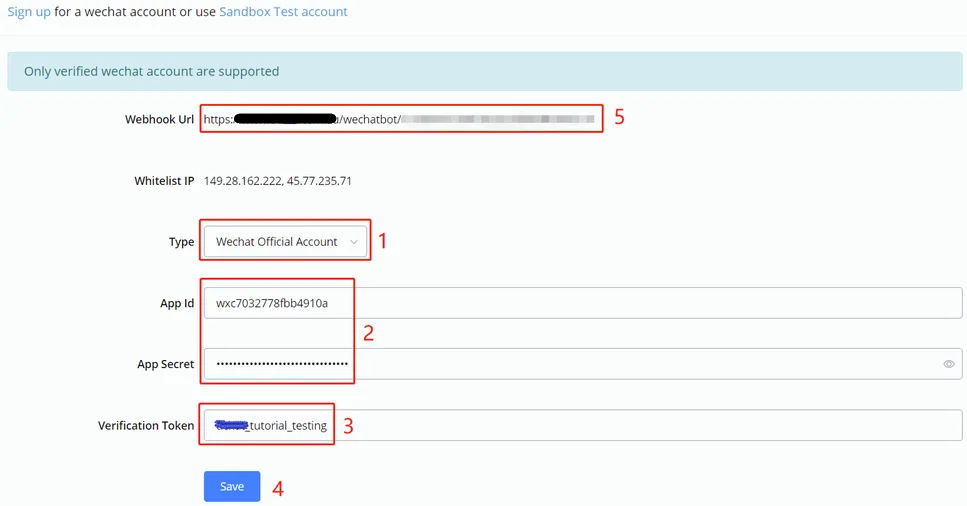
- choose a type
- paste your appID and appsecret
- set a token of your choice
- click "Save"
- a webhook URL will be displayed, copy it to the WeChat website
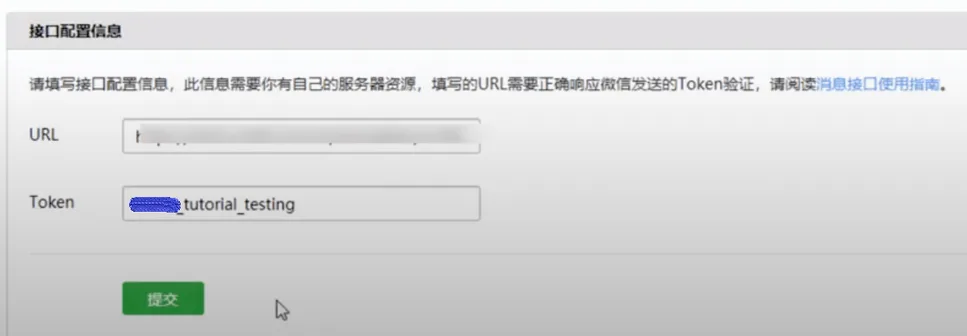
Paste the webhook URL (from step 5) and the token (from step 3) here and click the green "Submit" button. Finally, scroll down a bit and you will see your testing QR code:
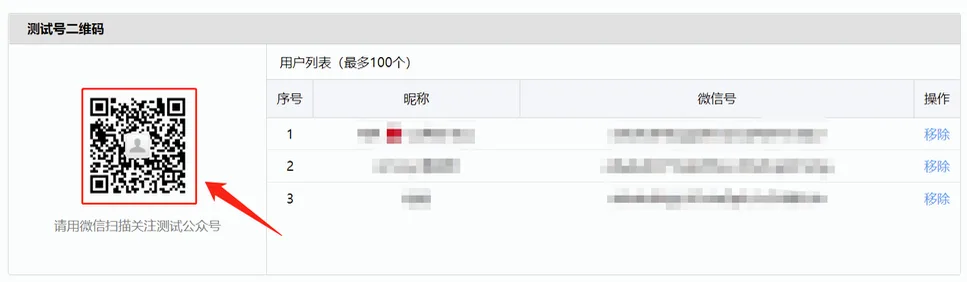
Now you can share your QR code with any WeChat user. By scanning the code and following your official or testing account, they will be able to talk to your bot. In addition, their nickname and WeChatID will be listed here (100 users maximum).
This error occurs when you try to send a message to a user who has not interacted with your WeChat official account for more than 48 hours or who has cancelled the subscription.
WeChat enforces a 48-hour window during which you can reply to a user's message. After this period, the API restricts sending new messages to that user.
Solution: encourage users to interact with your page from time to time. If a user goes past the 48-hour window, one possible way to re-engage them is by email or SMS, provided that your contacts have opted in to those channels.
This error indicates that you have exceeded the allowed number of messages you can send to a user within a specific period. WeChat sets limits to prevent spam and ensure a good user experience.
You can send 5 messages at a time per user. After those 5 messages, you need to wait until the user interacts with your chatbot, which will allow you to send the next message.