

Telegram
On your phone, visit t.me/BotFather
Send "/newbot" and then a username for your bot. You will get a token like this:
Copy the token and go back to NicoChat.
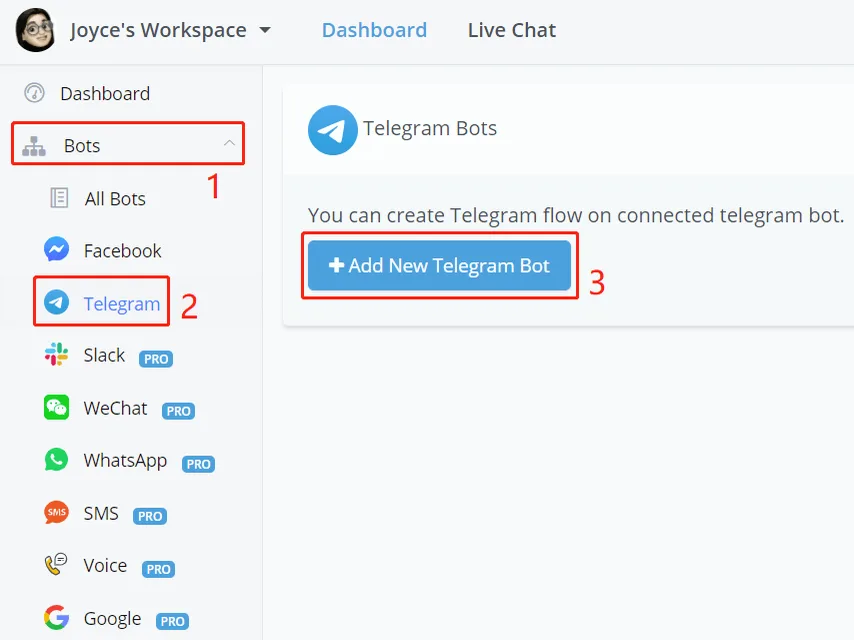
In NicoChat, click “Add New Telegram Bot” and enter your token in the window that opens. Finally, click “Create Flow” and that’s it!
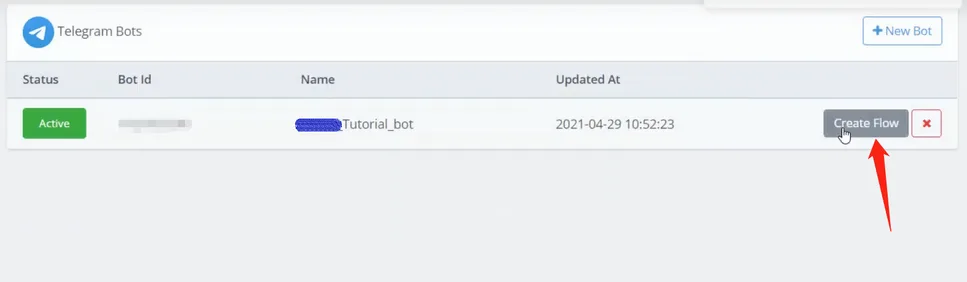
Flip the status to stop/start the automation and click the red x to remove the connection (your flow will still be in "All Bots").
# Talk to the Telegram Bot
Two ways:
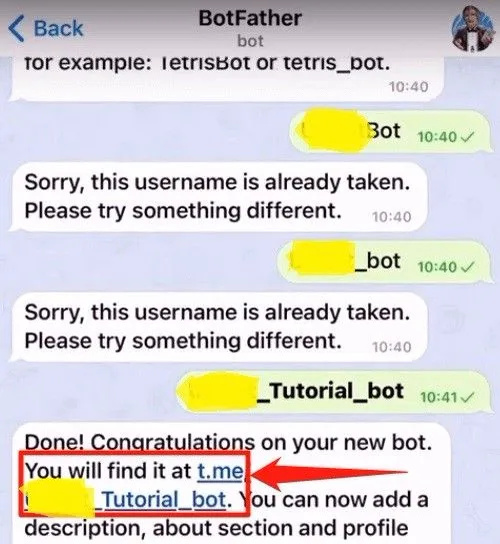
- Click the link above.
- Use the preview button in your flow.