

Slack
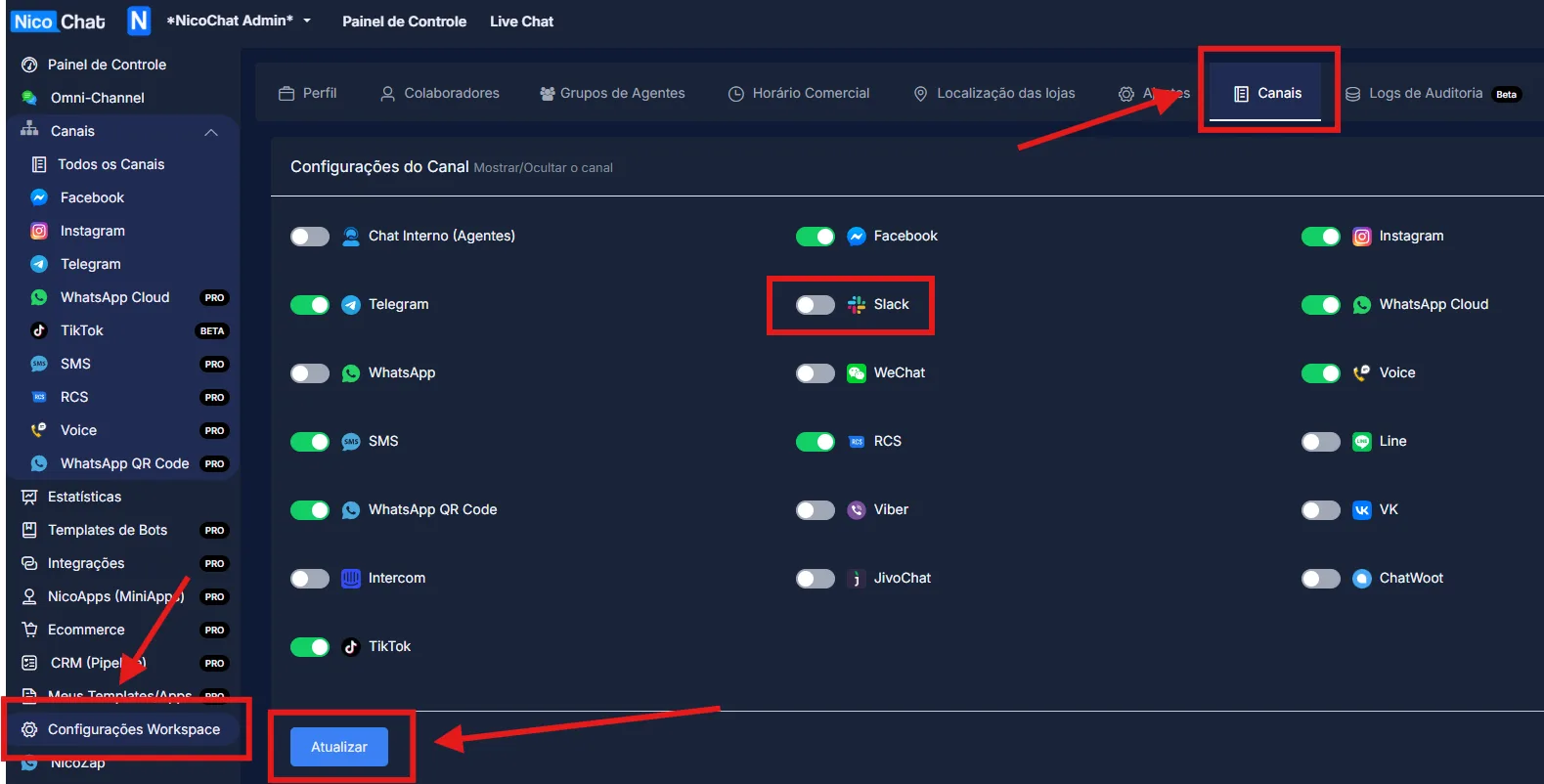
To enable NicoChat's Additional Channels, go to “Workspace Settings” > “Channels”, enable the desired channel and click “Update”, as shown in the image:
To enable NicoChat's Additional Channels, go to “Workspace Settings” > “Channels”, enable the desired channel and click “Update”, as shown in the image:
For now, NicoChat can send various types of messages to your Slack group or to your Slack contacts, mainly for notification purposes.
Note
In Progress – We are working on new functions for Slack bots. The documentation will be updated as soon as this is done. If you have any questions, talk to us through the NicoChat support bot, in the bottom right corner, at https://app.nicochat.com.br/login