Troubleshooting - WhatsApp QR Code
Check that the domain URL is correct. For Z-API, the URL must be exactly the following:
Check that the domain URL is correct. For Z-API, the URL must be exactly the following:
https://api.z-api.ioFor Evolution, it must be your URL without the trailing slash.
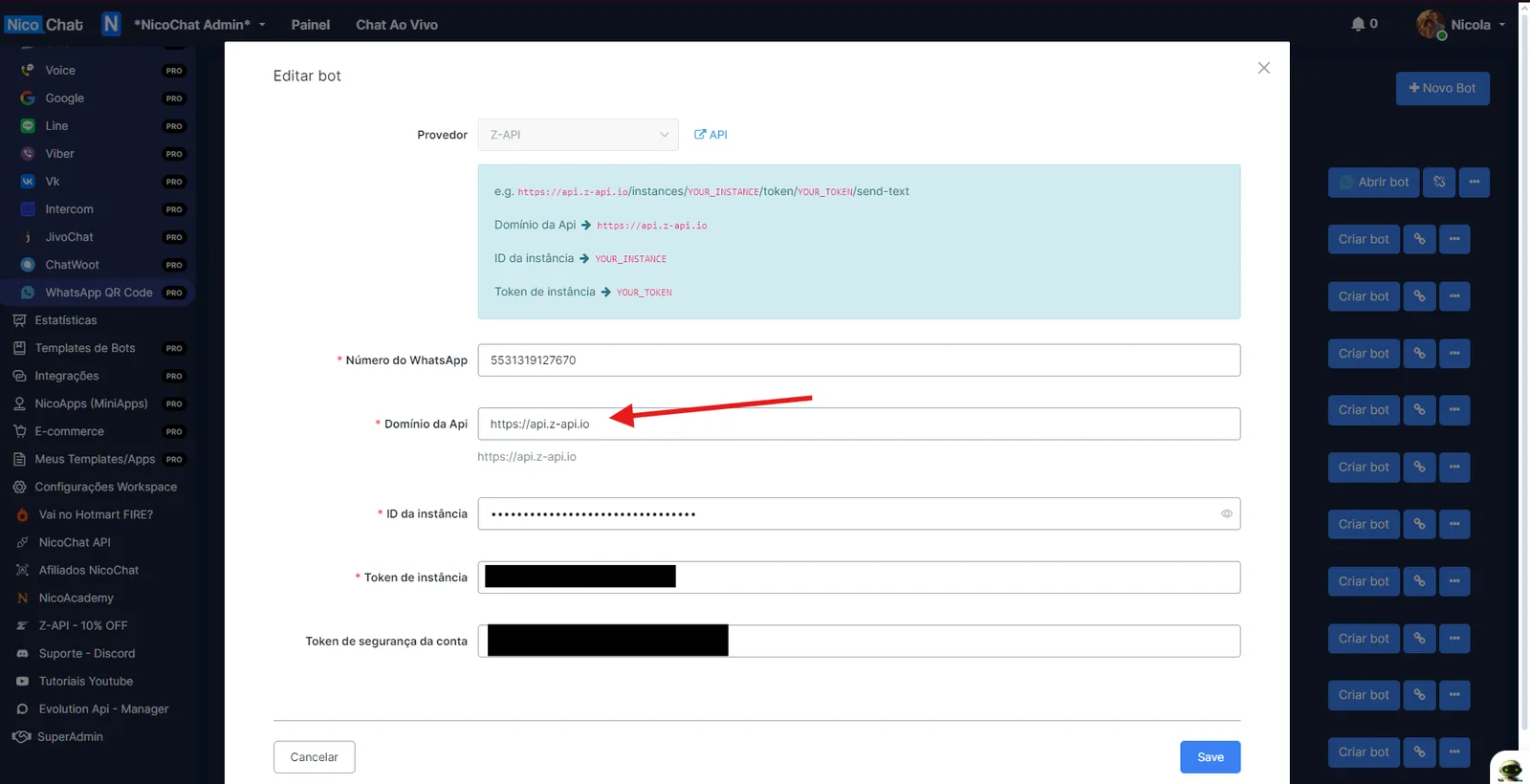
Check that you have filled in all the details correctly:
- Instance Id
- Instance Token
- Account Security Token
See the documentation Z-API - WhatsApp QR Code and Evolution API - WhatsApp QR Code for more details.
If you got this error, someone has probably already connected this phone number in NicoChat. To fix it, just add a “0” in front of the number.
There was probably a failure in the provider’s webhook (Z-API or Evolution). We will need to reconnect the instance:
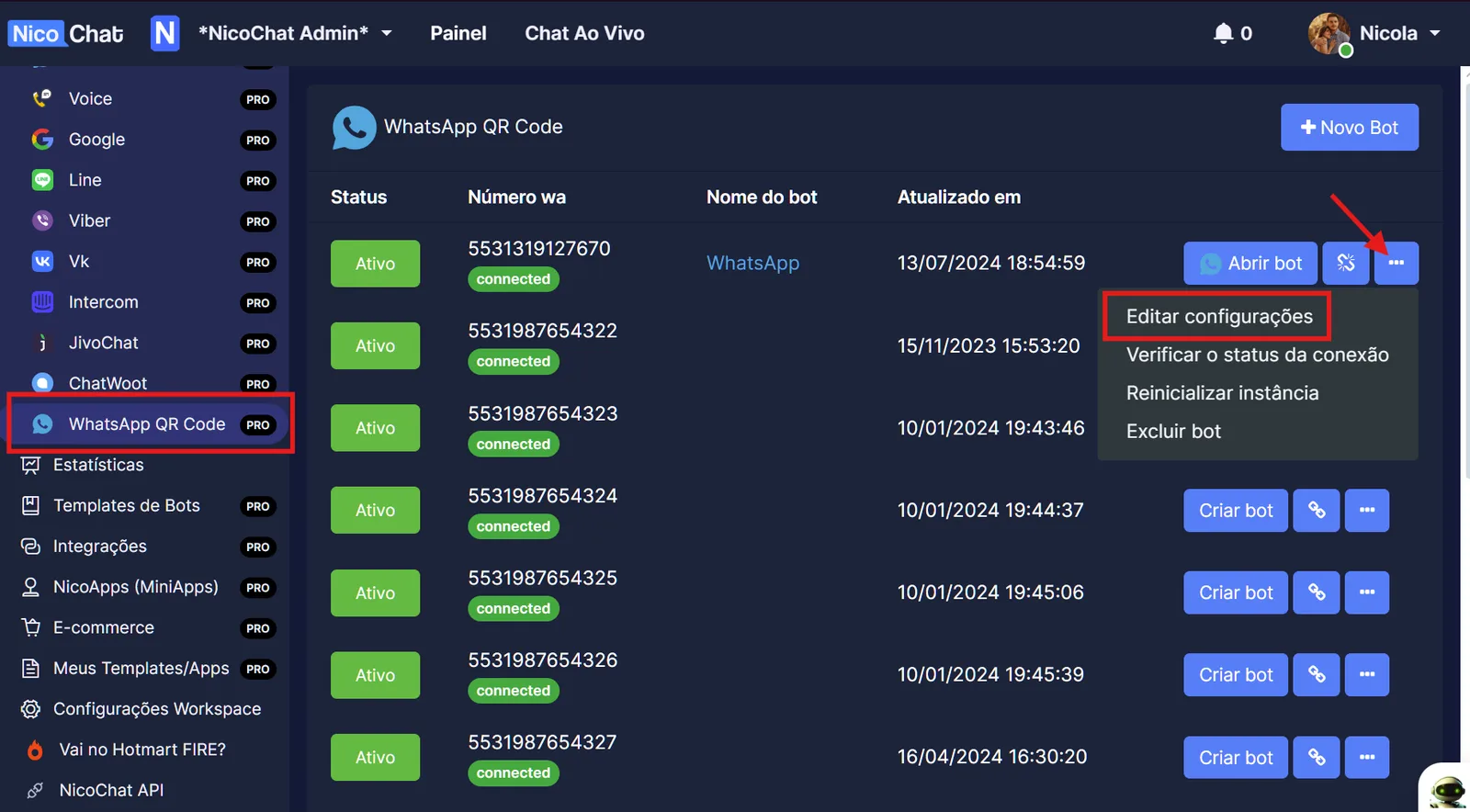
Go to “WhatsApp QR Code”, click the 3 dots on the instance and click “Edit Settings”.
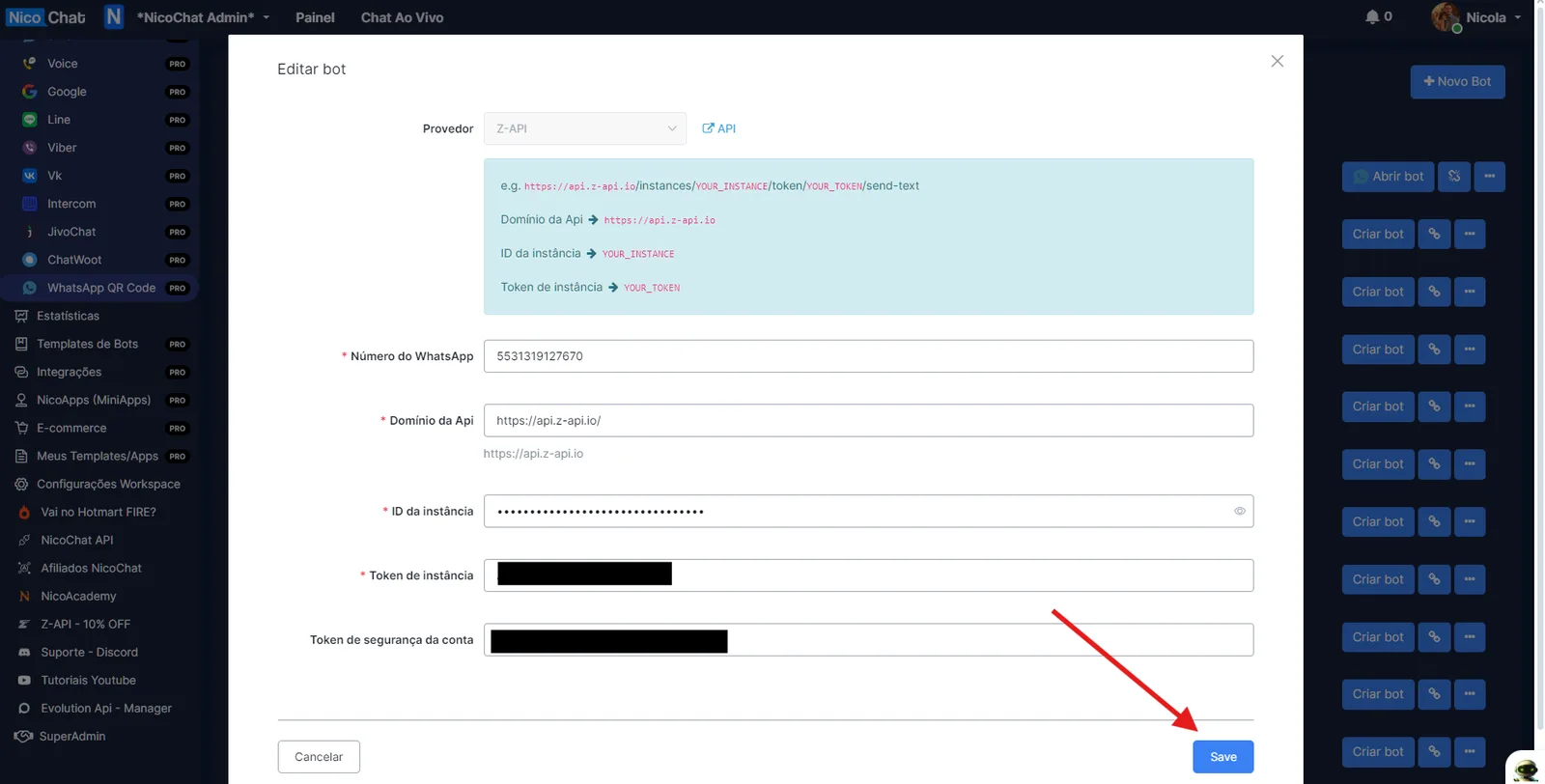
Then click “Save”.
Go to “WhatsApp QR Code” and check whether the instance status is “Active” or “Paused”. If it is paused, click to activate it.
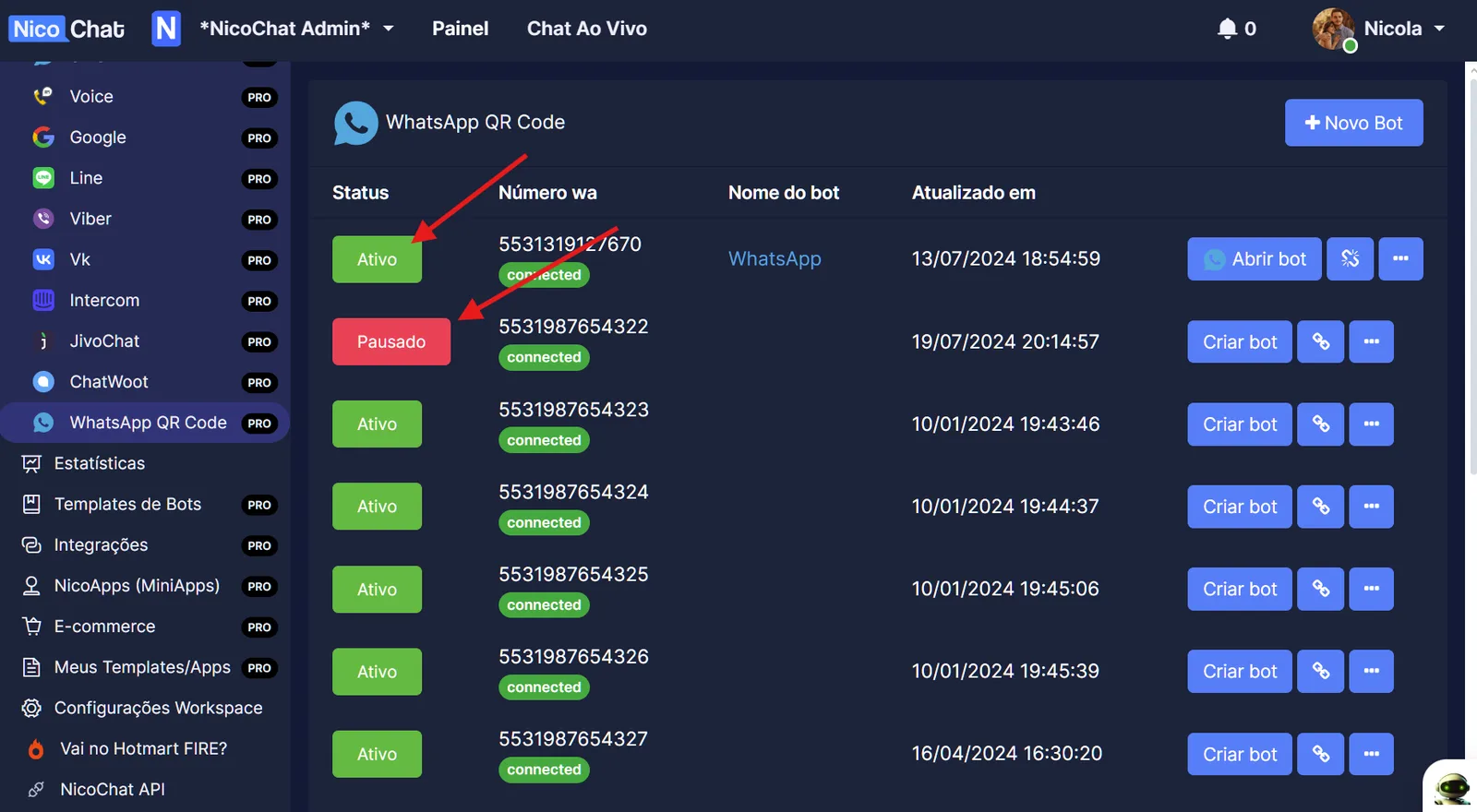
Go to the provider (Evolution or Z-API), find the instance and check whether it is connected.
First, check whether messages are arriving in Live Chat. If they are not, read the previous topic: Troubleshooting - WhatsApp QR Code.
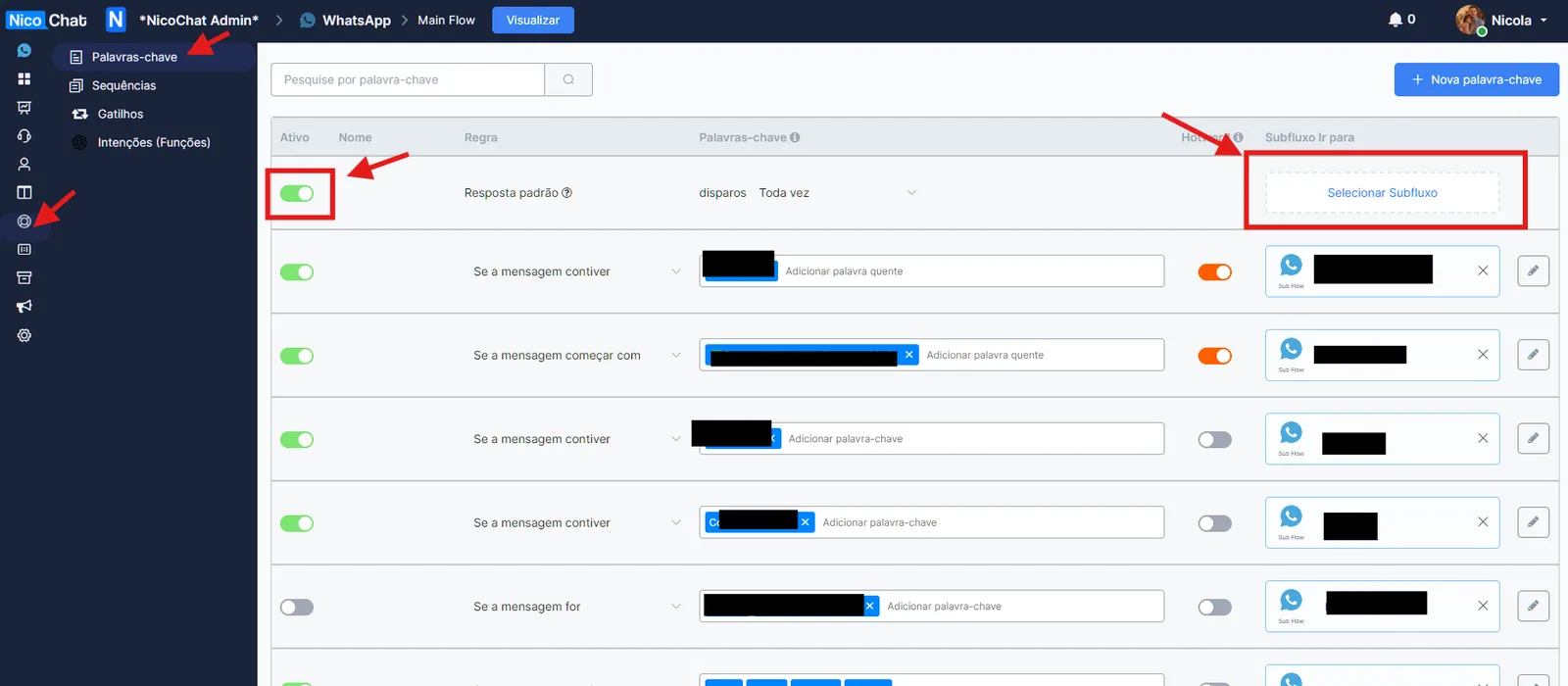
Add a keyword or a default flow to trigger your flow, as shown in the image below. Automation > Keywords
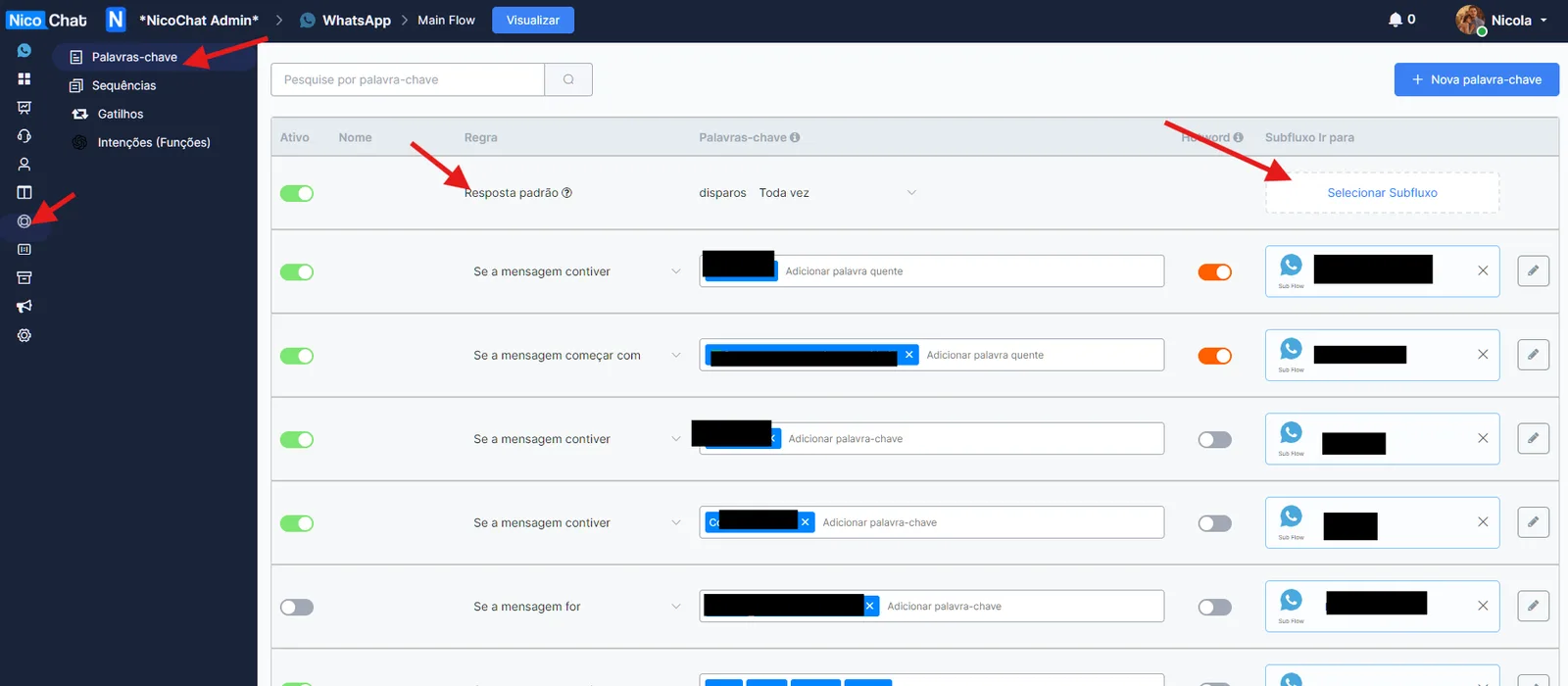
By default, the Main Flow will be triggered for all NicoChat contacts. If you want to disable this, go to Automation > Keywords and ENABLE the Default Reply without selecting any flow, as shown in the image: