

Evolution API - WhatsApp QR Code
This document details the integration process between NicoChat and the Evolution API, which stands out for being a free, self-hosted solution that allows full management on your own server with no additional cost per instance.
This document details the integration process between NicoChat and the Evolution API, which stands out for being a free, self-hosted solution that allows full management on your own server with no additional cost per instance. Integration with the Evolution API opens up a range of possibilities for automations and WhatsApp communications directly from your server.
Before starting the integration, it is essential that the Evolution API is already installed and configured on your server. You must have:
- The domain of your Evolution API instance.
- The instance name created inside the Evolution API.
- The API Key specific to that instance.
- The WhatsApp phone number linked to the instance.
This data is crucial for the integration with NicoChat, since each Evolution API instance works independently within your automation environment.
To integrate NicoChat with your Evolution API instance, follow the steps below:
- Access NicoChat: Log in to the NicoChat platform and find the WhatsApp QR Code tab.
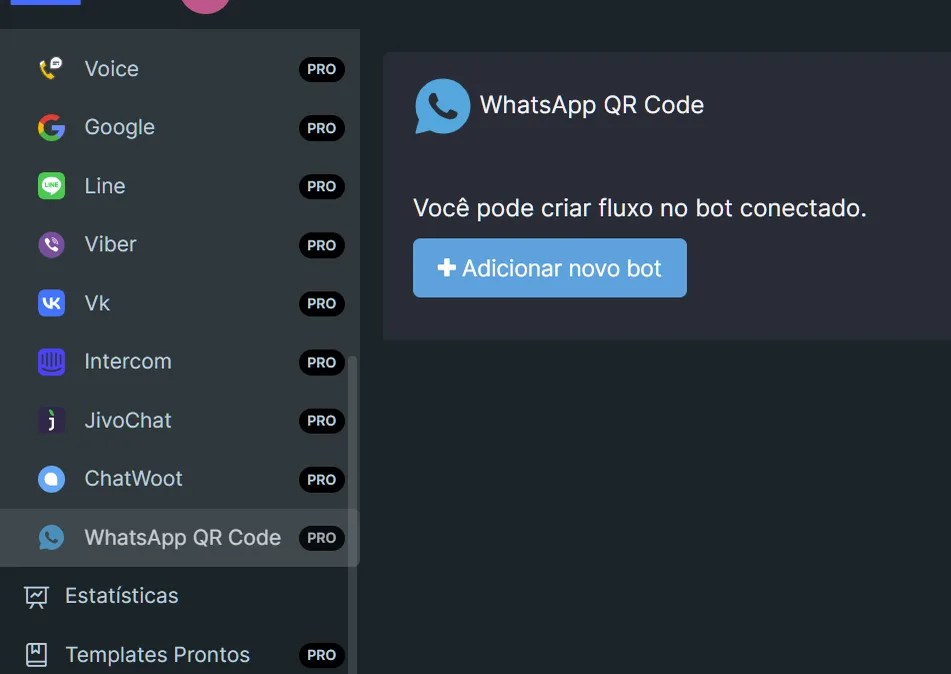
- Adding a New Bot: Select the option to add a new bot and choose the Evolution API as the type of service to be integrated.
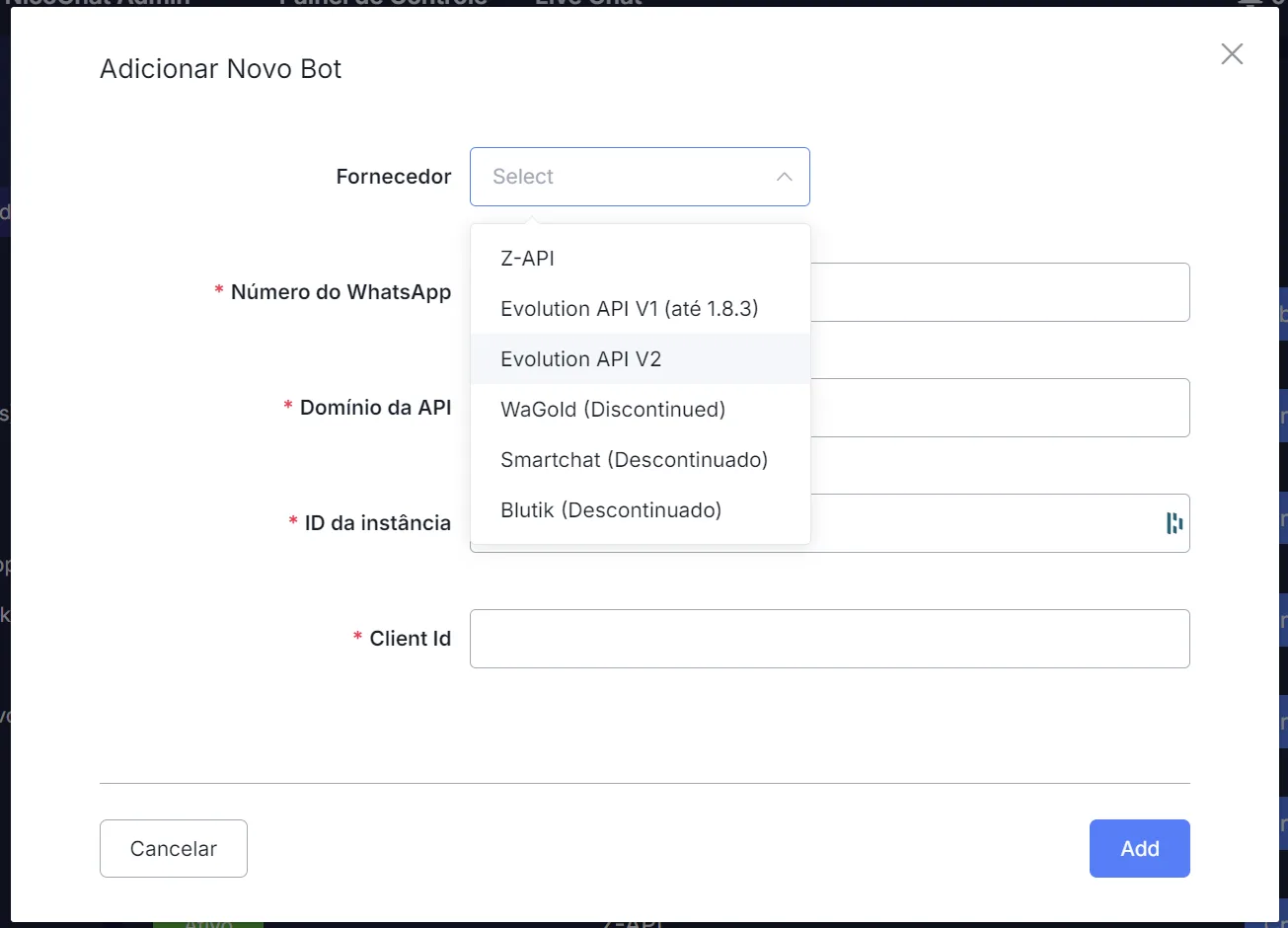
- Filling in the Data: Enter the information you collected (API Domain, Instance Name, API Key and WhatsApp number) in the appropriate fields.
Once you complete these steps, the integration between NicoChat and the Evolution API will be established, allowing you to start automating your WhatsApp communications.
The Evolution API does not automatically store media (images, audio, documents, videos) sent by end users to your WhatsApp. If you want to keep a record of this media inside your chatbot in NicoChat, you will need to integrate an external storage service, such as Amazon S3 Storage.
To set up media storage with S3 Storage, we recommend following the instructions available in the official S3 Storage connection documentation. This process ensures that all media received by your chatbot is stored securely and remains accessible.
For details on configuring S3 Storage: S3 Storage
Integrating NicoChat with the Evolution API provides a powerful and cost-effective solution for automating WhatsApp messages, with the added benefit of being fully manageable in your own server environment. Keep in mind that, for it to work fully, you may need to adjust settings according to your specific needs, especially regarding media storage.